
Shopify
Compare costs Try Shopify →Basic: $39/month
$29/month billed annually (USD)
- Full storefront and product catalog
- Inventory and shipping workflows
- Store themes and marketing tools
ThriveCart
Compare costs Explore ThriveCart →Standard: $47/month
$37/month billed annually (USD)
- Checkout funnels and order bumps
- Academy Starter with subscriptions
- Visual sales-page building
Comparing Shopify vs ThriveCart? Shopify is the better choice for a full retail store. ThriveCart is the stronger fit if your business revolves around courses, focused offers, and checkout funnels. The right answer depends on what your customers need to do.
If shoppers need to browse collections, compare products, and arrange delivery, start with Shopify. If you want to sell a course, offer a related add-on, and give buyers access to lessons, start with ThriveCart.
There’s more overlap than you might expect. ThriveCart supports physical products and page building, while Shopify can deliver digital purchases.
Key Takeaways
- Retail stores: Shopify brings together storefront browsing and retail operations.
- Courses: ThriveCart subscriptions bundle checkout with Academy course delivery.
- Entry price: Shopify’s comparable storefront subscription starts lower.
- Marketing: Shopify suits broader store promotion; ThriveCart focuses on offer funnels.
- Buying caution: ThriveCart’s subscription and lifetime packages have different entitlements.
Shopify and ThriveCart at a Glance
Shopify helps you run a store; ThriveCart helps you sell an offer and deliver learning content. That distinction matters more than whether both platforms can accept payment.
A storefront lets visitors explore your range. A checkout turns an offer into a purchase, while a course platform organizes what students receive afterward.
| What matters | Shopify | ThriveCart |
|---|---|---|
| Primary fit | Full online retail store | Checkout funnels, courses, and communities |
| Entry subscription | Basic: $39 monthly or $29/month annually | Standard: $47 monthly or $37/month annually |
| Trial | 3 days; eligible introductory offer follows | 30 days on subscription plans |
| Main strength | Catalog browsing and retail workflows | Offer add-ons and course delivery |
| Design scope | Store themes, product pages, collections | Checkout and sales-funnel pages through ThrivePages |
| Main caution | Specialist apps can add cost | Lifetime and subscription bundles differ |
| Physical products | Strong retail fit | Supported, including shipping options |
Annual figures are monthly equivalents of annual billing. These are starting subscription prices, not complete operating costs.
Who Should Choose Shopify?
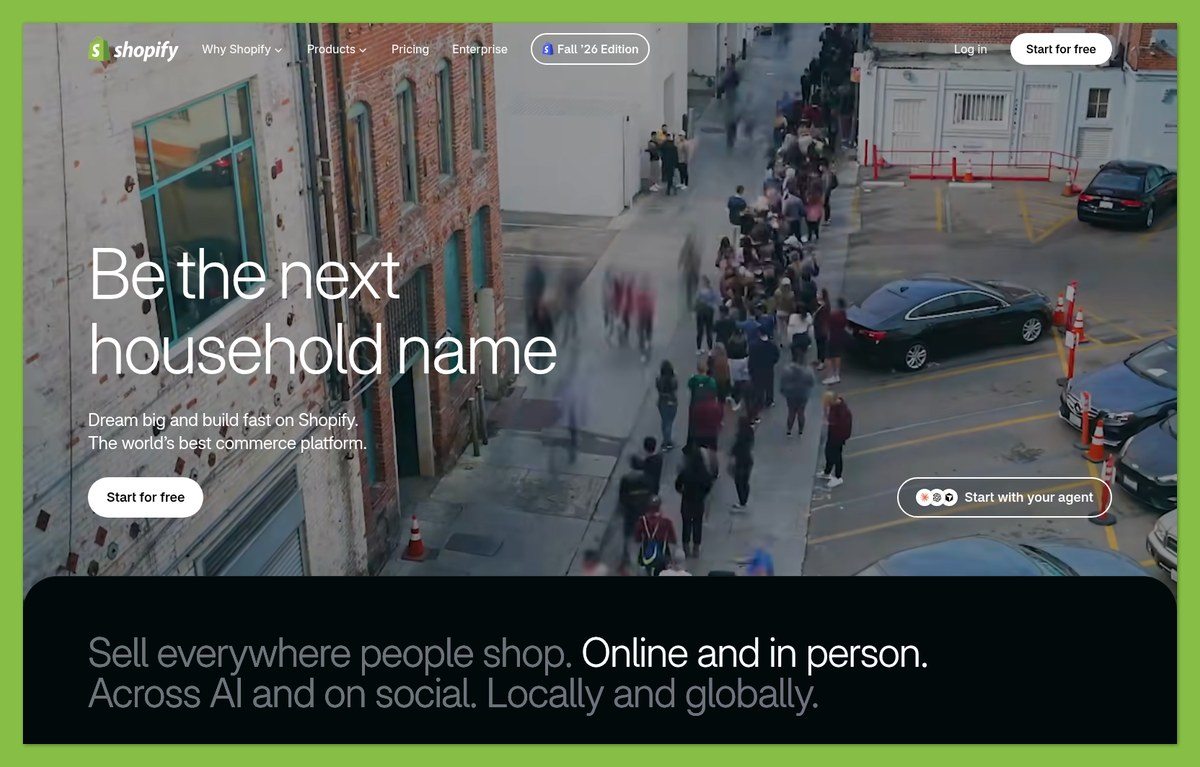
- You want customers to browse a product range.
- You need inventory, shipping, and in-person selling workflows.
- You want store content and regional selling options under one roof.
Who Should Choose ThriveCart?
- You sell courses or a small set of focused offers.
- You want checkout add-ons without assembling a separate funnel stack.
- You already have an audience or website and need a purchase-and-delivery system.
1. Pricing: Shopify Starts Lower, but Compare the Full Package
Winner for entry subscription cost: Shopify. Its comparable storefront plan costs less, but ThriveCart can make better financial sense when you need its included course and funnel tools.
The useful comparison is your required package, not the cheapest advertised number. A retailer and a course creator could reasonably reach opposite conclusions.
Shopify Pricing
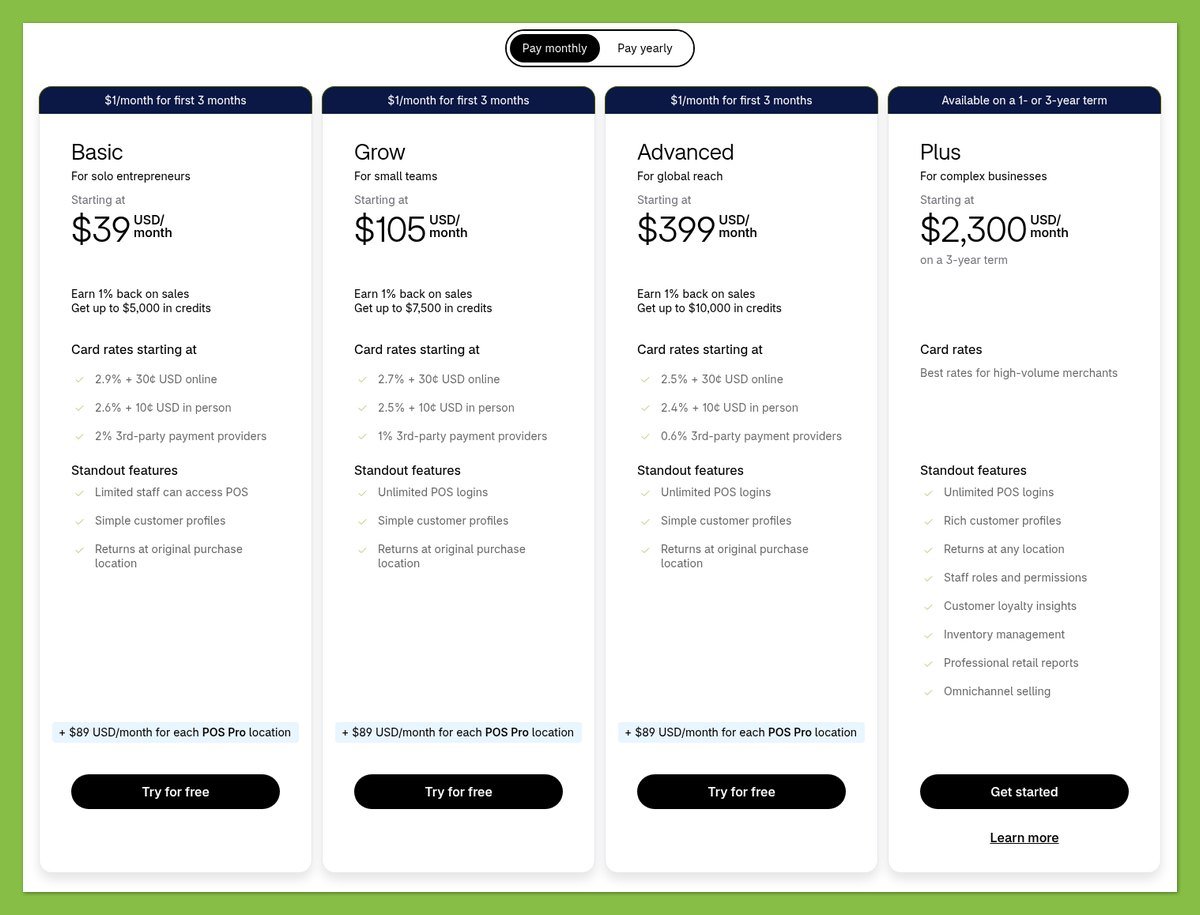
These are the main storefront subscriptions in US dollars.
| Plan | Monthly billing | Monthly equivalent, billed annually |
|---|---|---|
| Basic | $39 | $29 |
| Grow | $105 | $79 |
| Advanced | $399 | $299 |
Shopify Plus starts at $2,300 per month on a 3-year term or $2,500 on a 1-year term. It is not the natural starting point for the small businesses this comparison targets.
ThriveCart Pricing
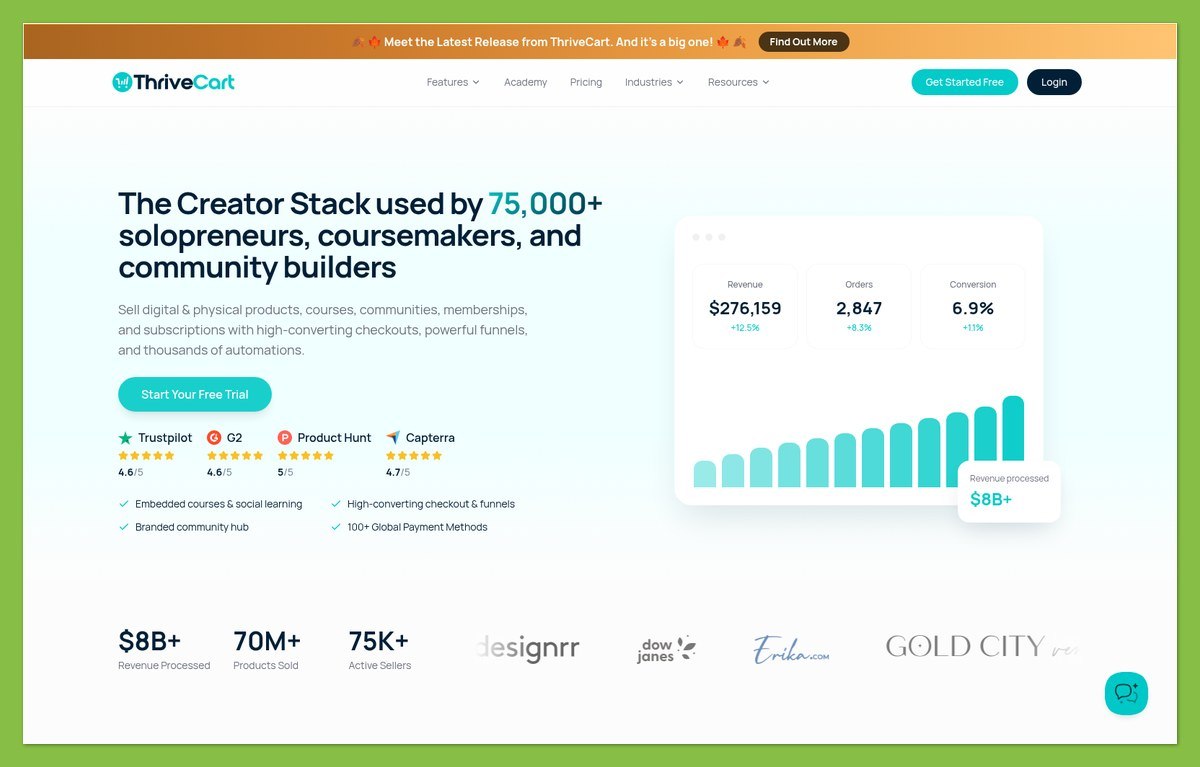
ThriveCart now offers monthly and annual subscriptions alongside a lifetime Standard purchase route.
| Subscription | Monthly billing | Monthly equivalent, billed annually |
|---|---|---|
| Standard | $47 | $37 |
| Pro+ | $87 | $67 |
Standard subscriptions include Academy Starter; Pro+ subscriptions include Academy Growth. That makes comparing Shopify’s base price with ThriveCart’s bundle price imperfect if course delivery is central to your business.
Shopify Basic is $8 cheaper per month than ThriveCart Standard under either billing arrangement. However, an extra course service could change your total.
Lifetime Is a Separate Buying Decision
ThriveCart’s lifetime Standard route displays a $495 purchase price. Check its payment schedule and purchase terms rather than assuming it follows the subscription trial arrangement.
Lifetime Standard customers can add Pro+ for $295 per year. That is a different purchasing route from the Pro+ subscription, and legacy Pro is no longer sold separately.
“Lifetime” also does not mean every newer service has the same allowance as a subscription. ThriveStudio’s image-tool credits and storage differ by account type, so compare entitlements before treating the purchase as an equivalent replacement.
Processing Fees and Extras
Shopify’s US standard online card rates start at 2.9% + 30¢ on Basic, 2.7% + 30¢ on Grow, and 2.5% + 30¢ on Advanced. Rates vary by card, location, and provider.
Using an external payment provider can add Shopify transaction fees of 2%, 1%, or 0.6%, respectively. Shopify Payments avoids that additional fee, not payment processing costs.
ThriveCart has no base platform transaction commission, but processor fees remain. Some automation features also carry account-dependent charges.
On Standard subscriptions, subscription bumps and Advanced Adaptive Pricing each carry a 0.10% automation fee. Retention offers cost 5% of the first successfully retained payment. Pro+ subscriptions list zero for these automation charges; lifetime accounts have a different schedule.
Its Simple Sales Tax service charges 0.5% on eligible Standard orders using tax calculation. For Pro+ accounts created after May 1, 2026, that rate is 0.35%; earlier Pro+ accounts are exempt.
Before choosing, budget for:
- Payment processing and any applicable platform charges.
- Paid themes, apps, or course services.
- Shipping tools and optional retail upgrades.
- Tax calculation or chargeable automation features you intend to use.
Trial tip: Shopify offers a 3-day trial followed by $1 per month for 3 months on eligible plans. ThriveCart subscriptions include a 30-day trial; neither introductory arrangement should replace the ongoing price in your comparison.
2. Selling Features: Shopify for Stores, ThriveCart for Courses
Winner for retail operations: Shopify. ThriveCart is the better fit when your main job is selling a course through a focused checkout rather than managing a browsable store.
Think about the purchase journey. A customer shopping for several household products needs a different experience from someone arriving ready to buy your training program.
Sales Tools: Browsing Versus Focused Offers
Shopify combines inventory management, online selling, and in-person payment tools. POS Pro is an optional paid layer, not something to assume is included in every retail setup.
Its storefront search covers products, pages, and blog posts. The Search & Discovery app adds controls for filters and recommendations, helping customers narrow a larger range.
For example, a homeware store benefits from letting shoppers explore categories before deciding what belongs in their basket. That makes catalog navigation a core selling tool, not just a design preference.
ThriveCart approaches the sale differently. Standard includes unlimited products and funnels, 1 order bump, one-click upsells and downsells, split testing, and abandoned-cart recovery.
An order bump is a related add-on offered during checkout, such as a workbook alongside a course. An upsell offers an additional purchase; a downsell can present a lower-priced alternative when the larger offer is declined.
Pro+ adds multiple bumps, affiliate management, and subscription dunning. Dunning means following up on unsuccessful recurring payments, rather than treating every failed charge as the end of the customer relationship.
Keep those additional offers relevant. A workbook can complement a course; an unrelated upsell can distract buyers from the purchase they came to make.
Course Delivery and Recurring Offers
ThriveCart Academy Starter includes course hosting, modules, drip scheduling, and a student portal. Its subscription entitlement includes 100 GB of video storage with 1080p streaming.
Drip scheduling lets you release lessons over time instead of unlocking everything immediately. Starter also supports up to 10 communities and 2,000 community members.
That combination suits a creator who wants payment and student access in the same product family. Lifetime buyers should check their separate storage allowance.
Shopify’s free Digital Products app can deliver uploaded files or links to supported external content. That works for downloads, but sending a course link is not the same as hosting a structured learning environment.
For Shopify, budget separately if you need a dedicated course app or external learning platform. For ThriveCart, check the Academy tier and recurring-payment tools your offer requires.
Physical Products and Fulfillment
ThriveCart is not digital-only. It can collect shipping details and combine physical and digital products across main offers, bumps, upsells, and downsells.
You could sell a course with a printed workbook, for example. Fixed shipping options and dynamic rates through Shippo or ShipStation make that a supported direction.
For a course with a physical extra, ThriveCart covers the essentials. For a shop built around managing stock and browsing collections, choose Shopify.
Payments and Integrations
ThriveCart supports Stripe Connect+, PayPal, Authorize.net, and eligible wallet payments through Stripe Connect+. Payment availability depends on factors including location, currency, and transaction type.
Authorize.net remains supported in maintenance mode. If you are starting fresh, compare Stripe Connect+ and PayPal first, then confirm availability for your customers.
Shopify’s payment decision affects both processing and potential third-party transaction fees. ThriveCart’s integration decision can also affect which payment options your customers see.
Practical tip: Map the whole order: payment, add-on, delivery, student access, and recurring billing if relevant. Choose the platform that handles your actual sequence, not the longest feature list.
3. Marketing: Shopify for Reaching More Customers
Winner for marketing breadth: Shopify. It connects store content, search visibility, customer messaging, and regional selling more naturally; ThriveCart is compelling for promoting specific offers through funnels and affiliates.
Do you need to attract people into a store or guide an existing audience toward a purchase? That is where these marketing tools pull in different directions.
Marketing Tools
Shopify Messaging includes 10,000 emails per calendar month on Basic, Grow, Advanced, and Plus. Additional usage starts at $1 per 1,000 emails before higher-volume tiers apply.
The allowance counts recipients, not campaigns. Sending 1 email to 2,000 subscribers uses 2,000 emails, while abandoned-checkout automations are free and excluded from that allowance.
That gives you room to announce new stock and send campaigns to subscribers before paying for a separate email service.
ThriveCart’s strengths sit closer to the purchase. Standard includes abandoned-cart recovery and funnel split testing, while Pro+ adds affiliate management.
You still need to recruit suitable affiliates, but Pro+ gives you the tools to manage that referral channel. Split testing lets you compare versions of your funnel.
SEO and Content
Shopify offers editable page titles, meta descriptions, URLs, and image alt text. It also handles technical basics including canonical tags, sitemaps, robots.txt, and SSL.
Together with searchable pages and blog content, those features suit a store building useful material around its products.
ThriveCart also has page-level SEO controls. ThrivePages includes SEO and social-sharing settings, plus custom scripts and fonts.
Optimizing a funnel page is different from maintaining a store with product collections and a blog. If your plan depends on a substantial searchable catalog, Shopify is the more natural choice.
International Selling
Shopify Markets can adapt currencies, languages, product availability, pricing, and store content for different regions. Availability and customization depend on your plan and payment configuration.
Processing purchases in multiple currencies requires Shopify Payments or Adyen. Other processors charge in the store’s default currency, and currency-conversion fees can apply.
ThriveCart can accept payments through its supported integrations, but processor eligibility is not the same thing as localized storefront management. For regional catalogs and store content, Shopify has the clearer fit.
Marketing tip: Decide where your next customers will come from. Search-led catalog discovery points toward Shopify; a targeted campaign sending people to one course offer makes ThriveCart more attractive.
4. Ease of Use: The Simpler Choice Depends on What You Sell
Verdict: Shopify for setting up a store; ThriveCart for setting up a focused offer. The easier choice is the one that requires fewer unrelated pieces for your business model.
A compact checkout project and a multi-category store are different workloads, even when both end with a payment button.
Setting Up Shopify
Your main decisions concern products, collections, navigation, fulfillment, payments, and your storefront theme. If you need customers to browse, those decisions are necessary rather than avoidable complexity.
Shopify’s theme editor lets you adjust content, layouts, typography, and colors without editing code. Live previews help you review changes, though the available controls depend on the theme.
A practical setup order is:
- Add representative products and organize collections.
- Configure payments and fulfillment.
- Build navigation around how customers shop.
- Adjust the theme and review the purchase journey.
If you sell courses, add the learning platform decision before treating the setup as complete.
Setting Up ThriveCart
Your starting point is the offer: what buyers receive, what they pay, and whether they should see an add-on. Course sellers then need to configure content and student access.
ThrivePages provides a visual builder for checkout pages and sales funnels. You do not necessarily need a separate landing-page builder just to present an offer.
A sensible setup order is:
- Define the main product and payment arrangement.
- Connect a supported processor.
- Build the checkout and any relevant additional offers.
- Configure course delivery or physical shipping.
ThriveCart requires a connected processor even for a free product. That is worth knowing before planning a free introductory offer.
What to Do Before Launch
Walk through a representative order and check what happens after payment. For a course, review student access; for a physical product, review shipping and fulfillment instructions.
Design tip: Shopify’s theme editor controls the storefront within theme limits; it does not imply unrestricted checkout editing. ThrivePages targets checkout and funnel layouts, so compare the screens you actually need to change.
5. Templates: Shopify for a Complete Storefront
Winner for storefront design: Shopify. Its themes address a complete shopping environment, while ThriveCart’s page-building tools are better aligned with individual offers and funnels.
Look beyond the sample homepage. The right template should work with your products and the way customers buy them.
Shopify’s Store Themes
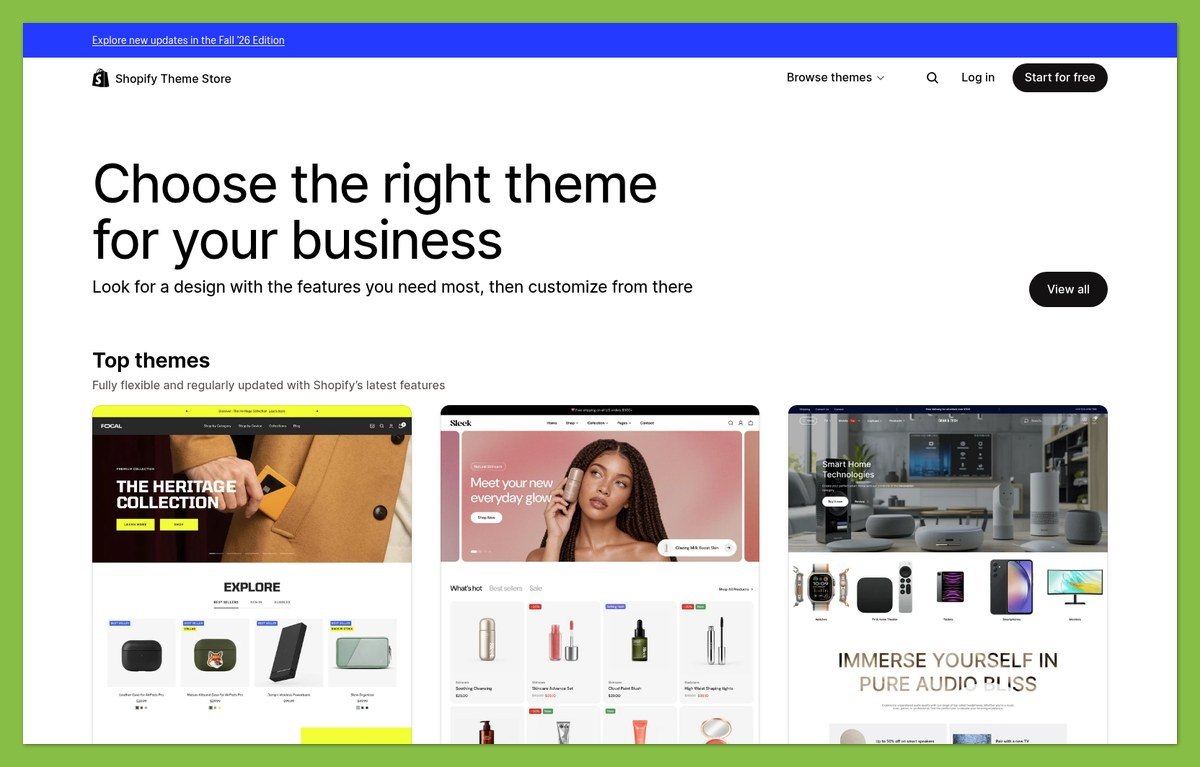
Shopify offers free and premium themes, with browsing options based on industry and catalog size. Start with the free choices unless you can identify a specific reason to pay.
Its theme structure supports product and collection templates, plus sections and blocks that can be rearranged within compatibility limits. That lets you build distinct layouts without treating every page as a separate design project.
The limitation is that themes define what you can change. A layout you like visually may still be a poor match for your product information or navigation needs.
ThriveCart’s Offer Pages
ThrivePages gives ThriveCart a visual checkout and sales-funnel builder, so you can design the pages around a specific offer.
For a creator, the important design sequence may be a sales page, checkout, and student portal rather than a homepage and product collections. Evaluate each surface separately instead of assuming one template controls the entire experience.
Account allowances also matter if you use ThriveStudio assets. Lifetime and subscription accounts receive different image-tool credits and storage.
Template tip: Judge designs using your real content. For Shopify, try a product-heavy collection; for ThriveCart, try your actual offer description, checkout fields, and optional add-on.
6. Support: Shopify Has Clearer Round-the-Clock Access
Winner for clearly stated support access: Shopify. Its 24/7 live-chat commitment makes it easier to plan for help outside ordinary business hours.
Availability matters, though it cannot tell you how quickly a particular problem will be solved.
Shopify Support
- Strength: Basic and Grow include 24/7 live chat.
- Upgrade distinction: Advanced has enhanced live chat; Plus has priority support.
- Caveat: Priority access is not a promised resolution time.
ThriveCart Support
- Strength: ThriveIQ provides a 24/7 AI assistant.
- Human channel: Live chat is available for priority issues.
- Caveat: Confirm human-chat eligibility and hours for your account.
ThriveCart’s AI assistant gives you an always-available starting point. If human help at unusual hours is a buying requirement, Shopify offers the clearer commitment.
How This Comparison Was Assessed
This comparison uses documented capabilities, pricing, and account restrictions rather than hands-on testing. Recommendations reflect how each platform fits small-business tasks, not measured conversion results or support experiences.
The assessment prioritizes:
- Total cost, including relevant extras and fees.
- Catalog, checkout, fulfillment, and course-delivery requirements.
- Marketing and design scope.
- Setup dependencies and stated support access.
Subscription and lifetime entitlements are treated separately. Unconfirmed capabilities are not treated as either available features or definitive limitations.
Prices current as of October 2026.
Shopify vs ThriveCart: The Final Verdict
Choose Shopify if you need a complete retail store. It is the stronger fit for product browsing, inventory-led operations, regional storefronts, and a consistent shopping environment.
Choose ThriveCart if your business centers on courses and focused offers. Its checkout tools and Academy subscription bundles can reduce the need to assemble separate selling and learning services.
Before buying, write down one complete customer journey and price the exact tools it needs. That will settle Shopify or ThriveCart more reliably than comparing entry prices or counting features.


