
AWeber Lite
Compare plans Start free trial →From $15/month
500 subscribers, 5,000 emails/month
- 1 list, 3 automations, 3 landing pages
- Removes AWeber branding
- 24/7 chat and email, phone 8AM-8PM ET
AWeber Plus
Compare plans Start free trial →From $30/month
500 subscribers, 6,000 emails/month
- Unlimited lists, automations and landing pages
- 0.6% fee on sales (vs 1.0%)
- Priority 24/7 support
AWeber Done For You
Compare plans Try AWeber →$20/month billed annually
Plus a one-time setup fee
- Everything in Plus
- Expert setup in 7 days
- Weekly newsletter drafts, 30 days of edits
AWeber has sent email for small businesses since 1998 and says it has helped more than 1 million of them. In 2026 it added an AI landing page builder and official ChatGPT and Claude connectors. My verdict: AWeber is still a solid pick if you value human support and simple selling tools, but Plus, not Lite, is the plan worth paying for.
In this AWeber review, I’ll cover what each plan costs at real list sizes, what the free plan includes, how automation, AI and selling work, and when I’d choose Mailchimp, Kit or MailerLite instead.
Key Takeaways 🔍
- Lite starts at $15/month; Plus at $30/month for 500 subscribers, or $12.50/$20 a month billed annually.
- Free includes 500 subscribers and 3,000 monthly emails, without a credit card, but with AWeber branding.
- Lite caps lists, automations and landing pages; Plus makes these unlimited and cuts sales fees from 1.0% to 0.6%.
- Support stands out: every plan gets 24/7 chat/email and phone support from 8AM to 8PM ET.
- Unsubscribers stopped counting toward billing in 2024, although older inbox-placement results remain a concern.
Start free or try Lite or Plus free for 14 days → Try AWeber
📢 November 2026 page update
This refresh replaces the 2018 review’s pricing and billing advice. It covers Free, the 2024 unsubscriber billing change, August’s AI Landing Page Builder, official ChatGPT/Claude connectors and Done For You setup.
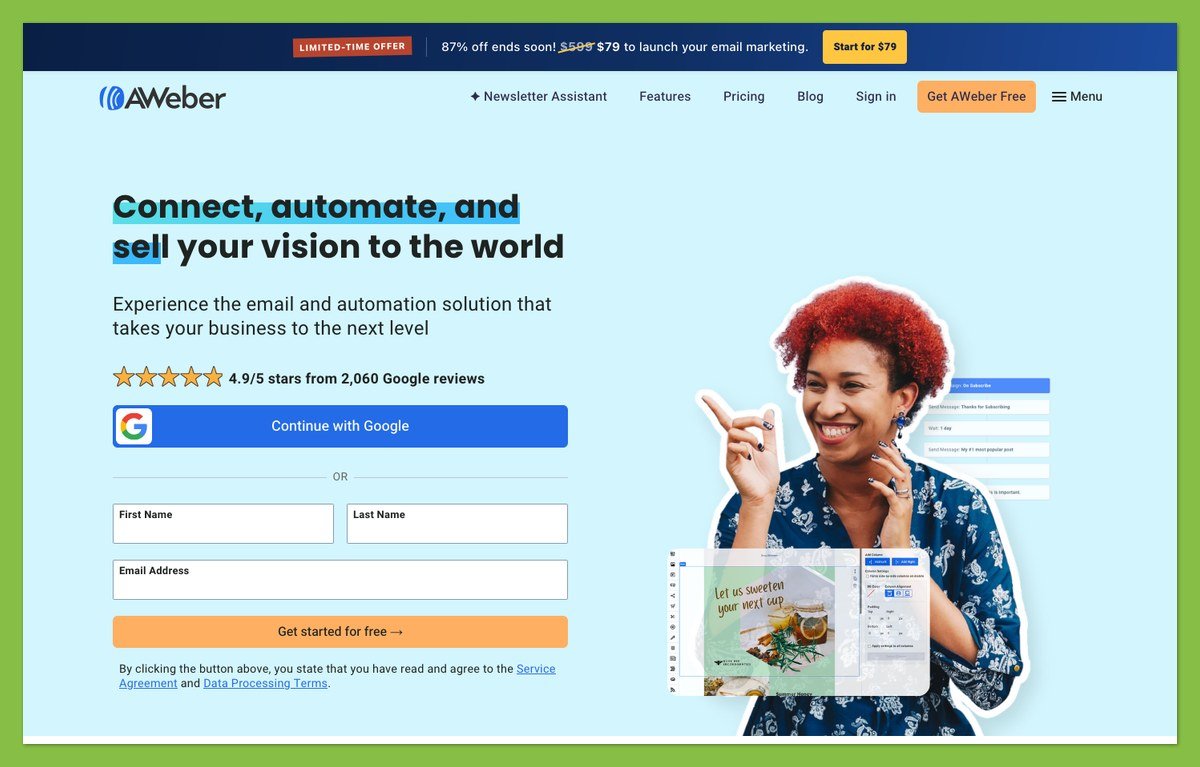
AWeber Pros & Cons
AWeber’s strengths are human support and simple selling. Most of its weaknesses come from Lite’s caps and third-party store connections.
What I Like
- ✔️ Human support around the clock: every plan includes 24/7 chat and email, plus phone from 8AM to 8PM ET; Plus gets priority.
- ✔️ Fair entry pricing: Lite starts at $15/month for 500 subscribers, with two months free when you pay annually.
- ✔️ Selling built in: Stripe checkout supports one-time purchases, subscriptions and payment plans on landing pages, with buy buttons available in emails.
- ✔️ AI tools that build assets: landing-page and sign-up-form builders sit alongside official ChatGPT and Claude connectors through MCP.
- ✔️ Free migration: AWeber’s team transfers subscribers and tags, along with forms and automations, rather than leaving you to rebuild everything.
What I Dislike
- ❌ Lite is tightly capped: you get one list, three automations, three landing pages and just one saved custom segment.
- ❌ Middling independent deliverability data: the latest independent test (January 2024) ranked AWeber 11th of 15 at 83.1%; see Deliverability below.
- ❌ Third-party store connections: Shopify requires an external connector, while WooCommerce uses a paid third-party extension.
- ❌ Template variations inflate choice: the reviewer-reported count of about 700 templates doesn’t represent 700 distinct designs.
- ❌ Manual downgrades: exceeding your allowance automatically raises your tier; reducing it again requires contacting support.
How Much Does AWeber Cost?
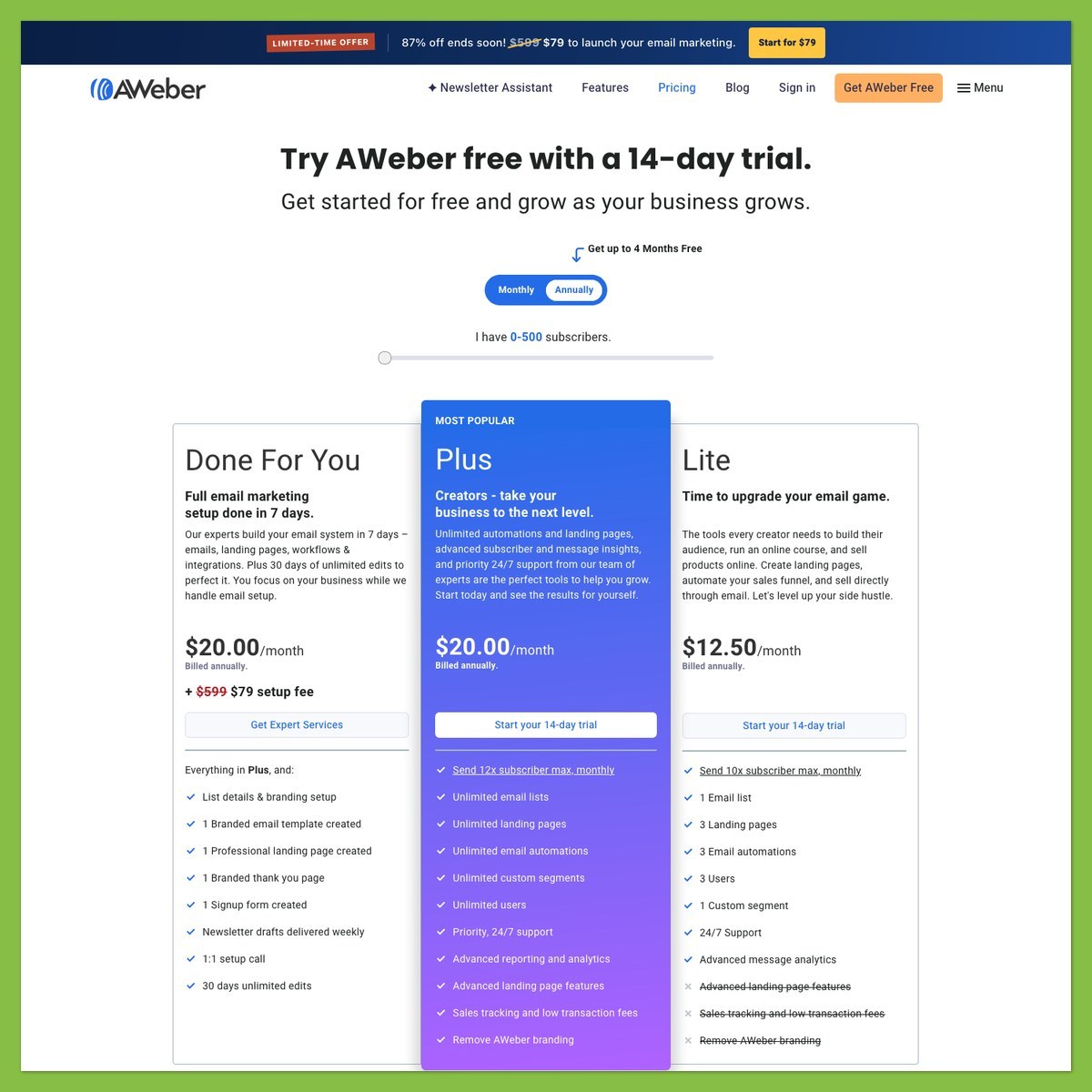
AWeber has a free plan, two self-serve paid plans (Lite and Plus) and a Done For You setup service. Price follows your subscriber count, and every plan caps monthly sends: 10 times your tier on Lite, 12 times on Plus.
- Free ($0): 500 subscribers and 3,000 monthly emails, for trying AWeber with a small list.
- Lite (from $15/month, or $12.50/month billed annually): for one newsletter list and a few automations.
- Plus (from $30/month, or $20/month billed annually): for multiple lists, funnels or landing pages.
- Done For You ($20/month billed annually, plus setup): includes Plus features and expert setup in seven days. The limited-time setup fee is $79 instead of $599, covering branding, a template, landing page, sign-up form and welcome series, plus weekly newsletter drafts, a 1:1 call and 30 days of edits.
Lists with 100,000 or more subscribers can request custom high-volume pricing from sales.
| Feature | Free | Lite | Plus |
|---|---|---|---|
| Starting price, monthly billing | $0 | $15 | $30 |
| Billed annually | n/a | $12.50/month | $20/month |
| Subscribers | 500 | Tiers to 150,000 | Tiers to 150,000 |
| Monthly sends | 3,000 | 10x subscriber tier | 12x subscriber tier |
| Email lists | 1 | 1 | Unlimited |
| Landing pages | 1 | 3 | Unlimited |
| Email automations | 1 | 3 | Unlimited |
| Users | 1 | 3 | Unlimited |
| Custom segments | No | 1 | Unlimited |
| AWeber fee on sales | 1.0% | 1.0% | 0.6% |
| AWeber branding | Shown | Removable | Removable |
| Support | 24/7 chat/email; phone 8AM-8PM ET | Same | Priority |
Prices are US list prices, checked November 2026. Confirm them on AWeber’s pricing page before you buy.
Billed annually, you pay $150 a year for Lite and $240 a year for Plus at 500 subscribers, upfront. Here’s what the two plans cost as your list grows:
| Subscribers | Lite, monthly billing | Plus, monthly billing |
|---|---|---|
| 500 | $15 | $30 |
| 2,500 | $35 | $55 |
| 5,000 | $60 | $90 |
| 10,000 | $100 | $135 |
| 25,000 | $210 | $250 |
Annual billing on the larger tiers costs ten months’ price for twelve, so Plus at 10,000 subscribers is $1,350 a year.
Try Lite or Plus free for 14 days → Try AWeber
Both paid trials require a card; Free does not. Standard plans have no contracts or setup fees.
Is AWeber Good Value for Money?
- The Lite-to-Plus gap is small: $15 more monthly at 500 subscribers, or $35 at 10,000, buys unlimited lists, automations and landing pages.
- Unsubscribers no longer cost you: earlier versions of this review warned otherwise, but that changed in January 2024. Unsubscribed contacts no longer count toward billing; AWeber removes hard bounces automatically.
- Upgrades are automatic, downgrades aren’t: exceed subscriber or send limits and AWeber moves you up. Deleting subscribers won’t lower your tier until you contact Customer Solutions.
- Selling has a platform fee: Free and Lite charge 1.0%, versus 0.6% on Plus, on top of processor fees.
- Discounts and pauses: nonprofits get three months free, then 25% off; students get 20% off. A $4.99/month Hold package pauses your account.
At 500 subscribers, Lite allows 5,000 monthly sends. Four full-list newsletters use 2,000, leaving 3,000 for everything else, so count automated emails in your send budget.
For the rival comparison, see our Mailchimp vs AWeber comparison.
My recommendation: use Free to explore, Lite for a single weekly newsletter, and Plus once you need more than three automations or landing pages. Don’t buy Plus for one straightforward newsletter.
Getting Started With AWeber
Once your list passes 400 subscribers, AWeber requires a sending address on your own domain, so a Gmail address won’t do for long. Complete these four tasks, with authentication ahead of your first large send.
Creating Your Account
- Pick Free without a card, or a 14-day trial of Lite or Plus with a card.
- Complete the welcome setup: its seven steps cover your business, legally required mailing address, existing list, previous provider, goals and connected tools.
- Review the AI-drafted welcome email: activate it or save it as a draft after confirming your email and setting your password.
Moving Your List
- Request free migration: AWeber transfers lists and subscribers, applies tags and moves up to three templates. Forms, landing pages and automations are also covered, within five business days.
- Organize with tags and segments: Lite allows only one list, so don’t plan separate lists for every customer interest.
- Confirm unusual requirements with the migration team before committing to a switch.
Authenticating Your Domain
- Open Domains and Addresses > Connect Domain. Follow the provider prompts to let AWeber add DKIM and DMARC records automatically.
- Use manual setup if needed: add the supplied DKIM CNAME and DMARC TXT records through your domain provider.
- Check authentication status: AWeber rechecks every broadcast and returns it to Draft if authentication no longer holds.
Sending Your First Broadcast
- Pick a template or use Smart Designer to generate one from your website.
- Write your subject line, optionally using the AI Subject Line Assistant.
- Send a test: check the layout and open every link before approving the email.
- Schedule or send the finished message.
AWeber calls one-off emails broadcasts and automated sequences workflows. If you only do one setup task properly, make it domain authentication before you import a large list.
Designing Emails With AWeber
You don’t need coding skills to create an AWeber newsletter: the drag-and-drop editor handles visual layouts, while Smart Designer builds a branded template from your website URL. Canva is built into the builder for graphics.
- Templates: the reviewer-reported count is about 700 email templates, although many are variations of a smaller design collection. Treat that as breadth of choice, not 700 completely different layouts.
- Stock images: thousands of free professional images are available on every plan. Choose images that support your offer rather than adding graphics solely to fill the template.
- Advanced options: dynamic content and AMP emails offer alternatives to a static newsletter; a hosted broadcast archive makes previous messages available online.
- Branding: Free emails retain AWeber branding. Lite and Plus let you remove it.
For a completely custom design, use the HTML editor or ask an AWeber Certified Expert. A plain-text editor is also available if your newsletter doesn’t need a visual layout.
I’d start with Smart Designer, then refine the result in drag-and-drop, rather than browse every template variation. If premade designs matter more than support access, read our Campaign Monitor vs AWeber comparison before deciding.
Email Marketing With AWeber
AWeber includes automation even on Free, rather than reserving it entirely for paying customers. The bigger distinction is how many workflows, pages and saved audiences you can maintain.
🔄 Email Automation
AWeber’s visual Workflow Builder supports branching sequences, not just a fixed series of follow-up emails.
- Triggers: start from a sign-up, tag, purchase or RSS update. Purchase connections include Shopify, WooCommerce, PayPal and Stripe; abandoned-cart triggers depend on store connectors.
- Workflow steps: add messages, waits and tags, then use Split Paths to branch on tags, clicks or opens.
- Templates: start with welcome or lead-magnet sequences, cart recovery, post-purchase follow-up or re-engagement.
- Plan limits: Free permits one automation, Lite three, and Plus unlimited automations.
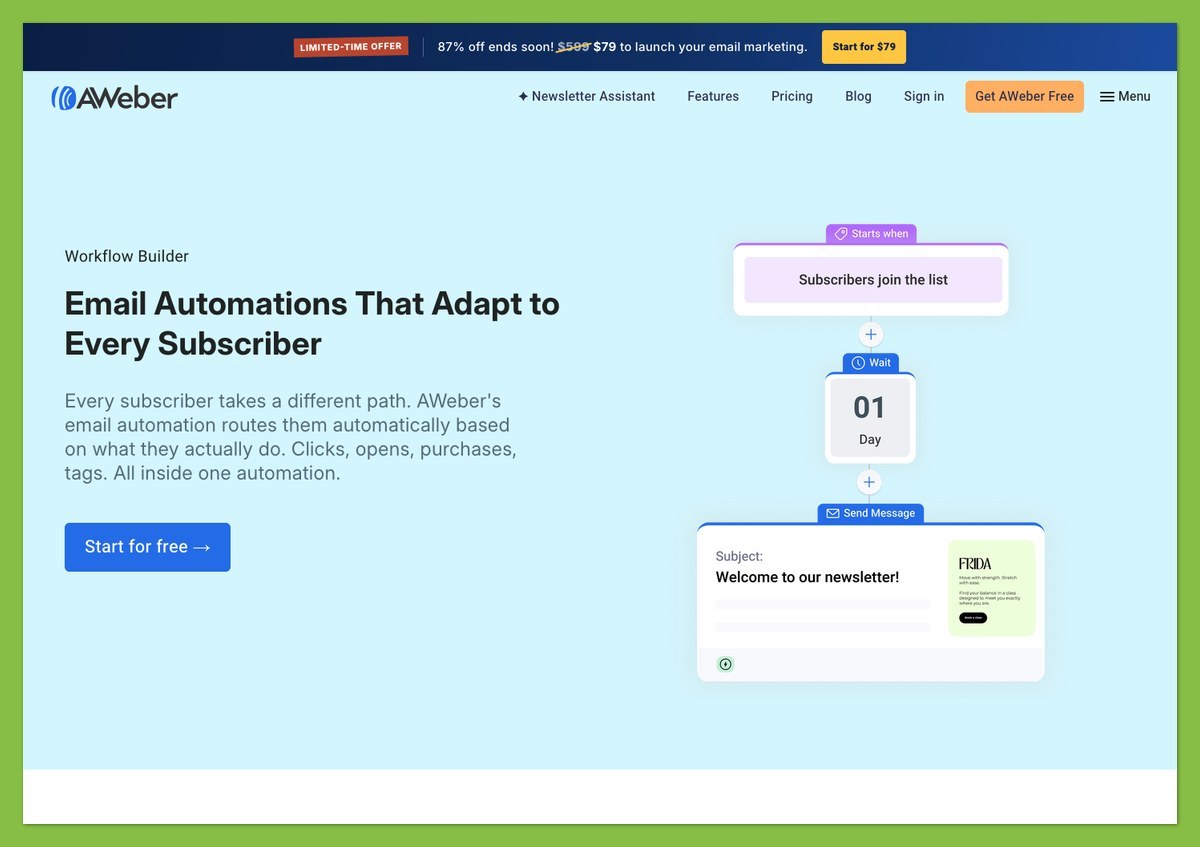
In-builder metrics show sends, opens and clicks. I’d map your workflows before choosing Lite: separate welcome and purchase sequences use two slots, leaving one for re-engagement.
For a more automation-focused rival, see our GetResponse vs AWeber comparison.
🎯 Tagging and Segmentation
Tags let you organize interests and purchases without creating separate lists. For example, tag someone who buys a course, then use that tag in a post-purchase workflow rather than treating them as a new prospect.
- Behavior tags help distinguish subscribers by what they do.
- Purchase tags identify buyers for product-specific follow-up.
- Saved custom segments are limited to one on Lite and unlimited on Plus.
I’d choose Plus if you regularly reuse several targeted audiences. Lite’s single saved segment is restrictive for that routine.
📝 Landing Pages and Sign-Up Forms
AWeber can collect subscribers without requiring a separate landing-page service. Lite includes three landing pages; Plus removes that limit.
- Landing-page templates include video-focused layouts.
- Tracking options include Google Analytics and the Facebook pixel.
- Domain options let you buy or connect a domain.
- Sign-up forms work with a WordPress plugin; the AI Signup Form Builder provides another creation route.
- Link in Bio pages offer a destination for social-profile visitors.
I’d use the included forms before paying for another tool. Connect the form to a welcome workflow, then check that new subscribers receive the intended message.
For additional pop-up targeting, read our OptinMonster review. Establish whether AWeber’s forms cover your needs before adding another subscription.
🛒 Selling With AWeber
You can sell a digital product or service without building a full store. Connect Stripe once, then use AWeber landing pages to collect payment.
- Payment options: accept one-time purchases, subscriptions and payment plans through Stripe. PayPal buttons and a Shopify Buy Button card provide alternatives.
- Email buy buttons: direct newsletter readers toward a purchase.
- Purchase tagging: Stripe landing-page buyers join your list and can receive product-specific tags.
- Sales tracking: monitor sales per landing page.
- Platform fees: pay 1.0% on Free/Lite or 0.6% on Plus, plus processor charges.
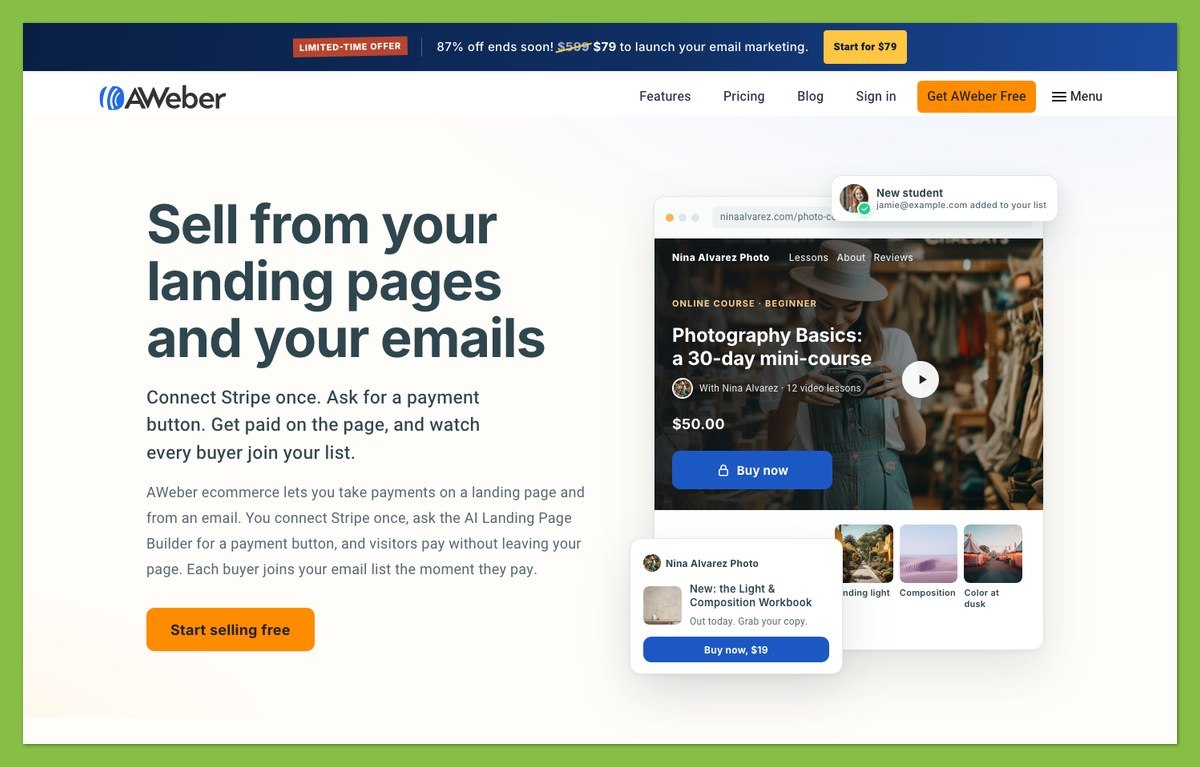
I’d use this for a course or a straightforward download, not an inventory-heavy catalog. Built-in checkout doesn’t handle inventoried physical goods or multi-SKU products.
For those requirements, use a store platform instead: our Shopify review explains that option.
📡 RSS Email and Web Push
Blog Broadcasts turn RSS updates into emails, reducing manual newsletter assembly when your content follows a regular feed.
- RSS email suits blog posts and feeds for podcasts or YouTube updates.
- Web push notifications give you another way to reach website subscribers.
- Push limits allow up to 50,000 push subscribers on Lite and unlimited on Plus.
I’d consider RSS automation if your newsletter announces newly published content rather than providing a separately written editorial.
📊 Reporting and Split Testing
Plus adds audience analytics and webpage tracking beyond Lite’s message-level reporting.
- All plans: simple analytics.
- Lite: advanced message analytics.
- Plus: advanced audience/account analytics and webpage tracking.
- Additional tools: email split testing and branded click-tracking links.
I’d stay with message-level reporting for a straightforward newsletter. Choose Plus when you need to examine behavior across campaigns and webpages, alongside the extra workflows and saved segments.
AWeber’s AI Features
You don’t need Plus to use AWeber’s AI tools. Lite gets the same AI features, and the AI Landing Page Builder is open to every account, including Free, although your plan’s page and automation limits still apply.
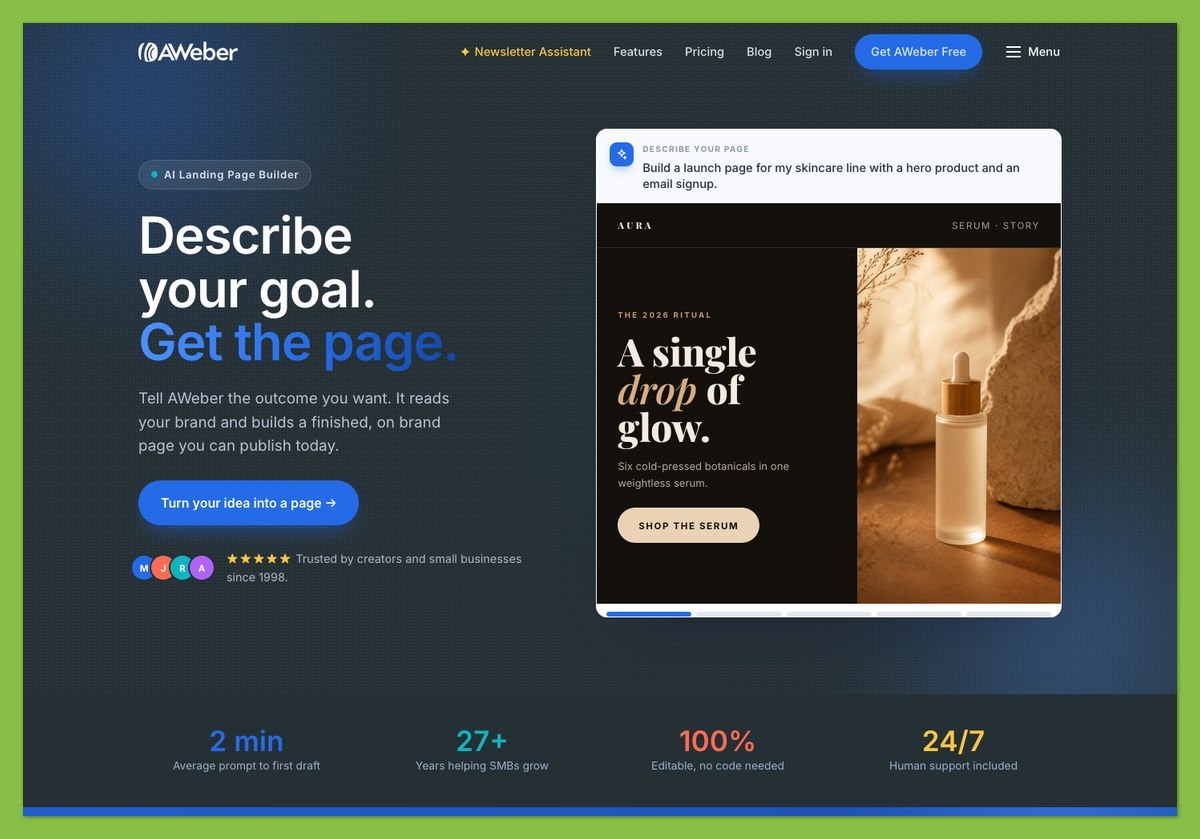
- AI Landing Page Builder: launched August 27, 2026, it generates page code and imagery from a description. It can also add Stripe payment buttons, connecting page creation with the selling tools above.
- AI Signup Form Builder: creates forms for collecting subscribers, alongside AWeber’s existing form options.
- AI Writing Assistant and Newsletter Assistant: help draft emails; the Newsletter Assistant emails drafts to you for review.
- AI Subject Line Assistant: helps generate subject-line options without leaving the email creation workflow.
- MCP server with official ChatGPT and Claude connectors: lets an AI assistant manage subscribers and tags, work with broadcasts, and retrieve performance statistics.
I’d try the AI Landing Page Builder on Free before paying for another page tool. Review generated copy and payment details before publishing, and check any proposed broadcast action before sending.
What’s next? 🤔
AWeber announced an AI email builder for fall 2026. As of November 2026, it hadn’t launched, so don’t buy a subscription for that promised feature.
For a course launch, describe the offer and intended call to action in your page prompt. Check the resulting payment button and confirmation flow before directing subscribers to it.
AWeber’s Integrations
AWeber lists 750+ integrations, but a listed connection doesn’t necessarily mean AWeber built or maintains it. Check the developer and any extra subscription before budgeting.
- WordPress: the included plugin adds sign-up forms to your site.
- Shopify: third-party options include Combidesk at $8/month, rated 3.8 from 28 reviews, or Zapier/Make. AWeber documents one Shopify store per account, and Shopify can take up to two hours to report new customers.
- WooCommerce: a third-party extension starts at $59/year, with per-product rules and cart abandonment. See our WooCommerce review for the store platform.
- Zapier and Make: connect additional services; a public API supports custom integrations.
I’d check connector costs and supported triggers before migrating a store. Confirm that purchase tags arrive before relying on them for follow-up, especially when customer syncing can take two hours.
If Shopify drives your business, also consider our Omnisend review for an ecommerce-focused alternative.
How Does AWeber Keep Your Data Secure?
AWeber enforces sender authentication more strictly than many rivals, which protects your sending identity. The bigger open question is inbox placement.
Deliverability
AWeber says its internal deliverability consistently exceeds 99%. That vendor figure uses a different measurement from inbox-placement data, so the percentages aren’t interchangeable.
EmailToolTester’s January 2024 deliverability test scored AWeber at 83.1%, ranking it 11th of 15. That equaled the round’s overall average; spam accounted for 6.6% and missing messages for 10.4%.
Earlier rounds were stronger: 92.0% in January 2023 and 93.2% in June 2023. These are historical results, not evidence of how your 2027 campaigns will perform.
- Authentication: above 400 subscribers, AWeber requires a custom-domain From address with DKIM and DMARC, supporting Gmail and Yahoo sender requirements.
- Infrastructure: AWeber doesn’t offer dedicated IPs.
I’d treat the historical ranking as a reason to monitor your own inbox placement, not as proof that every rival performs better today. Check delivery alongside engagement; a message accepted by a recipient’s server may still miss the inbox.
Compliance and Account Safety
- Document permission: retain the sign-up source and consent record before importing subscribers.
- Provide your mailing address: AWeber requires it during setup for anti-spam compliance.
- Review privacy and access requirements: check AWeber’s current terms before uploading customer data or authorizing an AI connector.
Authentication doesn’t make every campaign compliant. Use the domain setup covered earlier, and confirm that migrated contacts remain eligible to receive your messages.
Using AWeber’s Customer Support
Every plan, including Free, gets 24/7 chat and email support, so you don’t need Plus just to reach someone.
- ✔️ Live chat and email: available around the clock.
- ✔️ Phone, 8AM-8PM ET: US toll-free and international numbers are available.
- ✔️ Priority queue on Plus: priority access across chat, email and phone.
- ✔️ Self-service help: knowledge-base articles, video tutorials, free workshops and a community forum.
- ✔️ Free migration: practical help moving from another platform.
- ❌ Phone isn’t 24/7: round-the-clock availability applies to chat and email.
- ❌ Some Trustpilot users report problems: 2026 complaints mention cancellation difficulties and long chat waits.
AWeber’s 2026 review scores provide context, not a response-speed guarantee:
- Trustpilot: 4.3 from 178 reviews.
- G2: approximately 4.2.
- Capterra: approximately 4.4.
I’d choose AWeber over a cheaper option if phone access matters, but I wouldn’t interpret “24/7” as an immediate-reply promise. For a billing downgrade, contact Customer Solutions before assuming a smaller list will reduce your next charge. The automatic-upgrade rule makes that follow-up especially important.
How Does AWeber Compare to Competitors?
At 10,000 subscribers, AWeber Plus costs $135/month, the same as Mailchimp Standard and $4 less than Kit Creator. I wouldn’t switch platforms for that small saving without comparing workflows and support.
| Feature | AWeber | Mailchimp | Kit |
|---|---|---|---|
| Free plan | 500 subscribers; 3,000 emails/month | 250 contacts; 500 emails/month | Up to 10,000 subscribers |
| Entry paid price | $15/month, Lite, 500 | $13/month, Essentials, 500 | $39/month, Creator, 1,000 |
| 10,000 subscribers | $100 Lite / $135 Plus | About $110 Essentials / $135 Standard | $139 Creator / $189 Pro |
| Phone support | All plans, 8AM-8PM ET | Premium only | No |
| Best for | Support and simple selling | Online stores | Creators and paid newsletters |
For a growing free newsletter, Kit’s free allowance is much larger. For a small business that wants phone help without a premium plan, AWeber has the clearer advantage.
The entry prices aren’t like-for-like: Kit’s starts at 1,000 subscribers, while AWeber’s and Mailchimp’s start at 500. Compare the same list size and required features before choosing.
- Consider Mailchimp if you run an online store and want deeper ecommerce automation. Read our Mailchimp review.
- Consider Kit, formerly ConvertKit, for a large free plan and creator tools. Read our ConvertKit review.
- Consider GetResponse for webinars and more advanced automation. Read our GetResponse review.
- Consider MailerLite or Brevo if minimizing cost is your priority. Read our Brevo vs MailerLite comparison.
- Consider Constant Contact for an event-led small business. Read our AWeber vs Constant Contact comparison.
I’d choose AWeber for support, not simply because it undercuts Kit at this list size. Compare the plan that supports your actual workflows, and include store-connector costs before deciding which subscription is cheaper. A low entry price doesn’t compensate for a missing purchase trigger.
How We Evaluate Email Marketing Tools
This review is documentation-based, not a hands-on account test. We assess pricing and documented product behavior against the needs of small businesses, bloggers and creators, without claiming measured setup times or email-building results.
- Value for money: costs at realistic list sizes and upgrade limits.
- Ease of use: documented setup and migration requirements.
- Features: automation, landing pages, selling and AI capabilities.
- Deliverability: dated historical measurements and authentication requirements.
- Support: available channels, access by plan and user feedback.
Prices and features reflect November 2026. We distinguish vendor delivery claims from inbox-placement measurements and treat review-platform scores as supporting context, not service guarantees.
AWeber Review: Should You Use AWeber for Your Business?
AWeber is worth it in 2027 if you want phone support and simple selling tools, and you’re willing to pay for Plus. Its AI tools add real value, but Lite’s caps and dated deliverability data stop me from recommending it to everyone.
✔️ Choose AWeber if
- ✔️ You want human help: phone access on every plan matters more than finding the cheapest subscription.
- ✔️ You sell simple digital products or services: landing-page checkout and product tagging cover your needs.
- ✔️ You need several funnels: Plus removes the list, automation and landing-page caps without requiring another tool.
❌ Skip AWeber if
- ❌ You need a large free list: Kit offers substantially more room.
- ❌ You need deep ecommerce automation: compare Mailchimp or Omnisend before adding third-party connectors.
- ❌ Recent inbox-placement evidence is essential: the historical figures discussed above don’t establish current performance.
Start free or try Plus free for 14 days → Try AWeber
My recommendation: evaluate on Free, then choose Plus for multiple funnels. Stay on Lite if one newsletter and three automations cover your needs.
FAQs
Does AWeber have a free plan?
Yes, the AWeber free plan includes 500 subscribers and 3,000 monthly emails. You also get one landing page, one automation and one user, without supplying a credit card. AWeber branding remains on emails, and sales incur a 1.0% platform fee plus processing.
Do unsubscribed subscribers count toward AWeber’s pricing?
No, unsubscribed contacts stopped counting toward billing in January 2024. You don’t need to delete them to reduce your billable subscriber total. However, moving to a lower pricing tier still requires contacting support; a smaller active list doesn’t automatically downgrade your account.
Is AWeber good for beginners?
Yes, I’d recommend AWeber to beginners who value guided setup and human support. Free migration and drag-and-drop design help with setup. Chat and email support run around the clock, but you need a custom-domain sending address once your list exceeds 400 subscribers.
Can I sell products with AWeber?
Yes, AWeber supports Stripe checkout on landing pages, including subscriptions and payment plans. Tag buyers for follow-up emails after purchase. AWeber charges 1.0% on Free/Lite or 0.6% on Plus, plus processing fees. Inventory-heavy stores need a separate ecommerce platform instead.
Does AWeber work with ChatGPT or Claude?
Yes, AWeber offers official ChatGPT and Claude connectors through its MCP server. An AI assistant can manage subscribers and tags, work with broadcasts and retrieve performance statistics. Access includes Free; review proposed changes before authorizing actions that affect subscribers or send messages.


