
ActiveCampaign
View pricingFrom $15/mo, billed annually
For 1,000 contacts; USD
Higher tiers and CRM add-ons cost extra
- Behavior-based marketing workflows
- Shopify and WooCommerce integrations
- Advanced testing on Pro
Kit (ConvertKit)
View pricingFree for up to 10,000 subscribers
Creator: $39/mo, billed monthly
For 1,000 subscribers; USD
- Unlimited free newsletter broadcasts
- Native digital-product selling
- Creator automations on paid plans
ActiveCampaign is my recommendation for businesses that need sophisticated marketing automation. Kit is the better choice for creators whose priority is publishing newsletters and selling digital products without assembling several separate tools.
The ConvertKit vs ActiveCampaign decision starts with that distinction. ConvertKit is now called Kit, but its creator-focused approach remains central: build an audience, send useful emails, and turn readers into customers.
Neither platform wins at every budget. Kit has a generous free plan, but automated sequences require payment. ActiveCampaign has a lower advertised paid entry price, although its cheapest plan limits automation.
Below, we compare the costs and capabilities that matter across 6 rounds, with the plan restrictions kept firmly in view.
Key Takeaways
- Best free newsletter value: Kit. You can reach up to 10,000 subscribers without a subscription charge, but you cannot build automated email sequences on its Free plan.
- Best for digital-product sellers: Kit. Native checkout and delivery suit downloads and paid newsletters. Transaction fees still apply to every sale.
- Best for advanced marketing: ActiveCampaign. Store integrations and higher-tier automation tools make it the stronger choice for connected customer journeys.
- Best for everyday creation: It depends. Kit gets our usability recommendation for focused creator workflows; ActiveCampaign wins for more elaborate email designs.
- Best support: Plan-dependent. Both offer assistance, with different channels and priority levels. Choose the support package you need rather than assuming either brand always responds faster.
A Quick Comparison of ConvertKit and ActiveCampaign
Kit suits newsletter-first businesses; ActiveCampaign suits businesses connecting email to a wider marketing process. The difference becomes clearer when you compare the entry plans, not just the full feature lists.
| What matters | Kit: Creator pick | ActiveCampaign: Automation pick |
|---|---|---|
| Main audience | Creators and newsletter businesses | Small businesses with more complex marketing |
| Ongoing free plan | Up to 10,000 subscribers | None |
| Paid starting point | $39/month, monthly billing, at 1,000 subscribers | Advertised from $15/month, billed annually, at 1,000 contacts |
| Automated sequences | Paid plans only | Available, with plan limits |
| Entry automation restriction | Not available on Free | 5 actions per automation on Starter |
| Landing pages | Unlimited on Free | Included from Plus |
| Native digital-product selling | Available on every plan | Store integrations are the relevant route |
| Email design | Visual editor and HTML options | Drag-and-drop designer and HTML options |
| Advanced reporting | Pro adds engagement and deliverability insights | Pro adds revenue and conversion attribution |
| Main downside | Free does not include automated nurturing | Higher tiers and add-ons increase the cost |
Which Businesses Are They Best For?
- Choose Kit if you are an author, educator, consultant, or creator building a business around subscribers. Its combination of audience collection and native selling keeps that model relatively contained.
- Choose ActiveCampaign if you run a store or need marketing activity to feed a sales process. Its advantage grows when website behavior, purchases, and follow-up decisions need to work together.
The useful question is not which platform has more features. It is which one supports your next revenue-generating workflow at a price you can justify.
1. Best for Pricing: Kit
Winner: Kit for free newsletter value. ActiveCampaign has the lower advertised paid entry price, so this is not a blanket paid-pricing victory.
Kit lets you send unlimited broadcasts to up to 10,000 subscribers for free. ActiveCampaign offers a 14-day trial instead of an ongoing free plan, making Kit the clear starting point if your budget is zero.
The catch is substantial: Kit Free excludes email sequences, visual automations, rules, and RSS campaigns. A manually scheduled newsletter fits; an automated welcome series requires an upgrade.
How Much Do Kit and ActiveCampaign Cost?
Kit pricing starts at $39 per month for Creator with monthly billing, covering up to 1,000 subscribers. Annual billing costs $390, equivalent to $32.50 per month.
| Kit plan | Subscriber baseline | Monthly billing | Standard annual billing |
|---|---|---|---|
| Free | Up to 10,000 | $0 | $0 |
| Creator | Up to 1,000 | $39/month | $390/year, equivalent to $32.50/month |
| Pro | Up to 1,000 | $79/month | Confirm current annual total |
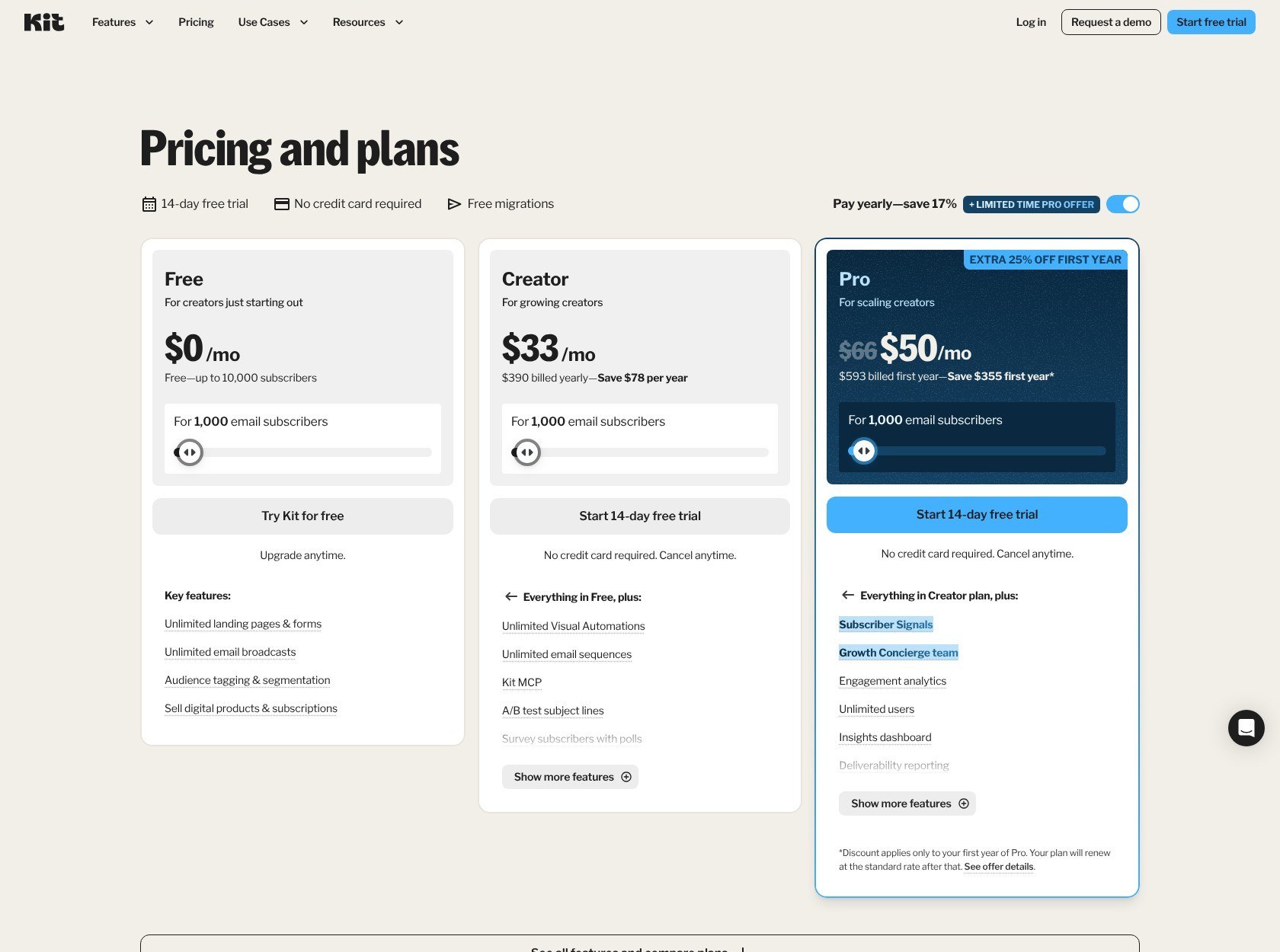
Kit offers 2 months free with standard annual billing. Confirm Pro’s annual total at checkout and distinguish any promotional price from the renewal cost.
ActiveCampaign pricing is advertised from $15 per month for Starter, billed annually, at 1,000 contacts. That is cheaper than Kit Creator’s annual equivalent, but it buys a more restricted automation plan.
| ActiveCampaign plan | Contact baseline | Advertised monthly equivalent, billed annually | Monthly billing |
|---|---|---|---|
| Starter | 1,000 | From $15/month | Confirm current rate at checkout |
| Plus | 1,000 | From $49/month | Confirm current rate at checkout |
| Pro | 1,000 | From $79/month | Confirm current rate at checkout |
| Enterprise | Confirm your required capacity | Obtain a current price | Obtain a current price |
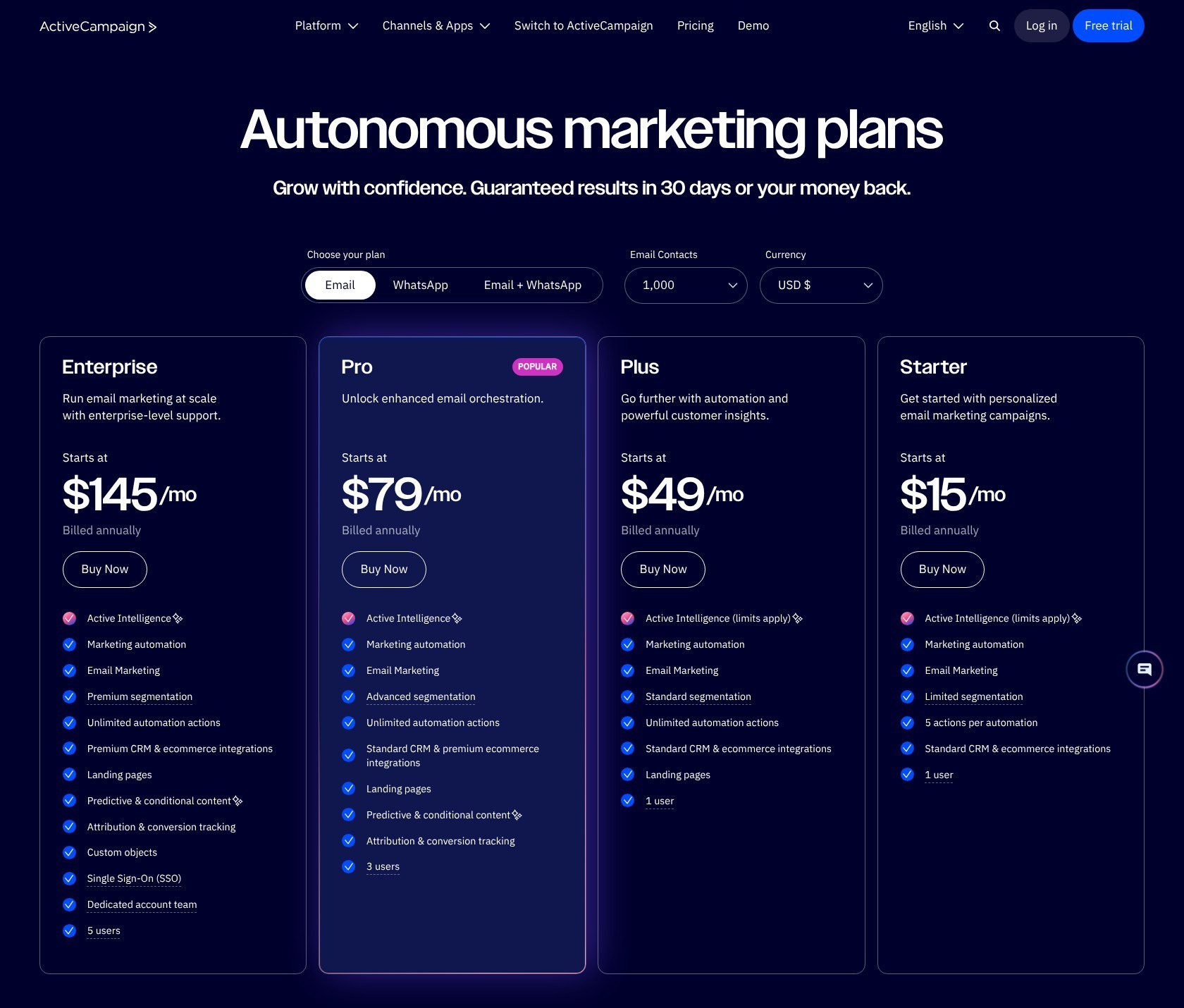
These ActiveCampaign figures are annual-billing equivalents, not month-to-month prices. For Enterprise, request a current price for your contact volume and requirements before making a comparison.
Budget for the Restrictions, Too
Kit Creator is the more relevant comparison if you need unlimited email sequences. Its paid plans include unlimited broadcasts and sequences, while ActiveCampaign Starter permits only 5 actions per automation; Plus removes that action cap.
ActiveCampaign also has monthly email allowances:
| Plan | Allowance relative to contact limit | Sends at a 1,000-contact limit |
|---|---|---|
| Starter and Plus | 10 times | 10,000 |
| Pro | 12 times | 12,000 |
| Enterprise | 15 times | 15,000 |
Direct and automated campaigns both count. Additional emails cost $0.005 each when you exceed capacity without increasing your allowance, so 2,000 extra sends would add $10.
For example, 8 broadcasts to 1,000 contacts use 8,000 sends. Another 3,000 automated messages would take the total to 11,000, exceeding Starter’s allowance even though your contact count stayed unchanged.
Sales pipeline automation can also require enhanced CRM add-ons. Do not price an ActiveCampaign sales workflow using the email subscription alone.
Trial tip: Both platforms offer 14-day paid-feature trials; Kit’s requires no card. ActiveCampaign’s trial has a 100-send limit and can expose features above your eventual plan, so check the tier before committing.
Kit wins for a free publishing business. For paid accounts, compare the plan that actually runs your workflow, then repeat the calculation at your expected future list size.
2. Best for Selling Digital Products: Kit
Winner: Kit. Native digital-product selling makes it the more direct option for creators, while ActiveCampaign is better suited to marketing around an existing store.
Selling Products
Kit Commerce works on every plan, including Free. You can sell digital downloads and subscriptions without buying a separate ecommerce platform solely to take payment and deliver your product.
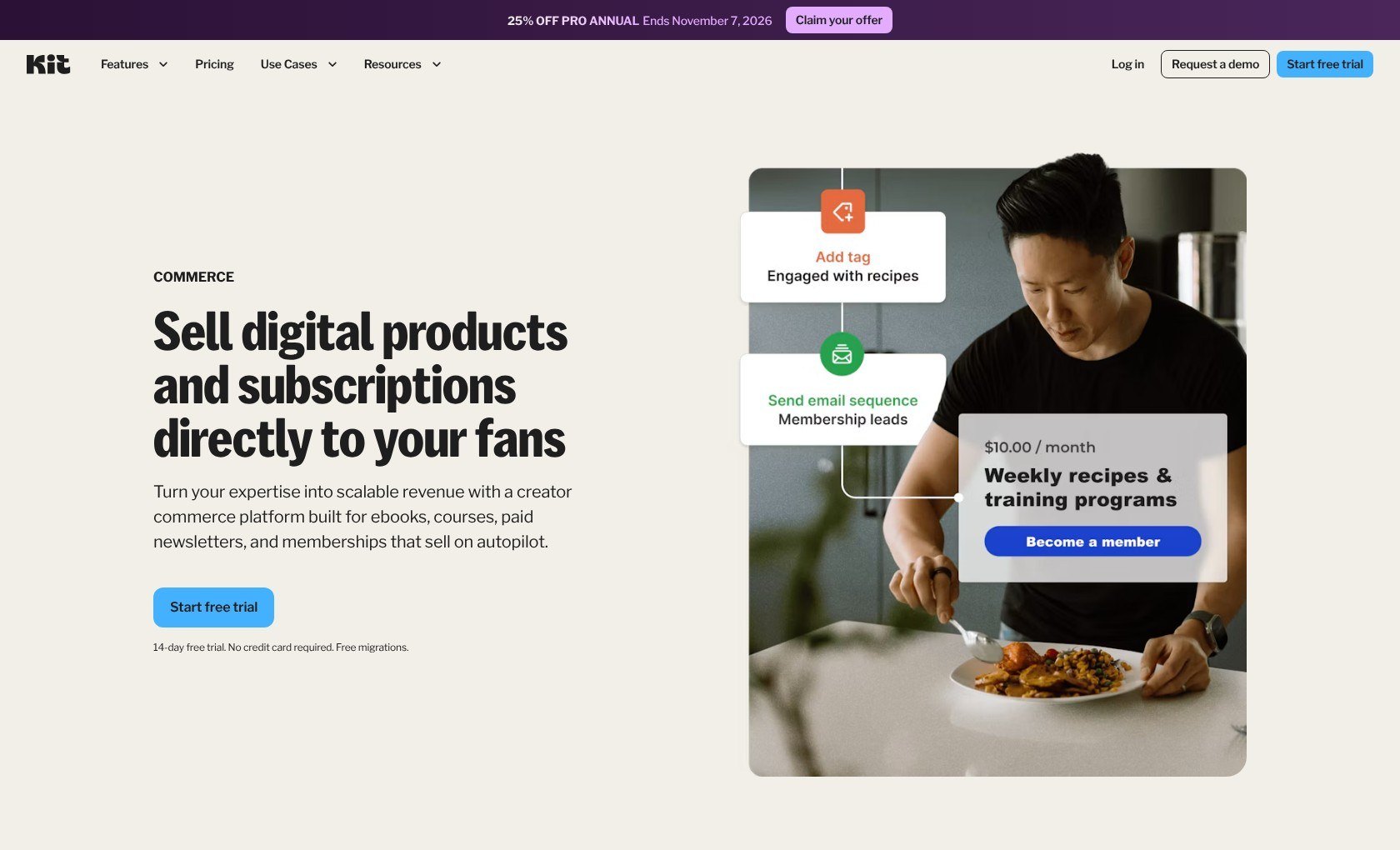
For a hypothetical illustrator selling a downloadable workbook, that means the product and newsletter can live in the same platform. The basic selling process is straightforward:
- Set up payments through Stripe in Kit.
- Create the product and choose its price, currency, and delivery.
- Promote it through a broadcast, form, landing page, or product link.
A paid newsletter also fits Kit’s subscription model. However, selling access and automating a promotional email sequence are separate capabilities: Free includes commerce, but the sequence still requires a paid plan.
ActiveCampaign makes more sense when the store already exists. Starter includes integrations for Shopify, WooCommerce, and Square, letting email marketing connect with your ecommerce setup rather than replacing it.
Payments
Kit charges 3.5% plus $0.30 per USD transaction, with no separate monthly Commerce fee. Stripe is its only supported payment platform, so confirm that this arrangement suits your business before choosing it.
| Selling consideration | Kit | ActiveCampaign |
|---|---|---|
| Digital-product checkout | Native Commerce | Use the connected selling platform |
| Payment arrangement | Stripe only | Depends on your store and payment provider |
| USD transaction charge | 3.5% + $0.30 | Budget for your store’s applicable fees |
| Commerce subscription | No separate Kit Commerce monthly fee | External store costs may apply |
On a hypothetical $20 sale, Kit’s stated transaction charge is $1, leaving $19 before any other applicable costs. That is useful math for inexpensive downloads, where the fixed charge takes a larger percentage of the price.
Kit supports product pricing in 6 currencies, including USD, EUR, and GBP. Each product has one currency; selling the same item in multiple currencies requires separate product versions.
Integrations
Kit’s paid Canva integration lets you access your design library inside the email editor. It requires both an active Canva account and a paid Kit account, so do not count it as a Free-plan benefit.
ActiveCampaign’s store integrations are more compelling if your main problem is customer follow-up rather than product delivery. Optional CRM add-ons can extend that process into sales-team tasks.
Buying tip: Start with where the sale happens. Choose Kit for a contained creator checkout; choose ActiveCampaign when an existing store needs more sophisticated marketing around it.
3. Best for Marketing Automation: ActiveCampaign
Winner: ActiveCampaign. Its stronger combination of behavioral tracking, advanced automation options, and higher-tier attribution supports more complex customer journeys.
Automations
ActiveCampaign is the better fit when different customer actions should lead to different follow-ups. Website tracking and ecommerce integrations give you more context than a newsletter signup alone, particularly when several offers or buying stages are involved.
Think of a hypothetical retailer separating customers who have purchased from prospects still considering an offer. Branching workflows can give those groups different messages rather than pushing everyone through the same promotional sequence.
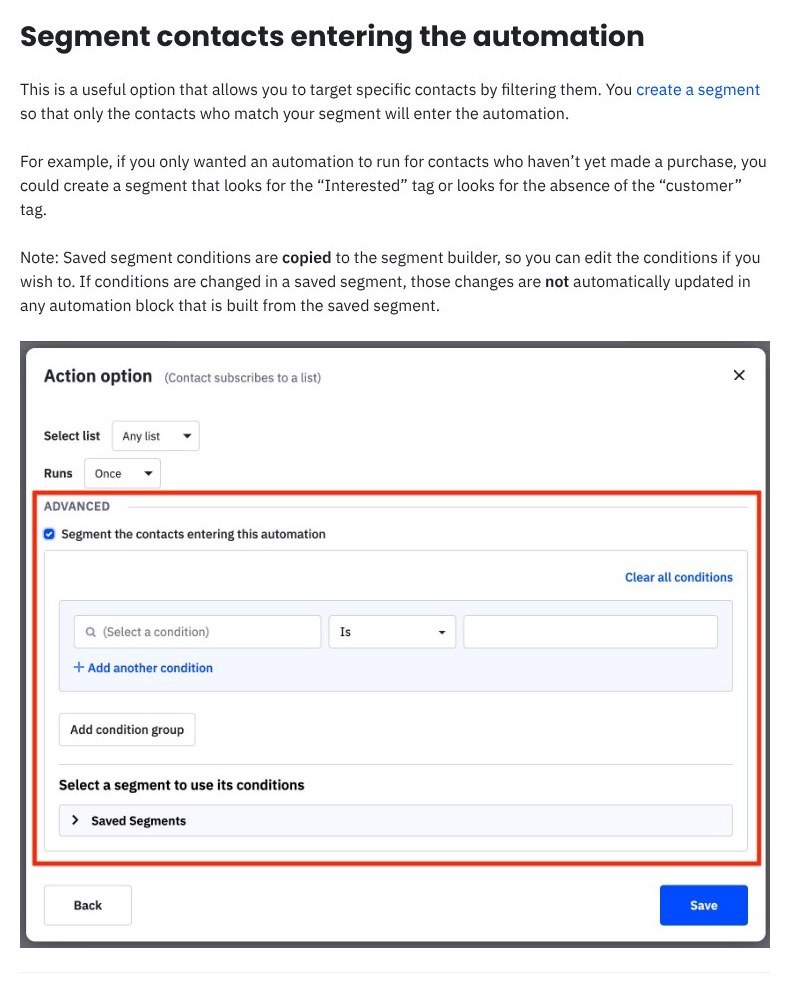
The plan choice matters:
- Starter: Limited to 5 actions per automation, making it a constrained entry point.
- Plus: Removes the action limit, giving longer workflows more room.
- Pro: Adds automation A/B testing and predictive sending.
- Enhanced CRM add-ons: Enable deal actions, such as assigning owners, changing stages, and creating tasks.
A 5-action allowance is not the same thing as a 5-email allowance. Before choosing Starter, map the individual steps your workflow needs, including any non-email actions, and check how they count.
Kit is still capable of useful automated funnels. Its paid plans include visual automations, sequences, and link triggers, which suit a subscriber joining through a landing page and entering an evergreen email series.
Kit also offers automation templates for creator use cases, including welcome messages and product launches. If that describes your whole requirement, ActiveCampaign’s extra complexity may buy you little practical benefit.
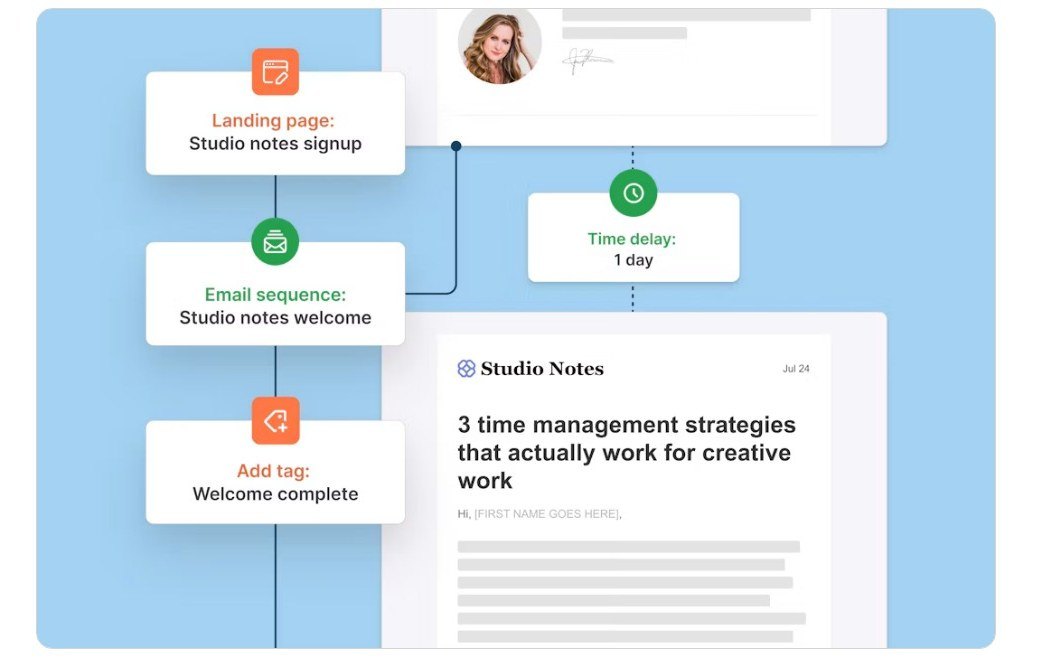
Planning tip: Sketch one real journey before comparing plans. Mark where it starts, what changes the path, and what should stop the messages. Buy for those requirements, not the longest feature list.
Segmentation and Reporting
Kit includes tagging and segmentation on Free, so you can organize subscribers without paying for automation. Tags label interests or characteristics; segments let you group people for more relevant messages.
Its reporting becomes deeper on Pro, which adds subscriber engagement scoring and deliverability reporting. Subscriber growth and purchase chart exports are useful, but advanced engagement and deliverability charts are not Free-plan features.
ActiveCampaign Starter includes campaign reporting and campaign A/B tests. Pro adds conditional content and revenue or conversion attribution, helping you connect marketing activity with business outcomes rather than looking only at campaign engagement.
| Your question | More relevant capability |
|---|---|
| Which newsletter version gets a better response? | Broadcast or campaign A/B testing in either platform |
| Which subscribers are most engaged? | Kit Pro engagement analytics and scoring |
| Which automation path works better? | ActiveCampaign Pro automation A/B testing |
| Which marketing activity contributes to revenue? | ActiveCampaign Pro attribution |
Use deliverability reports to spot sending problems; they do not guarantee inbox placement.
Audience Growth
Kit has the stronger free list-building package: unlimited forms and landing pages alongside its 10,000-subscriber allowance. ActiveCampaign adds landing pages from Plus, so a signup-page requirement changes the relevant entry price.
Kit’s Creator Network can be switched off without losing Free-plan benefits. Earning through Paid Recommendations requires a paid plan, while Pro adds a referral system.
For businesses looking beyond email, both platforms also offer newer tools:
- Kit: Creator lists SMS marketing, but confirm availability and costs separately.
- ActiveCampaign: Active Intelligence Brand Kits are available from Starter, although other AI capabilities have their own limits.
ActiveCampaign wins this round for connecting customer activity with more advanced follow-up. Kit remains the more focused choice for growing and nurturing a creator audience.
4. Easiest to Use: Kit
Winner: Kit. Its focused creator workflows give a solo publisher fewer surrounding business systems to configure.
Getting Started With Kit
For a newsletter business, Kit gives you a clear starting point: prepare a signup form or landing page, organize subscribers, and create a broadcast. You can do that on Free without also deciding how a sales pipeline should work.
A practical setup order is:
- Create your signup form or landing page.
- Decide which tags will keep subscribers organized.
- Choose and customize a reusable newsletter template.
- Write your broadcast, then send or schedule it.
- Upgrade if you need a welcome sequence or visual automation.
The distinction between broadcasts and sequences is useful here. A broadcast is a message you send to an audience; a sequence is a series delivered automatically, which is why the Free-plan restriction matters so much.
Kit’s narrower focus is an advantage for a solo publisher. It becomes less helpful if your business needs several departments or external systems coordinated around each customer.
Getting Started With ActiveCampaign
ActiveCampaign requires more planning when you use the capabilities that distinguish it. Alongside your email and contact organization, you may need to decide how website tracking and store activity should affect follow-up.
A comparable setup would involve:
- Prepare the relevant signup source.
- Organize contacts for targeted campaigns.
- Select a campaign template or starting layout.
- Build the welcome workflow within your plan’s action allowance.
- Connect store or sales processes only where needed.
However, a business with clear automation requirements may find ActiveCampaign’s additional configuration worthwhile because it replaces disconnected manual work.
Trial tip: Build the same small workflow in both platforms: one signup, one welcome email, one interest tag, and one follow-up. Check whether you understand how to change it later, not just whether you can switch it on.
I recommend Kit for a creator managing email alone. Choose ActiveCampaign when the extra setup serves a process you can already describe, rather than one you might someday need.
5. Best Email Templates: ActiveCampaign
Winner: ActiveCampaign. Its broader set of design blocks makes it the stronger choice for varied promotional layouts, while Kit suits streamlined newsletters.
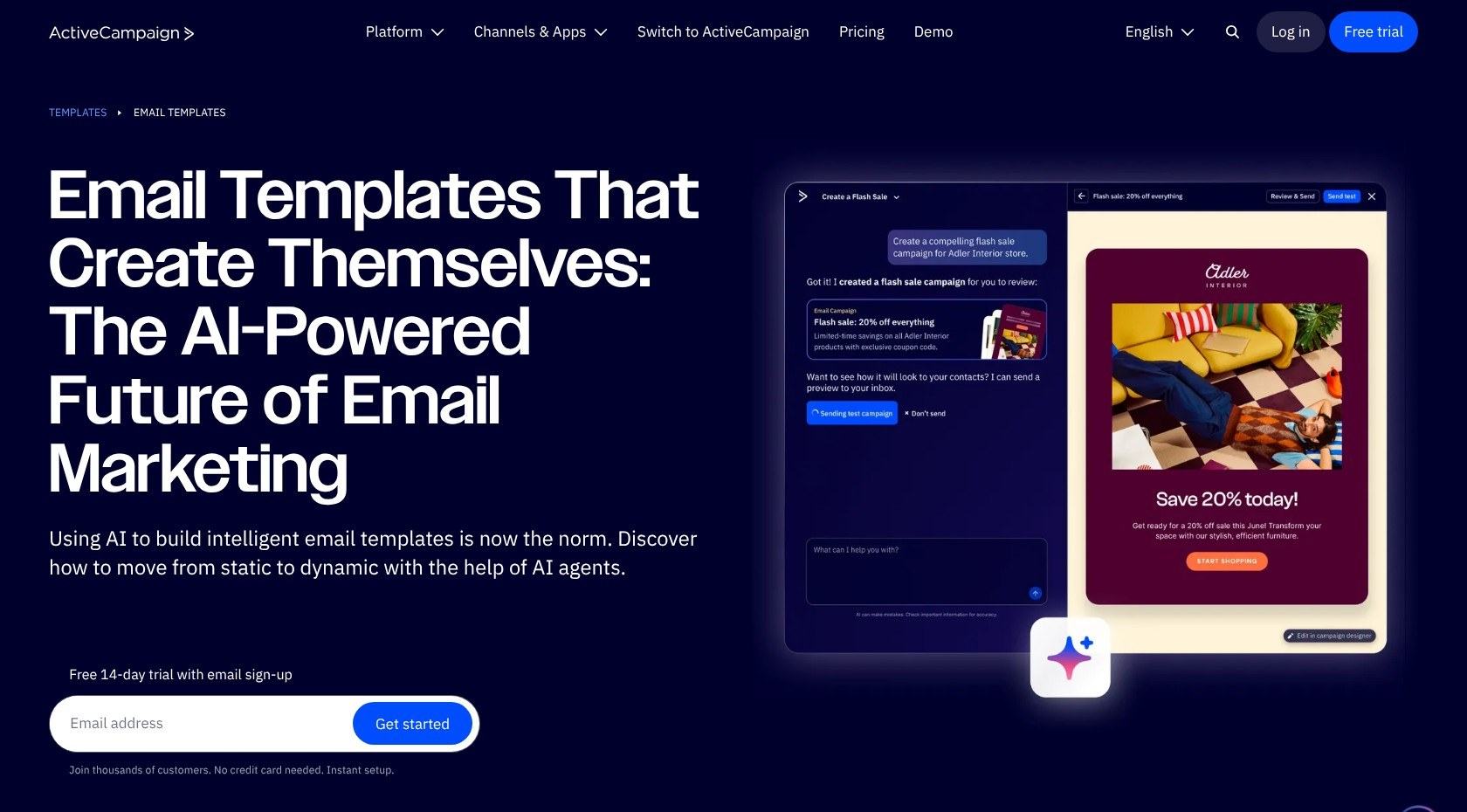
ActiveCampaign offers designed templates, reusable past campaigns, and fresh layouts alongside custom HTML options. Its drag-and-drop Email Designer supports conventional text and image content plus more specialized blocks.
| Design requirement | Kit | ActiveCampaign |
|---|---|---|
| Visual editing | Visual template and email editors | Drag-and-drop Email Designer |
| Layout elements | Image galleries, layouts, social icons | Banner, timer, menu, video, and other blocks |
| Full code control | Separate HTML template | Custom HTML templates |
| Reuse | Reusable newsletter templates | Templates and past campaigns |
Kit is not restricted to plain-looking emails. Its newer editor supports galleries and layouts, and starting-point templates let you change overall styles inside the email editor.
The distinction between Kit’s template types matters. Starting-point templates allow content and design changes in the email editor, while classic templates restrict editing there to the default-content area.
Kit also supports custom CSS, but its visual templates do not expose the full template HTML. Choose a separate HTML template if full code access is essential.
ActiveCampaign gives a retailer more layout flexibility for a campaign combining several products or promotional elements. It can also split-test up to 5 campaign variations, including design changes.
Still, elaborate email is not automatically effective email. If readers subscribe for your writing, Kit’s simpler newsletter workflow may be the better practical fit despite ActiveCampaign winning for design flexibility.
6. Best for Business Support: Plan-Dependent
Winner: Tie. Kit’s round-the-clock paid support and ActiveCampaign’s onboarding offer different advantages. The right package depends on your plan and needs.
Both platforms offer help, but compare the actual package you would purchase:
- Kit: Free includes support requests, with a stated response target of within 24 hours, handled in receipt order. Creator lists 24/7 email and chat support.
- ActiveCampaign: All plans list chat and ticket support, onboarding, video tutorials, workshops, and contact migration. Pro adds priority support and advanced onboarding; Enterprise adds a dedicated team.
Kit’s availability may appeal if you work irregular hours. ActiveCampaign’s onboarding and higher-tier assistance may matter more when several people or connected systems are involved.
Around-the-clock access is useful, but it does not promise an immediate resolution.
Ask about your specific migration before subscribing. Confirm which tasks are included, whether your chosen plan qualifies, and what support is available when you normally work. An onboarding benefit is only useful if it covers the work you need done.
How We Compare Email Marketing Platforms
These recommendations compare documented pricing, plan restrictions, features, and workflows against creator and small-business needs. The category winners are editorial judgments, not numerical scores or measured performance results.
We have not performed firsthand usability, support-response, or deliverability tests for this comparison. Support response targets come from the vendors; cost and workflow examples are hypothetical.
Prices in USD, current as of October 2026. Confirm your contact tier, billing term, and any add-ons before purchasing.
ConvertKit vs ActiveCampaign: Our Winner
ActiveCampaign is our winner for growing businesses that need complex marketing automation. Its store connections and higher-tier testing and attribution give it the stronger case when email must coordinate a broader customer journey. Budget for the appropriate tier and any CRM add-ons.
That said, Kit is my recommendation for creators, digital-product sellers, and newsletter-first businesses. Native commerce and a generous free broadcasting plan are more relevant than advanced automation you will not use.
Start with Kit Free for manual publishing. If automation is essential, use the trials to build your actual workflow before choosing a paid plan.


