Canva
Read comparison →Free plan available
Pro: $144/year ($12/month equivalent)
- Mockups and marketing graphics
- Background removal on Pro
- Brand Kits and resizing

Mediamodifier
Read comparison →Professional: $190/year
About $15.83/month, billed annually
- Editable PSD exports
- Custom PSD uploads
- Commercial licence on Professional

Mockey
Read comparison →Starter offer: $49/year
About $4.08/month; offers vary
- Commercial use on Starter
- Bulk mockup downloads
- PNG and high-quality exports
Canva is the best Placeit alternative for everyday marketing design, while Mediamodifier is the stronger pick for a dedicated mockup workflow. Mockey suits budget-conscious product sellers, and Renderforest makes more sense when video is central to your business.
The right choice depends on what you actually want to replace. Creating a convincing hoodie listing is different from turning that listing into an Instagram promotion. Paying for more features won’t help if the product scenes you need are missing.
Placeit also remains a sensible option if you already use its combination of mockups, logos, and video templates. Switching should fix a specific problem, not simply exchange one subscription for another.
Key takeaways
- Choose Canva if your mockups need to become social posts, promotional graphics, and other brand content.
- Choose Mediamodifier if custom scenes and editable Photoshop files matter more than broader marketing tools.
- Choose Mockey for a low-cost paid mockup workflow, not unrestricted free business use.
- Choose Renderforest if you need template-based videos alongside branding and product visuals.
- Keep Placeit if its scenes fit your products and you regularly use its wider creative tools.
Comparing Placeit Alternatives
Start with the output you need, then compare the price of producing it. A free account, a downloadable image, and a commercially usable export are not necessarily the same thing.
All prices below are USD, before applicable taxes. Annual equivalents describe the annual total divided across 12 months, not a monthly payment option.
| Alternative | Primary use | Free access and limitations | Paid plan and annual total | Monthly equivalent with annual billing | Monthly billing option | Main tradeoff |
|---|---|---|---|---|---|---|
| Canva | Mockups within broader marketing design | Free mockups without watermarks; premium tools and assets cost extra | Pro: $144/year for 1 person | $12/month | Confirm current rate | Less focused on specialist mockup production |
| Mediamodifier | Dedicated mockups and PSD workflows | Starter offers limited access | Professional: $190/year | About $15.83/month | $19/month | Full workflow requires payment; confirm checkout pricing |
| Mockey | Budget product mockups | 3 JPG downloads daily, personal use | Starter: $49/year | About $4.08/month | Confirm current rate | Free tier is not the business-use option |
| Renderforest | Video-led branding | Free mockup downloads have watermarks | Lite: $108/year; Pro: $228/year | Lite: $9/month; Pro: $19/month | Lite: $15/month; Pro: $39/month | Export quality, allowances, and AI credits need attention |
Placeit offers monthly and annual subscriptions, with annual discounts reducing the effective monthly cost in exchange for an upfront commitment. Check the current checkout total rather than comparing a promotional annual equivalent with a competitor’s monthly rate.
Not every alternative here will cost less than Placeit. Some are better replacements because they solve a different problem.
Which Alternative Fits Your Specific Use Case?
- A small shop making product promotions: Start with Canva.
- A designer maintaining a custom product scene: Look at Mediamodifier.
- A print-on-demand seller producing repeated variations: Consider Mockey’s paid tier.
- A business publishing promotional videos: Shortlist Renderforest.
For occasional work, a free tier or individual export may be more sensible than another annual subscription.
1. Canva: For All-in-One Design
Canva is my recommendation when mockups are part of your marketing workflow, rather than the whole job. It connects product presentation with the surrounding promotional design. Mediamodifier is the more relevant starting point if your priority is a custom Photoshop-based scene.
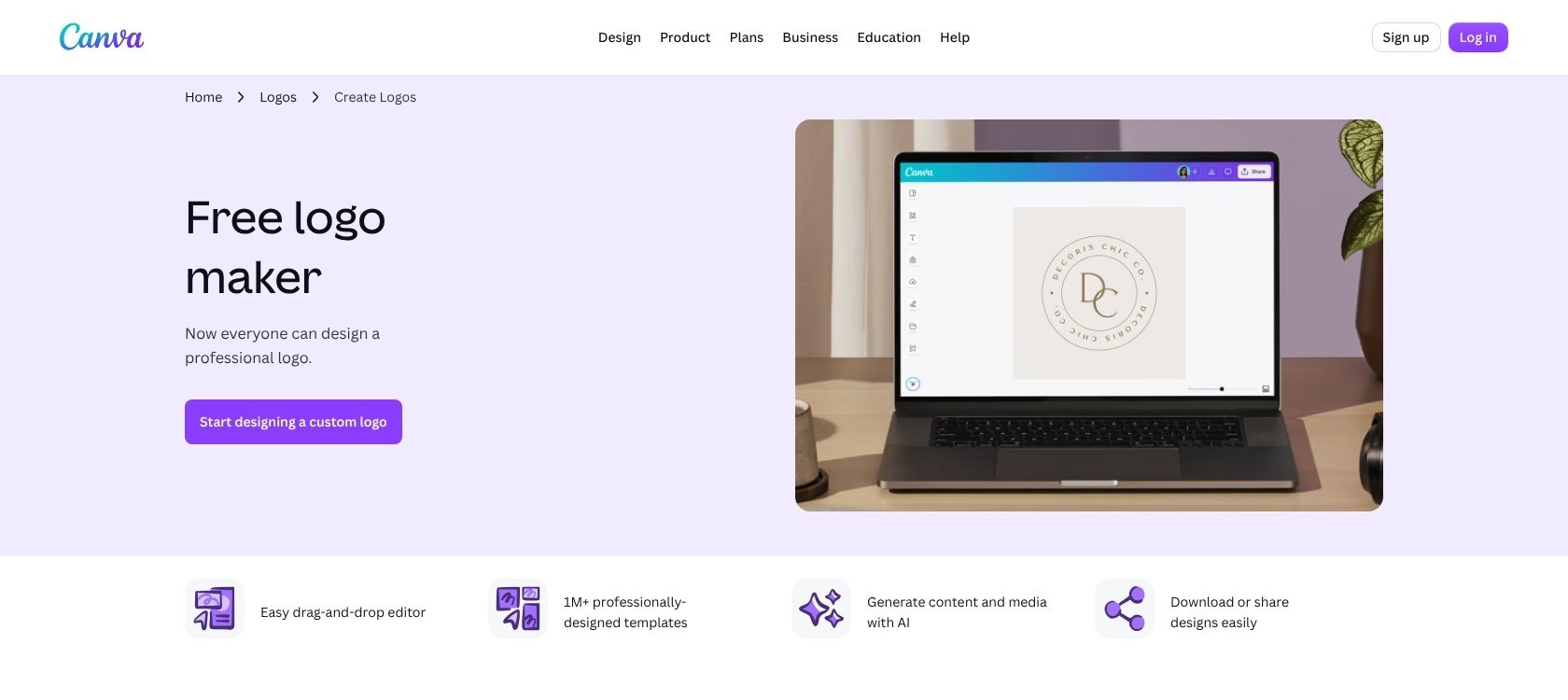
Think about the work after a mockup is finished. You might need a launch graphic, a discount announcement, and a newsletter image using the same product. Choosing a design workspace around those follow-on tasks can be more valuable than choosing solely by mockup variety.
What I Like
- ✔️ Useful free mockup access. Canva offers watermark-free mockups across apparel, packaging, print, and devices. Free access includes a total allowance of 2,500 uses, so it is useful but not unlimited.
- ✔️ A straightforward starting workflow. Open a design, find Mockups under Elements, and place your uploaded artwork into a scene. You can then build the surrounding composition.
- ✔️ Paid tools support recurring brand work. Pro includes background removal, resizing, social scheduling, and 5 Brand Kits. These become more relevant when you repeatedly adapt a campaign for different placements.
What I Dislike
- ❌ Free access doesn’t include every finishing tool. Premium editing and assets can push an otherwise simple project toward a subscription. Decide which tools you need before treating the free plan as your final setup.
- ❌ A suitable scene still matters more than design convenience. If you sell a particular garment cut or packaging shape, inspect the available mockups first. A polished promotional layout cannot fix an inaccurate product representation.
How Much Does Canva Cost?
Canva Free costs $0. Pro costs $144 annually for 1 person, equivalent to $12 per month with annual billing.
Business costs $250 annually per person, approximately $20.83 per month, and includes team administration. A solo seller should not jump to a team-oriented plan without a specific reason.
Start free and complete a representative design before upgrading. The useful question is whether a paid tool removes recurring work, not whether the premium feature list looks impressive.
How Does Canva Compare to Placeit?
- ⚖️ Canva is the better fit for the surrounding marketing work. If your product image immediately becomes an offer graphic or social post, the broader design workflow is a compelling reason to switch.
- ⚖️ Placeit remains a sensible choice for template-led asset creation. If you already find the right scenes and need finished mockups rather than larger compositions, changing platforms may add work without improving the result.
A practical comparison is to plan one complete campaign, not one isolated image. Count the assets you need and identify where you currently repeat setup.
My recommendation: Choose Canva if you want one design workspace for mockups and everyday brand content. Keep looking if your main frustration is limited control over the mockup scene itself.
2. Mediamodifier: For Custom Mockup Workflows
Mediamodifier is my pick for businesses that want a mockup-focused workflow with a route into Photoshop. Its PSD support is a concrete reason to consider it over Placeit. Canva is still the more natural shortlist choice when promotional layout is your main task.
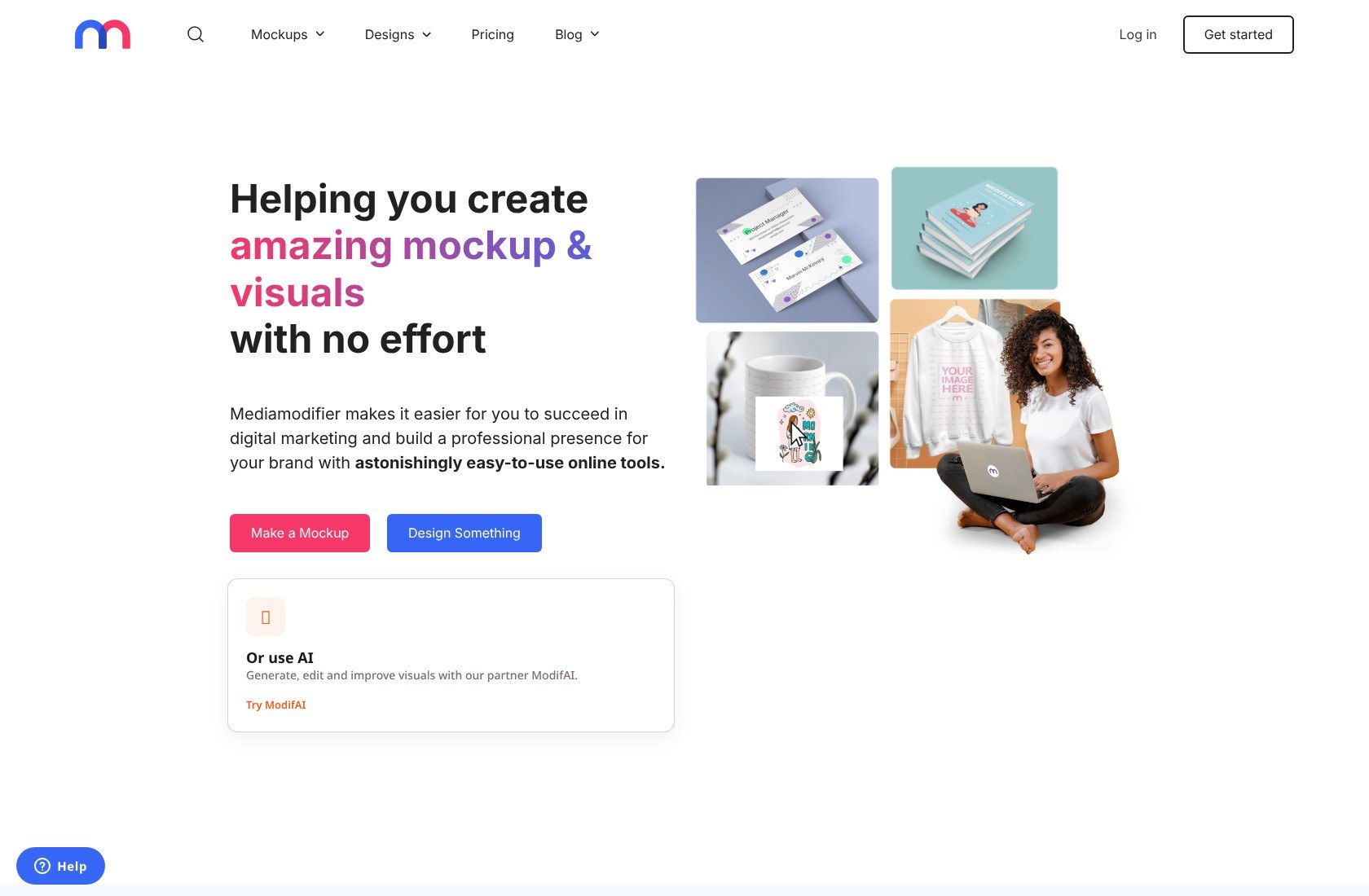
PSD is Photoshop’s editable document format. That matters when a flattened product image is no longer enough, such as when you want to refine a scene or keep working on its editable components.
What I Like
- ✔️ More than a finished image export. Mediamodifier supports JPG, PNG, and Photoshop PSD mockup exports. PSD output offers a route to further editing instead of stopping at a flattened picture.
- ✔️ Custom scenes can become reusable online mockups. Compatible PSD files can be uploaded and converted for later browser-based customization. This is useful when you want repeated products to share a recognizable presentation.
- ✔️ A direct production workflow. Select a template, upload artwork, customize, and download. For straightforward jobs, you do not need to start with a custom PSD.
What I Dislike
- ❌ Custom PSD uploads have requirements. Do not assume an arbitrary Photoshop document will convert correctly. File structure and compatibility need attention before you build a workflow around an existing scene.
- ❌ The fuller setup is paid. Starter is free, but Professional is the relevant tier for broader access and custom uploads. Confirm your checkout total before paying.
How Much Does Mediamodifier Cost?
Professional costs $19 with monthly billing or $190 annually, equivalent to approximately $15.83 per month.
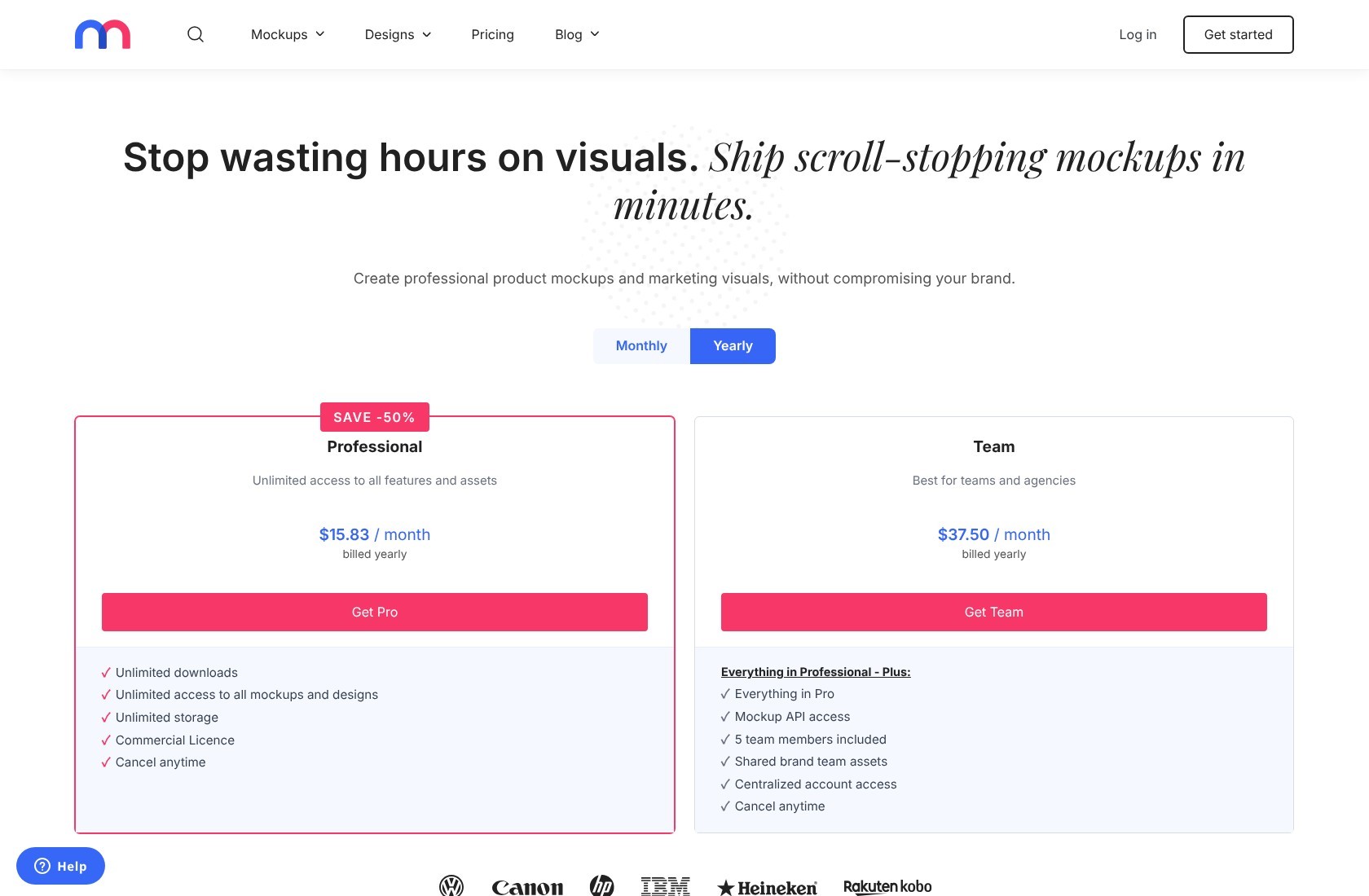
It includes unlimited downloads, mockup and design access, storage, a commercial licence, and custom PSD uploads. Team includes 5 members at $450 annually, equivalent to $37.50 per month.
For a solo operator, Professional is the sensible plan to assess first. Before committing annually, check both the scene you want and the export format you expect to use. Paying for editing flexibility only helps if it fits your production process.
How Does Mediamodifier Compare to Placeit?
- ⚖️ Mediamodifier has a clear appeal for custom and editable workflows. The combination of PSD exports and compatible custom uploads makes it worth considering when you want to move beyond selecting an existing scene.
- ⚖️ Placeit can remain the simpler fit for ready-made output. If you do not need editable files or custom scenes, those Mediamodifier capabilities may not solve a meaningful problem for you.
For example, a packaging seller might want every new label shown against the same carefully prepared background. Reusability can matter more there than having another collection of unrelated scenes.
However, remember that preparing a reusable scene is work in its own right. It is most worthwhile when you will use it repeatedly.
My recommendation: Choose Mediamodifier if consistent custom scenes or Photoshop editing are genuine requirements. Do not pay for its PSD workflow merely because it sounds more professional.
3. Mockey: For Budget-Conscious Mockup Creation
Mockey is my budget pick for a paid product-mockup workflow. Its entry commercial tier has a modest annual commitment, but the free plan is not an unrestricted option for your storefront.
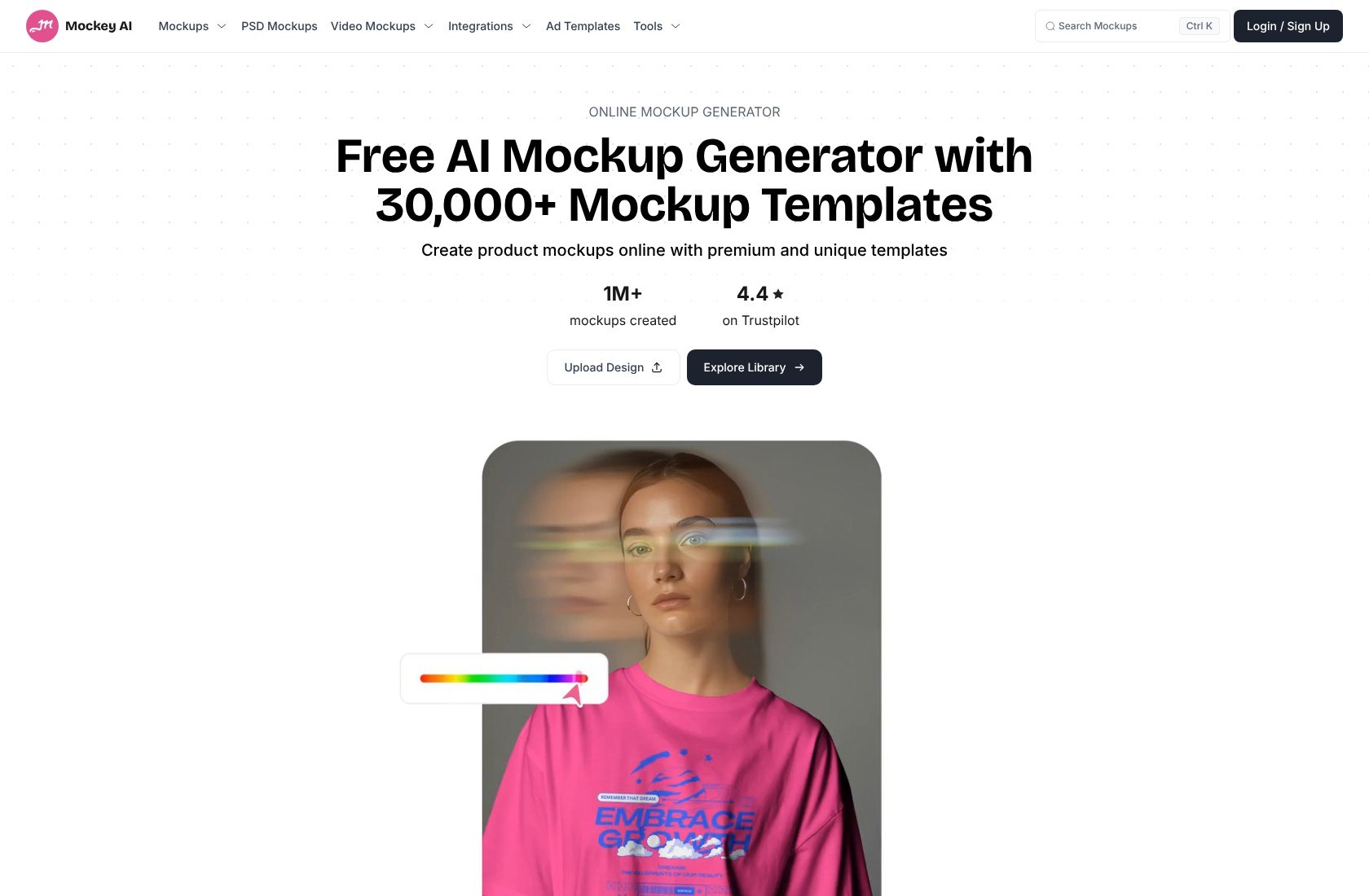
That distinction matters for print-on-demand sellers. A download without a watermark may look ready to publish, yet appearance does not establish commercial permission. Treat licensing and image quality as separate checks.
Mockey is worth shortlisting when your job is repetitive: apply artwork, adjust its placement, choose a product color, and prepare another variation.
What I Like
- ✔️ You can explore the basic workflow without paying. Free access provides 3 watermark-free JPG downloads daily. That gives you room to assess scene suitability before choosing a business plan.
- ✔️ Paid production features target repetitive work. Starter includes bulk generation, projects, unlimited downloads, and PNG/high-quality output. Those are practical priorities when you need variations rather than elaborate promotional layouts.
- ✔️ Artwork placement has useful controls. The workflow accepts PNG, JPG, and WebP artwork, with resizing, repositioning, and product-color adjustments.
What I Dislike
- ❌ Free is limited to personal use. For storefront listings or advertising, choose a tier that includes commercial permission rather than assuming a clean export is sufficient.
- ❌ Free exports are limited to JPG. If you need PNG or higher-quality output, budget for a paid plan. Those formats matter more than the subscription headline when preparing your final images.
How Much Does Mockey Cost?
Starter currently displays an offer of $49 billed annually, equivalent to approximately $4.08 per month. It includes commercial use. Pricing can vary by region and offer, so confirm your checkout total.
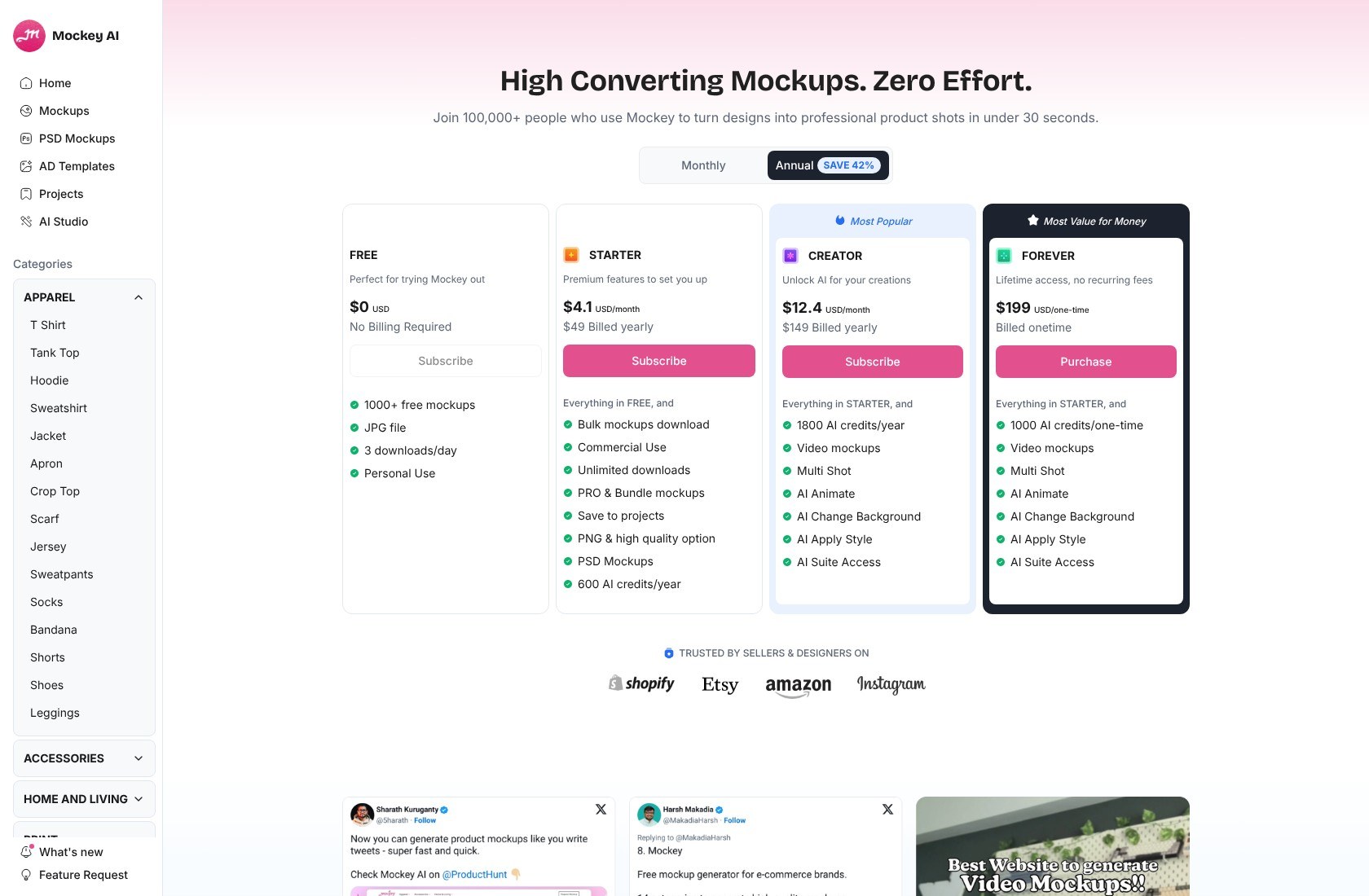
Confirm the month-to-month price if you do not want an annual commitment.
For a small catalog, start by estimating how often you will generate new visuals. A low subscription price is useful, but it is not automatically good value if the scenes do not match what you sell.
How Does Mockey Compare to Placeit?
- ⚖️ Mockey deserves consideration for focused product-image production. If your recurring task is producing several artwork or color variations, its paid bulk workflow is more relevant than a long list of unrelated creative tools.
- ⚖️ Placeit remains worth keeping for broader template needs. If you also rely on logos and video templates, assess the whole replacement workflow rather than only the mockup subscription.
For print-on-demand work, compare a light product and a dark product using the same artwork. Look closely at contrast and positioning before deciding that a template is suitable for an entire collection.
You should also compare the pictured item with your actual supplier’s product. No mockup generator removes the need for accurate listings.
My recommendation: Choose Mockey if you regularly need product variations and its scenes fit your catalog. Canva is worth considering instead if most of your work happens after the mockup is finished.
4. Renderforest: For Video and Branding
Renderforest is my recommendation when video is a major part of what you want to replace. Its value is broader than static product presentation, though Mockey or Mediamodifier may be more focused choices for a mockup-only workload.

A business promoting a product launch may need a video, supporting graphics, and product scenes. Renderforest is worth considering for that mix, provided you choose a plan around the final exports rather than the editor preview.
What I Like
- ✔️ Video has a meaningful place in the offering. Paid plans provide different template-video resolutions and export allowances. That makes Renderforest relevant when promotional clips are a recurring deliverable.
- ✔️ Mockup packs support coordinated scenes. The editor uses image slots, can reuse graphics from My Files, and offers other scenes from the same pack. This can help you plan a visually connected set.
- ✔️ Occasional mockup work need not mean a subscription. Pay-per-export is available, which is worth considering when you only need a finished image occasionally.
What I Dislike
- ❌ Free mockup downloads carry watermarks. High-resolution JPEG mockups without watermarks require payment. Evaluate the cost of your usable final export, not just free editor access.
- ❌ Template video has limits. Renderforest suits structured and semi-custom content, not unrestricted cinematic editing. AI credits also sit separately from template-video allowances.
How Much Does Renderforest Cost?
| Plan | Monthly billing | Annual total | Monthly equivalent, billed annually | Template-video allowance |
|---|---|---|---|---|
| Lite | $15 | $108 | $9 | 5 HD720 exports |
| Pro | $39 | $228 | $19 | Unlimited Full HD1080 exports |
| Business | $59 | $468 | $39 | UHD4K support |
Pro is the more relevant comparison for frequent Full HD template videos. Lite may suit lighter personal projects, but its export allowance and resolution are meaningful restrictions.
Do not interpret unlimited template-video exports as unlimited AI generation or a promise about every mockup allowance.
For AI-generated images and videos, choose Pro for your own commercial marketing or Business for client work and resale. Lite is labeled for personal use. These plan distinctions should not be confused with the separate terms for ordinary mockups.
How Does Renderforest Compare to Placeit?
- ⚖️ Renderforest is worth shortlisting for video-led branding. Choose around the resolution, volume, and type of work you deliver, particularly if client AI projects are involved.
- ⚖️ Placeit may remain sufficient for your existing template workflow. A move makes sense only if Renderforest’s tools or export options address a concrete gap.
Ordinary Renderforest mockup terms separately permit commercial projects, but prohibit removing free watermarks or redistributing mockups as stock or PSD templates.
My recommendation: Choose Renderforest for a combined video-and-branding workload. For occasional static mockups, compare individual export costs before committing to a recurring plan.
How Do I Choose the Right Placeit Alternative for My Business?
Choose around your recurring deliverable, not the largest feature list. You do not need to replace every Placeit feature if you only use one.
Use this checklist before subscribing:
- Define the finished output. A product listing, promotional graphic, editable scene, and video are different jobs. Identify the one that earns the subscription its place.
- Inspect relevant templates. Search for your actual garment, packaging shape, device, or product angle. A large library is not useful if the right scene is missing.
- Check the real export cost. Include watermark removal, resolution, file format, and usage allowances. “Free to create” can still mean paying to publish.
- Match rights to your work. Personal projects, your own business marketing, client work, and resale may have different rules.
- Decide how much editing freedom you need. A finished JPG can be sufficient for a listing. A reusable custom scene may justify PSD support and extra preparation.
For product sellers, accuracy should outweigh visual drama. If the mockup suggests a different fit, finish, or print position from the item customers receive, choose another scene.
Finally, consider time as well as subscription cost. Rebuilding a familiar workflow for a small saving is not automatically a good business decision.
How Do I Move My Designs From Placeit to an Alternative?
Start with your original artwork and expect to recreate layouts where necessary.
- Collect source assets. Keep your original logos, illustrations, transparent artwork, brand colors, and any fonts you have permission to use.
- Organize finished downloads. Retain licensed Placeit assets and records of the applicable permissions. Existing rights do not automatically permit every kind of redistribution or editing.
- Separate artwork from mockups. A flattened JPG or PNG usually does not preserve editable layers. Upload the original graphic when building a new mockup.
- Rebuild one representative product. Check cropping, placement, colors, output dimensions, and mobile readability before recreating a whole catalog.
- Review the replacement before canceling. Make sure the new workflow covers your recurring jobs and that you have saved the files you need.
Do not assume these services support direct project imports. A short overlap can be sensible if it prevents missing assets from interrupting a launch.
How We Evaluate Placeit Alternatives
These recommendations compare documented features, pricing, and restrictions. They prioritize workflow fit for small businesses, creators, and print-on-demand sellers; they are not based on hands-on testing.
The criteria are relevant design capabilities, export formats, watermarks, commercial-use restrictions, billing commitments, and editing flexibility. Recommendations distinguish mockup-only work from broader marketing and video needs.
Template suitability remains product-specific, so inspect a representative export before committing.
Prices current as of October 2026. Confirm checkout totals, billing cycles, and applicable permissions before purchasing.
Final Verdict: Which Placeit Alternative Should You Pick?
Choose Canva for everyday marketing, Mediamodifier for custom mockup workflows, Mockey for budget commercial mockups, or Renderforest for video-led branding.
I would start with the task that currently causes you the most friction. If you repeatedly redesign promotional graphics, Canva is the logical shortlist choice. If you need editable scenes, Mediamodifier addresses a more specific problem.
Mockey deserves attention for focused product production, while Renderforest earns its place when video requirements justify the plan.
Stay with Placeit if its templates already fit and you use the wider toolkit. A replacement should improve your workflow, not merely change your bill.
FAQs
Are There Free Placeit Alternatives for Commercial Use?
Free access does not automatically include commercial rights. Canva offers free watermark-free mockups, but you must check the applicable content licence. Mockey Free is personal-use only. Renderforest’s ordinary mockup terms permit commercial projects with restrictions, and free watermarks must remain; its free AI content has separate noncommercial limits.
Can Canva Replace Placeit Completely?
It can replace your workflow if you mainly need suitable mockups and marketing graphics. It is not a guaranteed replacement for every Placeit scene or template category. Check your recurring outputs before switching.
Which Placeit Alternative Is Best for Print-on-Demand Sellers?
Mockey is the budget shortlist choice; Mediamodifier is stronger for custom-scene needs. Canva makes sense when product visuals feed into wider marketing. With any of these mockup generators, check garment shape, print placement, color accuracy, and commercial permissions before publishing listings.


