
Shippo suits sellers who still pack their own orders. It imports orders from your stores, compares 40+ carriers and prints discounted labels, and the Starter plan is free for up to 30 labels a month.
- Pro: Free plan for 30 labels a month
- Pro: Up to 89% off USPS Retail rates
- Pro: Chat and phone support on Pro
- Con: You still store, pick and pack orders
- Con: Carrier adjustments can arrive later
- Who packs
- You
- Carriers
- 40+
- Free plan
- 30 labels/month
- Pro trial
- 30 days
ShipBob suits growing brands that want to hand off storage, picking, packing and shipping. Its 50+ fulfillment centers and 2-Day Express program cover 100% of the contiguous US.
- Pro: Stores, picks, packs and ships for you
- Pro: 50+ fulfillment centers worldwide
- Pro: 2-day coverage across the contiguous US
- Con: Quote-based pricing with minimums
- Con: Receiving and storage billed separately
- Who packs
- ShipBob
- Fulfillment centers
- 50+
- Storage
- From $5/bin a month
- Integrations
- 50+
If you still pack orders yourself, ShipBob vs Shippo isn’t a choice between label apps: it’s shipping yourself or handing it off. Shippo is better for most small sellers, with a free plan and Pro from $19 a month. ShipBob wins when you want storage, picking and packing outsourced across 50+ fulfillment centers.
Shippo is multi-carrier shipping software you operate; ShipBob is a third-party logistics provider, or 3PL, that handles physical fulfillment. Our six rounds compare costs, packing responsibilities, carriers, setup, delivery speed and support, including when outsourcing makes sense and how you can use both.
Updated for 2027, this comparison includes current plan prices, published fulfillment fees and review-site ratings from November 2026.
Key Takeaways
- Shippo wins 4 of our 6 rounds: value, carrier choice, ease of setup and business support.
- Shippo is free for 30 labels monthly: Pro covers 200 for $19 a month, or $17 billed annually.
- ShipBob is quote-based: monthly US storage costs $5 per bin, $10 per shelf or $40 per pallet.
- ShipBob wins for outsourced fulfillment and speed: 50+ centers, with 2-day coverage across 100% of the contiguous US.
- You can use both: outsource stocked best-sellers to ShipBob and keep Shippo for orders you still pack yourself.
A Quick Comparison of ShipBob vs Shippo
Compare Shippo vs ShipBob by who does the work, not just the starting price:
| Shippo | ShipBob | |
|---|---|---|
| What it is | Multi-carrier shipping software | 3PL fulfillment service |
| Starting price | Free Starter; Pro from $19/mo, or $17/mo billed annually | Custom quote; no public plan tiers |
| Free plan or trial | Starter covers 30 labels monthly; 30-day Pro trial | Service priced by quote; dashboard and integrations free for customers |
| Who packs orders | You | ShipBob’s fulfillment center staff |
| Carriers | 40+ carriers; connect your own accounts | Negotiated UPS, USPS, FedEx, DHL and regional carrier rates |
| Where orders ship from | Wherever you pack | 50+ centers across the US, Canada, UK, Europe and Australia |
| Best for | Sellers packing their own orders | Brands outsourcing fulfillment |
| Key pros | Free plan, discounted labels, no inventory transfer | Outsourced storage and packing; 2-day contiguous-US coverage |
| Key cons | Packing stays with you; chat and phone require Pro | Unpublished minimums; separate receiving and storage charges |
What Kinds of Business Is ShipBob or Shippo Best For?
Choose around your current bottleneck. Discounted postage won’t create storage space, and outsourcing isn’t necessary just to print cheaper labels.
Shippo Is Best for…
- Sellers packing from home, a studio or a stockroom who want discounted labels across 40+ carriers without moving inventory.
- Multichannel sellers who want one label workflow for Shopify, WooCommerce or BigCommerce, plus Etsy, eBay and Amazon.
ShipBob Is Best for…
- Brands running out of space or packing hours that want storage, picking and dispatch handled for them.
- Businesses expanding across regions that need stock closer to customers, with 2-day delivery coverage across the contiguous US.
1. Best Value for Small Sellers: Shippo
The Winner: Shippo
Shippo starts free, and its paid software costs cents per label.
Starter covers 30 labels monthly; Pro starts at $19 a month, or $17 billed annually, for 200 labels. ShipBob quotes fulfillment separately from receiving and storage, with spending and order-volume minimums.
Compare the complete operating bill, not software against warehouse labor:
- Shippo: postage, software, boxes, packing time and storage space.
- ShipBob: fulfillment covering picking, packing, shipping, standard packaging and labor, plus receiving, storage and extras.
Both sit on top of storefront expenses, such as your Shopify plan. ShipBob’s minimum spending requirement also affects whether outsourcing fits your budget.
How Much Does Shippo Cost?
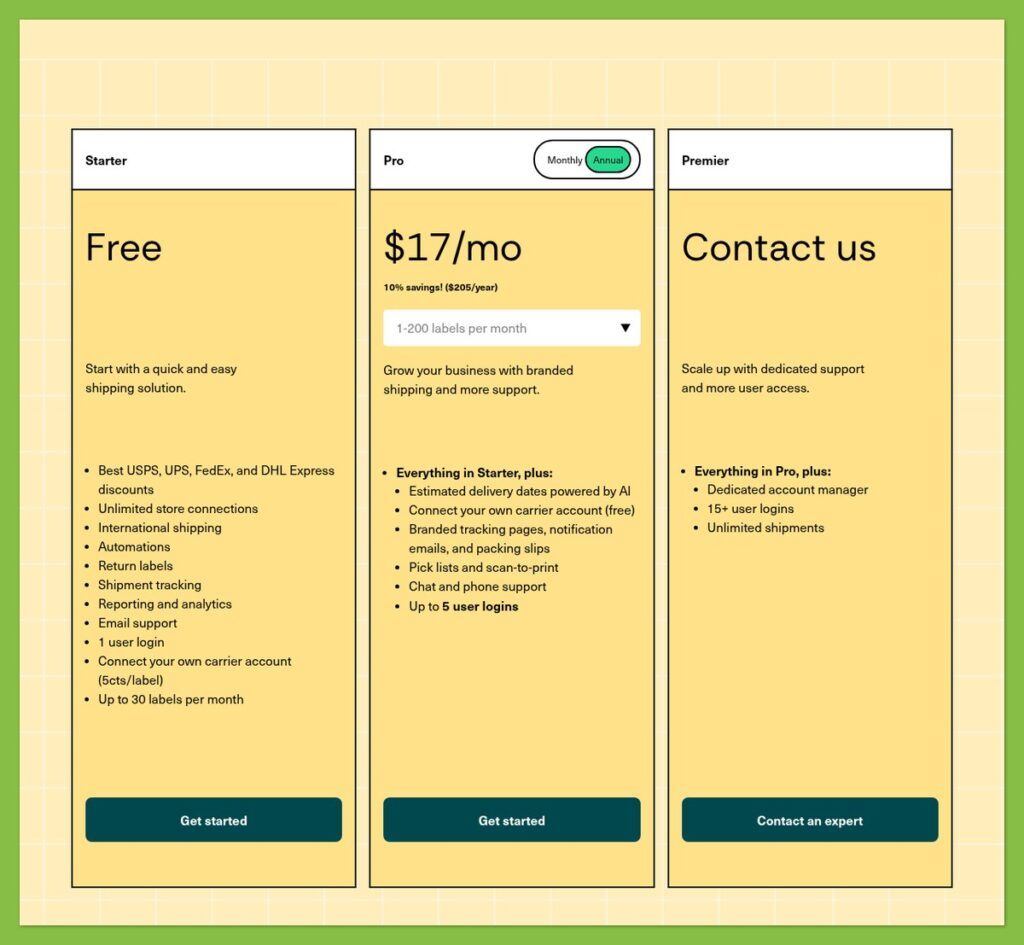
Shippo pricing follows monthly label volume, as Shippo’s pricing page details.
| Plan | Labels a month | Billed monthly | Billed annually | Users |
|---|---|---|---|---|
| Starter | Up to 30 | Free | Free | 1 |
| Pro | 1-200 | $19/mo | $17/mo ($205/yr) | 5 |
| Pro | 201-500 | $29/mo | $26/mo ($313/yr) | 7 |
| Pro | 501-1,000 | $54/mo | $49/mo ($583/yr) | 10 |
| Pro | 1,001-2,500 | $79/mo | $71/mo ($853/yr) | 15 |
| Pro | 2,501-5,000 | $139/mo | $125/mo ($1,501/yr) | 300 |
| Pro | 5,001-10,000 | $199/mo | $179/mo ($2,149/yr) | 300 |
| Premier | Unlimited | Custom quote | Custom quote | 15+ |
- Pro overage: labels beyond 10,000 monthly cost $0.08 each.
- Own carrier accounts: 5 cents per label on Starter; free on Pro and Premier.
- Non-US address validation: 9 cents on Starter, 8 cents on Pro, 6 cents on Premier; US validation included.
- Optional charges: insurance and global address validation sit alongside postage and subscription fees. You can change or cancel plans anytime.
Pro adds AI delivery estimates, branded tracking and packing tools; later rounds cover these and its support channels.
How Much Does ShipBob Cost?
ShipBob pricing is customized, without public plan tiers. ShipBob’s pricing page separates these charges:
| Fee line | What it covers | Published price |
|---|---|---|
| Implementation | Account onboarding | Quoted |
| Receiving | Each Warehouse Receiving Order (WRO) | Flat fee for first two hours, then $45 an hour |
| Storage | US bins, shelves and pallets | $5/bin, $10/shelf, $40/pallet monthly, prorated daily |
| Fulfillment fee | Picking, packing, shipping, standard packaging and labor; set number of picks | Quoted |
| Extra picks | Items beyond included picks | Quoted per-pick fee |
| Returns | Processing upon warehouse arrival | Quoted flat fee per return |
| Kitting, B2B and EDI orders | Special projects and wholesale | Additional cost, quoted |
| Minimums | Monthly spending and order volume | Required, not published |
| Software and integrations | Dashboard and turnkey integrations | Free |
ShipBob’s May 2026 blog says 15-25% of annual fulfillment spend typically falls outside headline per-order pricing. Its terms also provide for an annual General Rate Increase, announced in advance.
What Shippo Costs per Label at 200, 500 and 1,000 Orders
Assuming one label per order, these figures cover the software only, not postage.
| Orders a month | Shippo tier | Billed monthly | Software cost per label | Billed annually | Software cost per label |
|---|---|---|---|---|---|
| 200 | Pro 1-200 | $19 | 9.5 cents | $17 | 8.5 cents |
| 500 | Pro 201-500 | $29 | 5.8 cents | $26 | 5.2 cents |
| 1,000 | Pro 501-1,000 | $54 | 5.4 cents | $49 | 4.9 cents |
Shippo’s subscription isn’t your fulfillment total. Add these monthly costs before comparing a ShipBob quote:
- Postage: total spending across shipped orders.
- Packaging: boxes, mailers and tape.
- Labor: packing hours multiplied by what your time is worth.
- Storage: space you pay to keep inventory.
Compare equivalent totals, including receiving and extras on ShipBob’s side. Start with Starter if you pack orders yourself, then upgrade after 30 monthly labels.
Do Shippo and ShipBob Offer Free Plans or Trials?
- Shippo Starter is free for 30 labels monthly and one user; every account can try Pro free for 30 days.
- ShipBob’s service is quote-based. Its dashboard and turnkey integrations are free for customers, and its Shopify app is free to install.
2. Best for Handing Off Storage and Packing: ShipBob
The Winner: ShipBob
ShipBob takes over physical fulfillment, which Shippo leaves with you.
Send inventory to ShipBob’s fulfillment centers and its staff ship your orders. Shippo makes buying labels easier, but the packing table stays yours, along with shelving, supplies and carrier handoff.
If evenings disappear into packing orders, cheaper labels won’t solve your main problem. Shippo imports orders and handles shipping paperwork; it doesn’t put products into boxes. That’s the real 3PL vs shipping software question: which work leaves your business, not which dashboard has more features.
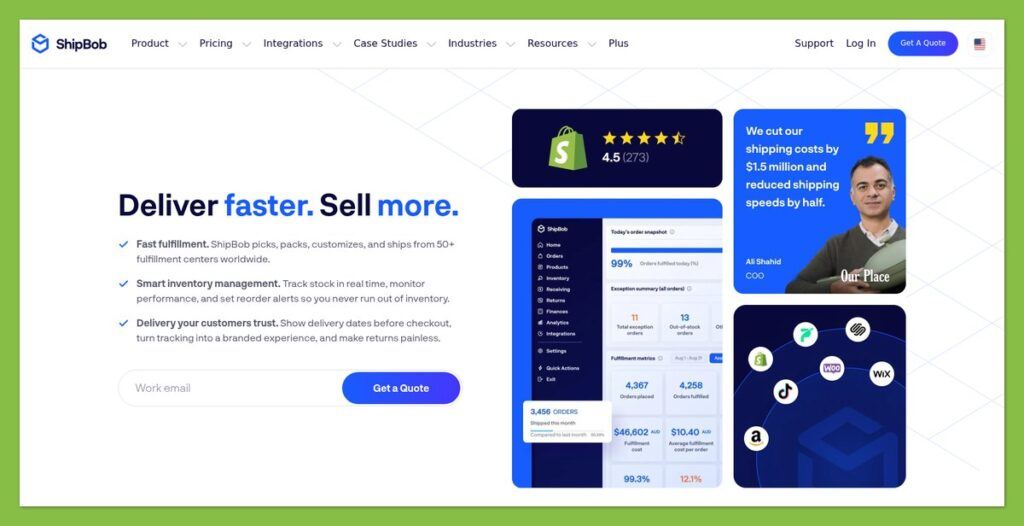
What ShipBob Takes Off Your Plate
ShipBob handles warehouse operations, with separate charges where noted:
- Storage: inventory occupies bins, shelves or pallets, billed at the rates in round 1.
- Picking and packing: the fulfillment fee covers picking, packing, shipping, standard materials and labor.
- Packaging supplies: standard boxes, poly mailers, bubble mailers, tape, dunnage and labels are free.
- Returns: processing carries a flat fee when the return reaches the center; buying return labels through ShipBob is optional.
- Wholesale orders: B2B and EDI fulfillment are available at additional cost.
Shippo provides return labels and packing slips, but you still receive returned products and prepare outgoing parcels. Choose it if that’s work you’re happy to keep.
Packaging, Kitting and Branded Unboxing
ShipBob accepts custom boxes, mailers and inserts, but you pay to store them. Kitting costs extra and covers assembling bundles, gift sets or subscription boxes, including those sold through the best Shopify subscription apps.
Shippo’s built-in branding is digital rather than physical: Pro and Premier add branded tracking pages, notification emails and packing slips. You choose and pack the actual box yourself, while Pro’s pick lists and scan-to-print help organize that work.
What You Give Up When You Outsource
Your inventory moves into someone else’s building, so every restock becomes a planned inbound shipment. You also give up direct control over packing quality and dispatch timing: Trustpilot reviewers in November 2026 report late labeling at ShipBob, and Capterra reviewers mention slow receiving.
Contract terms matter alongside warehouse features. ShipBob requires minimum monthly spending and order volumes, and some reviewers report being asked to pay remaining minimums when leaving. Get the cancellation terms before transferring inventory, not when you’re ready to bring it back.
Best for: brands ready to stop packing entirely. Skip if: packing remains manageable or your personal finishing touches are central to the product.
3. Best for Picking Your Own Carriers: Shippo
The Winner: Shippo
Shippo gives you package-by-package choice across 40+ carriers, including connections to your own carrier accounts.
Discounted USPS, UPS, FedEx and DHL Express labels come with every plan, including Starter. ShipBob negotiates bulk rates and includes shipping in its fulfillment fee, rather than offering the same daily rate-shopping workflow.
With Shippo, you compare services before buying each label. With ShipBob, you delegate dispatch as part of fulfillment. Choose Shippo if reviewing the carrier and service for each parcel is a responsibility you want to retain.
Shippo’s Carriers and Label Discounts
Shippo’s advertised discounts are maximum savings, not a promise for every parcel:
- USPS: up to 89% off Retail rates.
- UPS: up to 85% off.
- DHL Express: up to 73% off.
- FedEx: up to 90% off.
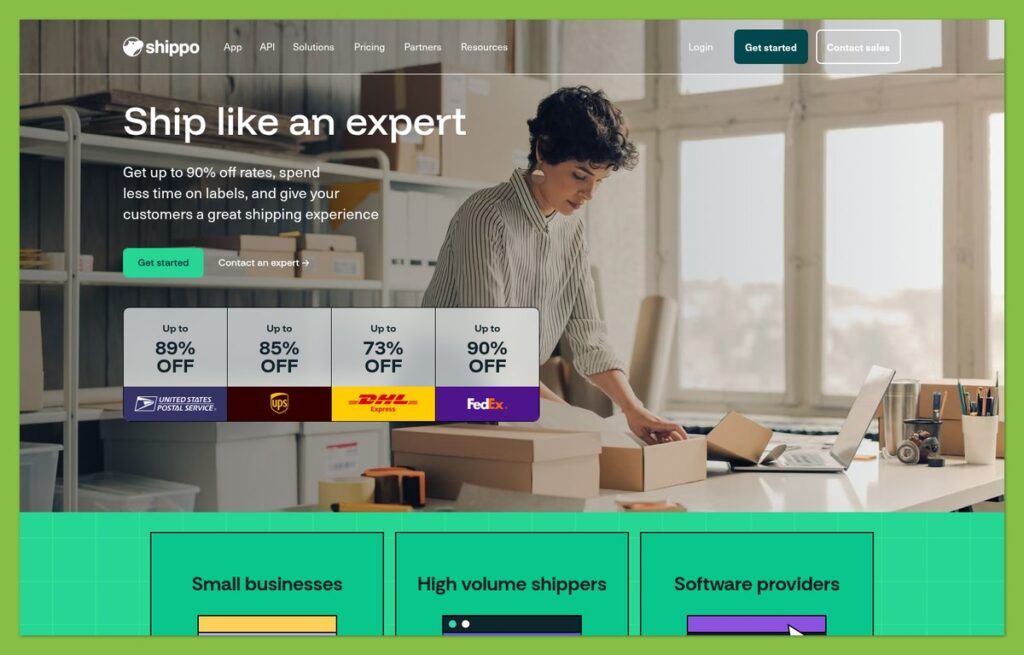
Compare the actual service and price for your package, not the largest discount badge. If you already have negotiated carrier terms, connecting your account costs 5 cents per label on Starter and is free on Pro and Premier.
Every plan includes shipment-management tools:
- Rates at a glance: compare carriers and services before purchasing.
- Automations and order tags: apply your shipping rules.
- Bulk printing: prepare labels and packing slips together.
- International paperwork: generate customs forms and commercial invoices.
- Shipping insurance: add optional coverage.
- Returns and pickups: create return labels and schedule collection.
Set a default carrier and rate once (“Best” for the balance of cost and speed, or “Cheapest”). On Pro, scanning an order barcode then prints its label without repeating those selections.
How ShipBob Prices Shipping
ShipBob’s shipping cost depends on weight, dimensions, destination and service. It negotiates bulk discounts with UPS, USPS, FedEx, DHL and regional carriers, and says it passes those savings on.
The label is part of the fulfillment fee, not a standalone software purchase. Ask ShipBob how service selection will match your delivery promises before comparing its quote with postage alone.
A Fair Warning About Post-Delivery Adjustments
Watch for carrier corrections
Trustpilot reviewers in October and November 2026 complained about Shippo adjustments billed after delivery. Shippo’s replies say carriers issue those charges.
Weigh and measure every package, then enter exact dimensions before buying postage. Shippo’s “no hidden fees” statement concerns its own fees, not subsequent carrier corrections.
Choose Shippo for control or ShipBob for delegated shipping. If inexpensive labels are your only priority, Pirate Ship is another option to compare.
4. Easiest to Get Started: Shippo
The Winner: Shippo
Shippo lets you start buying labels without transferring inventory.
You can connect your store and print labels while keeping your existing packing setup. ShipBob starts with a quote, an implementation fee and inventory transfer, so onboarding is a warehouse project, not simply an app connection.
Choose Shippo for less operational disruption. With ShipBob, plan how you’ll fulfill incoming orders while stock moves to the warehouse and waits to be received.
Getting Started With Shippo
- Create your account: choose free Starter or the 30-day Pro trial.
- Connect your store: installing the Shopify app imports orders automatically; every plan includes unlimited store integrations.
- Set your sender address: for Shopify, this must be a Shopify location imported into Shippo.
- Buy and print: compare rates, purchase an individual label or a batch, then print.
Other supported store connections include:
- Marketplaces: Etsy, eBay, Amazon and Walmart.
- Store platforms: WooCommerce, BigCommerce, Squarespace, Wix, Square and Magento/Adobe Commerce.
If you’re still choosing a storefront, our Shopify review covers the store-building side. Shippo handles shipping rather than replacing your ecommerce platform.
Getting Started With ShipBob
- Request a quote: provide monthly shipment information for customized pricing.
- Pay the implementation fee: the amount is quoted, not published.
- Connect your store: turnkey integrations are free, and Shopify installation is free.
- Create a Warehouse Receiving Order: submit a WRO for each inventory shipment you send in. Receiving is billed per WRO.
- Go live: once inventory is received, orders sync and ShipBob fulfills them.
Get these in writing before you sign:
- Fulfillment fee: the per-order amount and number of included picks.
- Extra-pick fee: apply it to your typical order size.
- Minimums: both monthly spending and order volume.
- Exit terms: any remaining minimums payable if you leave early.
What Happens After Setup?
With Shippo, orders import and automations apply your rules. You print labels and packing slips in bulk, pack orders and schedule pickup.
On Pro, scan an order barcode on a pick list or packing slip to print its label. Box rules select packaging, such as a tube mailer for a poster.
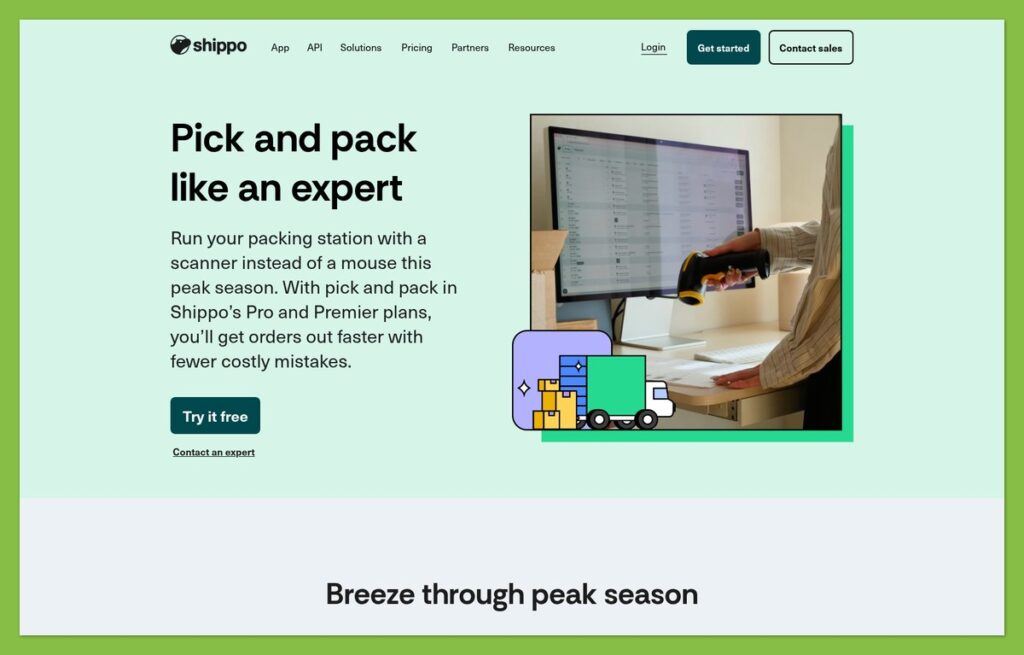
ShipBob sends orders to the fulfillment center automatically. Your recurring jobs become monitoring inventory and arranging restocks, with new WROs for incoming stock.
What Do You Need to Print Labels at Home?
Shippo Print sends labels and packing slips directly to a desktop printer, but doesn’t run on ChromeOS, iOS or Android. With ShipBob, customer-order label printing is handled at the fulfillment center.
Shippo needs fewer setup changes; ShipBob requires a planned inventory handover before you can step away from dispatch.
5. Best for Fast Delivery as You Grow: ShipBob
The Winner: ShipBob
ShipBob offers 2-day shipping coverage across 100% of the contiguous US, even from one fulfillment center.
Its 50+ centers also let you place inventory closer to customers across regions. With Shippo, delivery speed depends on your origin and purchased service, rather than an outsourced warehouse network.
ShipBob says you don’t need multiple warehouses to access its contiguous-US 2-day coverage. That makes the program relevant before you’re ready to distribute stock widely, although the fulfillment quote still needs to fit your margins.
ShipBob’s Fulfillment Network and 2-Day Express
ShipBob operates 50+ fulfillment centers in the US, Canada, the UK, Europe and Australia. ShipBob’s 2-Day Express program provides its contiguous-US coverage, even from a single fulfillment center.
Its storefront tools make delivery expectations visible before checkout:
- Shopify product pages: display 2-day badges and estimated delivery dates.
- Other shopping channels: delivery badging is available on Walmart, Facebook, Instagram and Google.
The Inventory Placement Program distributes inventory across centers. In ShipBob’s own customer case study, shipping times fell from 5.2 days to 3.6 days across 4 US fulfillment centers, an individual result rather than a universal guarantee.
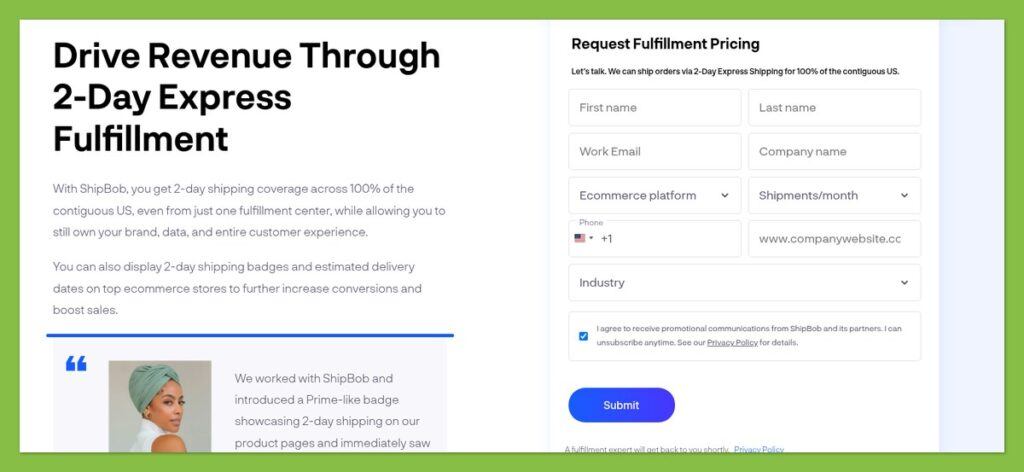
Shippo Pro adds AI-powered estimated delivery dates, but it doesn’t relocate your stock. Estimates help communicate a delivery expectation; they don’t create a faster shipping service.
Sales Channels ShipBob Connects To
ShipBob offers 50+ integrations and an API, covering sales channels and back-office systems:
- Sales channels: Shopify, Amazon, Walmart, TikTok Shop, BigCommerce, WooCommerce and eBay.
- Business tools: NetSuite, Klaviyo, Gorgias, Loop Returns and Cin7.
ShipBob lists no Etsy integration, whereas Shippo connects directly. Decide how Etsy orders will reach fulfillment before transferring inventory.
Top Tip
Put the available delivery promise on your product page, not only at checkout. On Shopify, use ShipBob’s 2-day badges and estimated delivery dates to show shoppers the service available for their purchase.
When Does Outsourcing Start to Make Sense?
Deciding when to outsource fulfillment starts with capacity and costs, not a universal order-count threshold:
- Stock has outgrown your space: inventory fills your spare room or garage, or you’re already paying for storage.
- Packing crowds out selling: dispatch takes time you’d rather spend on products, marketing or customer service.
- You need to hire packers: Shippo Pro supports 5 to 15 users on tiers through 2,500 labels monthly. Extra logins aren’t the issue; staffing costs are.
- Demand spans countries: ShipBob’s centers let you hold inventory outside the US rather than sending every order from home.
- Customers expect 2-day delivery: your existing location and services can’t support the nationwide promise you want.
Before outsourcing, compare a better packing workflow with transferring the work entirely. Shippo’s scan-to-print can remove repeated label selections, but someone still has to pick products, pack boxes and hand over parcels.
ShipBob’s required spending and order-volume minimums aren’t published. Get both in writing before assuming your current volume qualifies, using the checklist in round 4.
Can You Use ShipBob and Shippo Together?
Yes. ShipBob is listed in Shippo’s partner directory, and a hybrid setup lets ShipBob fulfill stocked best-sellers while you keep shipping other orders yourself:
- Personalized products: make and dispatch them yourself.
- One-off oversized orders: retain your own shipping workflow.
- Etsy orders: preserve direct integration when selling on Etsy alongside your own site.
The trade-off is two systems and two bills, with some packing still yours. Near the switch point, I recommend moving top SKUs first, provided that smaller outsourced volume meets ShipBob’s minimums.
6. Best for Business Support: Shippo
The Winner: Shippo
Shippo includes chat and phone support on Pro ($19 a month, or $17 billed annually) and leads on three of the four review sites below.
ShipBob provides account managers and on-site representatives. However, Trustpilot and Shopify App Store reviewers say merchant phone support was removed in 2026, leaving tickets and chat for routine contact.
For a failed label, phone and chat access give you alternatives to email. A receiving delay needs warehouse coordination instead, so ask ShipBob who owns that escalation before committing inventory.
Shippo Support
Pros
- Email on every plan: even free Starter accounts can contact support.
- Chat and phone on Pro and Premier: direct contact doesn’t require a custom-priced plan.
- Dedicated account manager on Premier: provides an ongoing point of contact.
Cons
- Starter is email-only: free accounts don’t receive chat or phone access.
- Billing disputes: October and November 2026 Trustpilot reviewers report post-delivery adjustments and locked accounts following payment disputes.
- Interface changes: some long-time Trustpilot reviewers find updates frustrating.
ShipBob Support
Pros
- On-site representatives: ShipBob places customer support staff at each fulfillment center.
- Account managers and onboarding: Trustpilot reviewers praise both as strengths.
- Dashboard tickets and chat: provide routine contact within the order-management workflow.
Cons
- Phone access concerns: Trustpilot and Shopify App Store reviewers report merchant phone support ended in 2026.
- Operational complaints: November 2026 Trustpilot reviews mention late labeling, and Capterra reviewers mention slow receiving.
- Exit costs: some reviewers report being asked to pay remaining minimums when leaving.
How Users Rate ShipBob and Shippo
These November 2026 ratings describe overall user sentiment, not support performance alone. They don’t establish response times or predict how your individual request will be handled.
| Review site | Shippo | ShipBob |
|---|---|---|
| Shopify App Store | 4.3/5 (320 reviews) | 4.0/5 (287 reviews) |
| Trustpilot | 2.9/5 (572 reviews) | 3.9/5 (1,132 reviews) |
| G2 | 4.2/5 (77 reviews) | 3.7/5 (121 reviews) |
| Capterra | 4.8/5 (826 reviews) | 3.6/5 |
Shippo leads on three sites, but Trustpilot favors ShipBob. Shippo’s recent Trustpilot complaints include post-delivery carrier charges, making the package-measurement warning in round 3 relevant even if you choose a paid support plan.
I favor Shippo Pro for small self-shipping businesses because phone and chat don’t require enterprise pricing. ShipBob’s account-management relationship matters more for warehouse problems: ask who handles receiving exceptions, how you escalate unresolved issues and which contact remains available after onboarding.
How We Compare Shipping and Fulfillment Tools
We prioritize small sellers who currently pack orders and are considering a 3PL. As with our ecommerce platform comparison tool, the framework separates capabilities from cost, rather than treating the longest feature list as the winner.
- Pricing and fees: 25%
- Compare subscription prices with complete fulfillment costs, including quoted extras and minimums.
- Fulfillment features: 20%
- Assess which physical responsibilities transfer, including storage, packing, returns and special projects.
- Rates and carriers: 15%
- Consider carrier coverage, advertised discounts and own-account flexibility.
- Ease of setup: 15%
- Compare the steps between opening an account and dispatch, including inventory transfers.
- Delivery speed and scale: 15%
- Assess warehouse reach, 2-day coverage and sales-channel connections.
- Support and reputation: 10%
- Compare contact channels and user ratings across the four platforms listed above.
These weights favor keeping self-shipping affordable and manageable, which explains Shippo’s overall win. If your priority is eliminating warehouse work, ShipBob’s fulfillment and delivery wins matter more than the round count. Prices and ratings reflect November 2026; quoted terms remain account-specific.
ShipBob vs Shippo: Our Winner
For small sellers still packing their own orders, Shippo is the better choice. It wins value, carrier choice, setup and support, while keeping you in charge of dispatch. Starter covers 30 labels monthly for free, and Pro starts at $19 a month, or $17 billed annually, so the software costs cents per label without replacing your fulfillment operation.
ShipBob becomes the better buy when physical capacity is the problem: nowhere to store stock, packing hours you can’t spare, international demand or customers expecting 2-day delivery. Its 50+ fulfillment centers take storage, picking and packing off your hands, but quoted charges and required minimums must work against your full in-house costs.
I recommend starting on Shippo’s free plan or its 30-day Pro trial while self-shipping remains manageable. When those capacity signals appear, request a ShipBob quote and get the minimums in writing before moving stock. You can keep Shippo for orders that still benefit from your own packing table.


