Choosing between Showit and Squarespace can be tricky.
Both platforms promise beautiful websites and the tools to grow your business online, but they go about it in very different ways.
I’ve spent hours researching both platforms and exploring what they actually offer. Whether you’re a creative looking for design freedom or a small business owner building an online store, this comparison will help you figure out which one fits best.
- Showit is the go-to if you want total design control and the power of WordPress for blogging.
- Squarespace is better if you want an all-in-one platform with ecommerce, scheduling, and marketing built right in.
Let’s break it down.
Quick Verdict: Showit vs Squarespace
Showit – Best for creatives and bloggers who want design freedom and advanced SEO with WordPress.
Squarespace – Best for small businesses that need everything in one platform, especially for ecommerce.
In this review, I’ll compare both website builders on pricing, design flexibility, blogging, ecommerce, SEO, and ease of use.
Quick Comparison Table
Here’s a side-by-side snapshot of how Showit and Squarespace compare across key categories:
| Feature | Showit | Squarespace |
|---|---|---|
| Best For | Designers, photographers, WordPress bloggers | Small business owners, ecommerce, service providers |
| Design Control | Full creative freedom with drag-and-drop editing | Structured templates with customization options |
| Blogging | Built on WordPress, plugin support with higher plans | Built-in blog tools, simple and user-friendly |
| Ecommerce | Requires third-party tools like Shopify or ThriveCart | Native ecommerce with inventory, POS, and shipping tools |
| SEO | Advanced SEO plugins available via WordPress | Basic SEO tools, but no plugin support |
| Pricing Range | $22 to $39 per month (billed annually) | $16 to $99 per month (billed annually) |
| Learning Curve | Moderate, due to WordPress setup | Easy to learn, beginner friendly |
| Hosting | Included, plus WordPress blog hosting | Fully hosted platform |
Best for Design Freedom: Showit
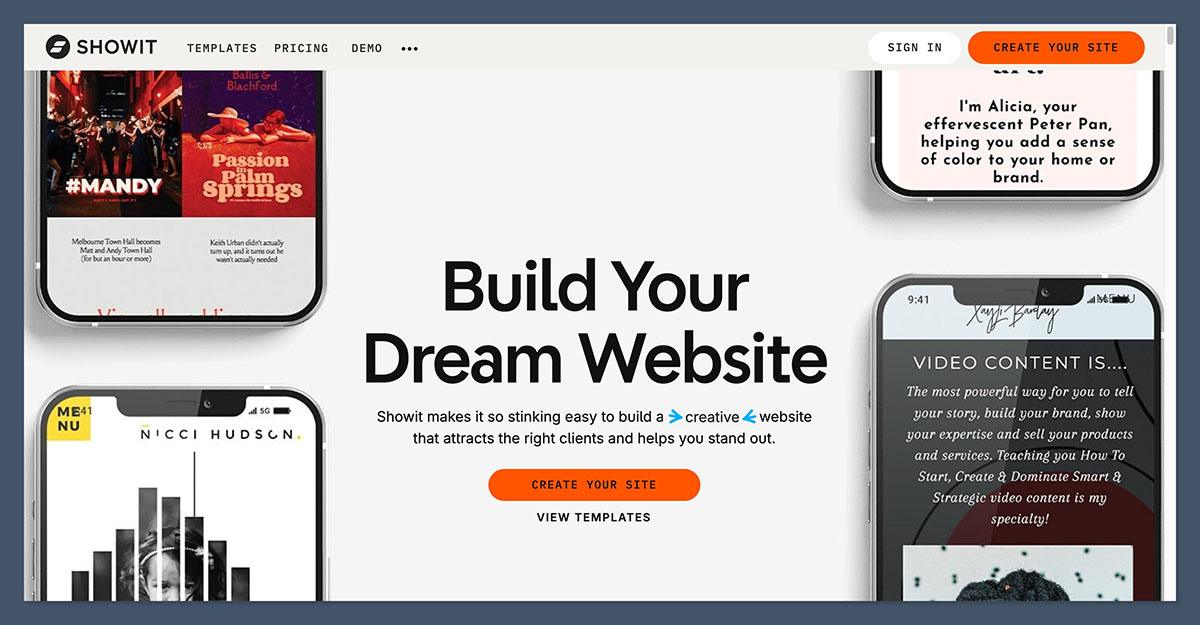
Showit is purpose-built for creatives who care deeply about how their site looks. It gives you full drag-and-drop control, meaning you can place anything anywhere on the page.
There are no layout restrictions, no rigid grids, and no theme limits.
What You Can Do with Showit
- Build completely custom layouts without knowing how to code
- Create separate designs for mobile and desktop
- Control every visual element on the site, including layering, spacing, and placement
- Import third-party templates or design your own from scratch
This level of flexibility is great if your website needs to reflect a very specific aesthetic. Wedding photographers, graphic designers, and personal brands love it for that reason.
What You Can Do with Squarespace
Squarespace offers more structure. It’s a template-based builder with section-based editing. You choose a template and customize within that framework using blocks and style settings.
- Choose from professionally designed templates for business, portfolio, or store
- Change fonts, colors, and page layouts without coding
- Add custom CSS if needed, but most customization happens visually
It’s a cleaner, easier process for people who want a professional-looking site without too many decisions. But if you want to break out of the box, it can feel limiting.
Winner for Design Freedom: Showit
If your brand depends heavily on visuals and creative presentation, Showit is the better fit. It gives you complete control over every pixel.
Best for Blogging: Showit (With WordPress)
When it comes to blogging, the difference is clear. Showit connects directly to WordPress, the most powerful blogging platform in the world.
Squarespace has a decent built-in blog system, but it doesn’t compare in terms of flexibility or SEO tools.
Blogging with Showit + WordPress
With Showit’s mid-tier and advanced plans, you can integrate your site with a WordPress blog. This gives you:
- Access to thousands of WordPress plugins (if you’re on the Advanced plan)
- Full control over blog design, structure, and formatting
- SEO plugins like Yoast or Rank Math
- Easy media management and publishing tools
- Content scheduling, post types, and advanced tagging
One thing to note: Showit handles the front-end design, but your blog is managed separately in WordPress.
This does mean managing two dashboards, but it also means you get the best of both worlds.
Blogging with Squarespace
Squarespace has a clean, easy-to-use blogging system. It’s built into the main platform, so setup is simple.
- Add posts, categories, and tags directly in your Squarespace dashboard
- Style your blog layout using the visual editor
- Schedule posts and embed images, videos, and galleries
- Basic SEO controls for each post (meta titles, descriptions, alt text)
For most users, this is enough. But you don’t get access to SEO plugins, advanced schema, or plugin integrations like you do with WordPress.
Winner for Blogging: Showit
If blogging is a key part of your business or content strategy, Showit’s WordPress integration is the way to go.
Best for Ecommerce: Squarespace
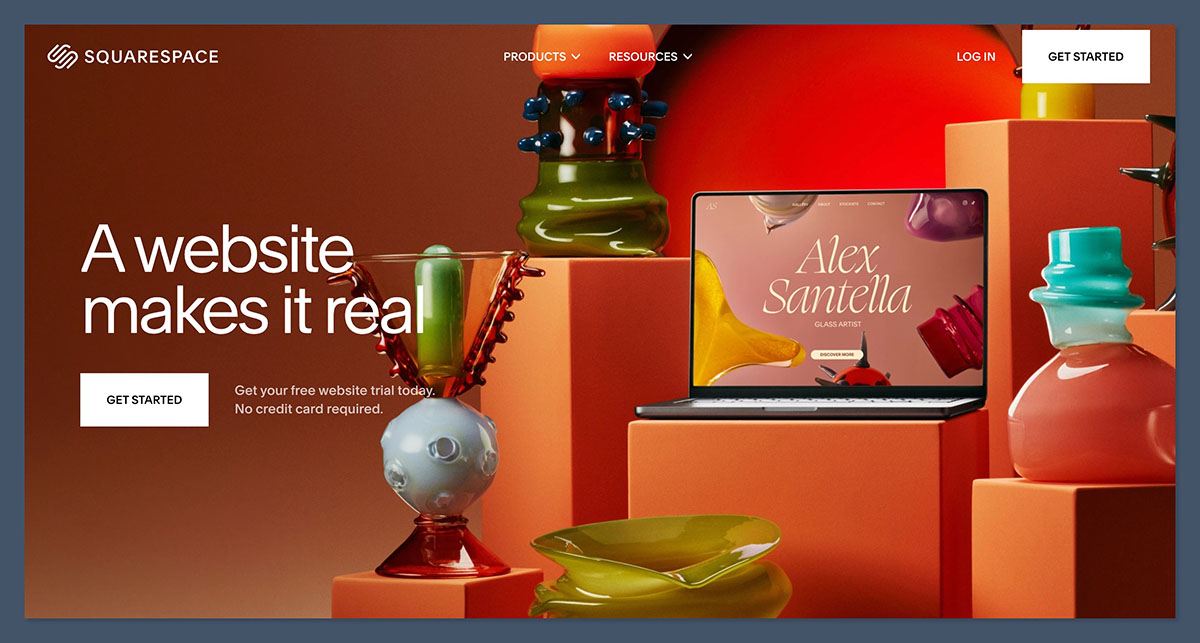
If you want to sell products online, Squarespace has the edge. It comes with native ecommerce tools designed to handle everything from inventory to checkout.
Selling with Showit
Showit doesn’t have its own ecommerce system. You’ll need to embed tools like:
- Shopify Starter ($5/month): Embed buy buttons for physical or digital products
- ThriveCart or Gumroad: Sell digital products or memberships
- PayPal buttons: For one-off payments or simple checkouts
You won’t find built-in inventory management, shipping tools, or product pages. That makes it fine for occasional sales or limited product catalogs, but not ideal for full stores.
Selling with Squarespace
Squarespace was built with online selling in mind. It offers:
- Built-in inventory, order, and shipping management
- Digital and physical product sales
- Coupon codes, abandoned cart recovery, and sales tax calculation
- Support for POS with Square
- Customer account tools and email notifications
Here’s a breakdown of Squarespace’s ecommerce pricing:
| Plan | Monthly Cost (Annual) | Ecommerce Features | Transaction Fees |
|---|---|---|---|
| Basic | $16 | Limited features, 2% commerce fee | 2% on transactions |
| Core | $23 | No transaction fees, more features | 0% |
| Plus | $39 | Advanced analytics, more customization | 0% |
| Advanced | $99 | Subscriptions, advanced shipping | 0%, lowest fees overall |
Winner for Ecommerce: Squarespace
Squarespace is the better option if you plan to run a store directly on your website. Everything is built in and works right out of the box.
Best for Pricing and Value: Squarespace
Showit and Squarespace are priced differently, depending on what you need. Here’s how they stack up.
Showit Pricing (billed annually)
- No Blog: $22 per month
- Basic Blog: $27 per month (WordPress blog, no plugins)
- Advanced Blog: $39 per month (Full plugin support)
There’s a 14-day free trial available. But keep in mind, if you want ecommerce, you’ll likely need to pay for another tool like Shopify Lite ($5 per month) or ThriveCart.
Squarespace Pricing (billed annually)
- Basic: $16 per month (with 2% commerce fees)
- Core: $23 per month (no commerce fees, best for ecommerce)
- Plus: $39 per month
- Advanced: $99 per month (for advanced features and scaling)
Squarespace includes hosting, templates, SSL, blogging, and ecommerce in every plan. It also gives you a free domain for the first year if you pay annually.
Winner for Pricing: Squarespace
You get more features for the price, and the plans are simpler to understand. Showit offers powerful design tools, but the costs add up fast once you factor in ecommerce and plugin needs.
Best for Templates: Squarespace
Both platforms offer high-quality designs, but how you use and customize them is very different.
Showit Templates
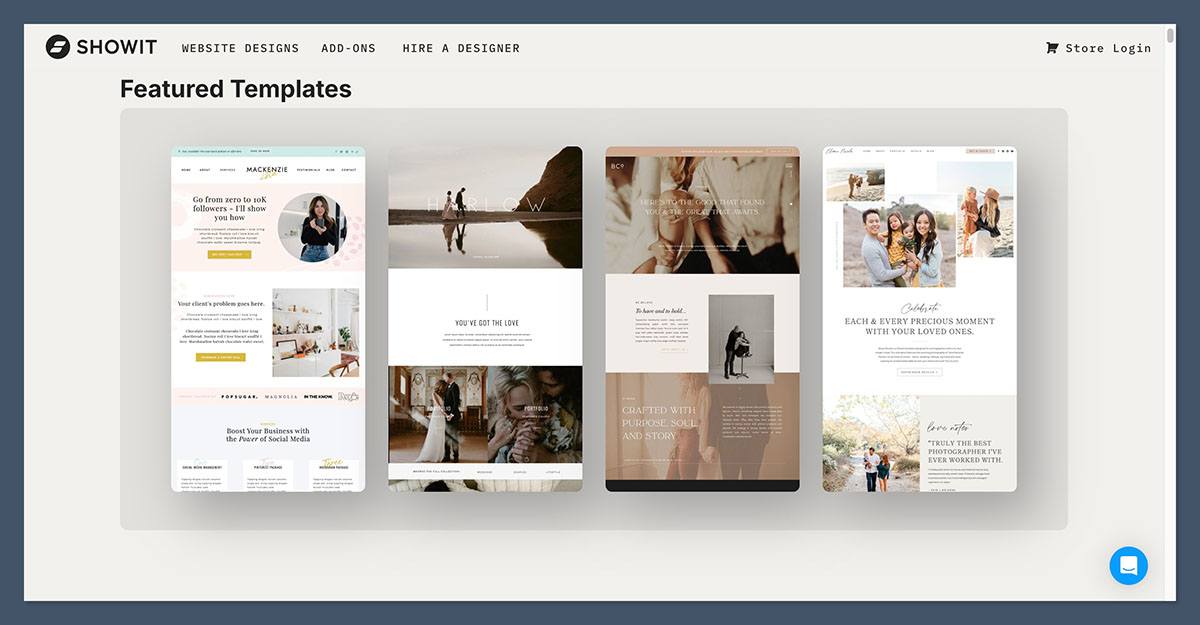
Showit gives you full creative control. Templates are more like starting points, you can move, resize, and layer anything anywhere on the page.
- Total design freedom, no layout restrictions
- Separate mobile and desktop designs
- Most templates are third-party, priced between $300 and $800
- Ideal for custom visual branding and design-heavy websites
You’ll need more time to get things looking right, but the trade-off is a one-of-a-kind site.
Squarespace Templates
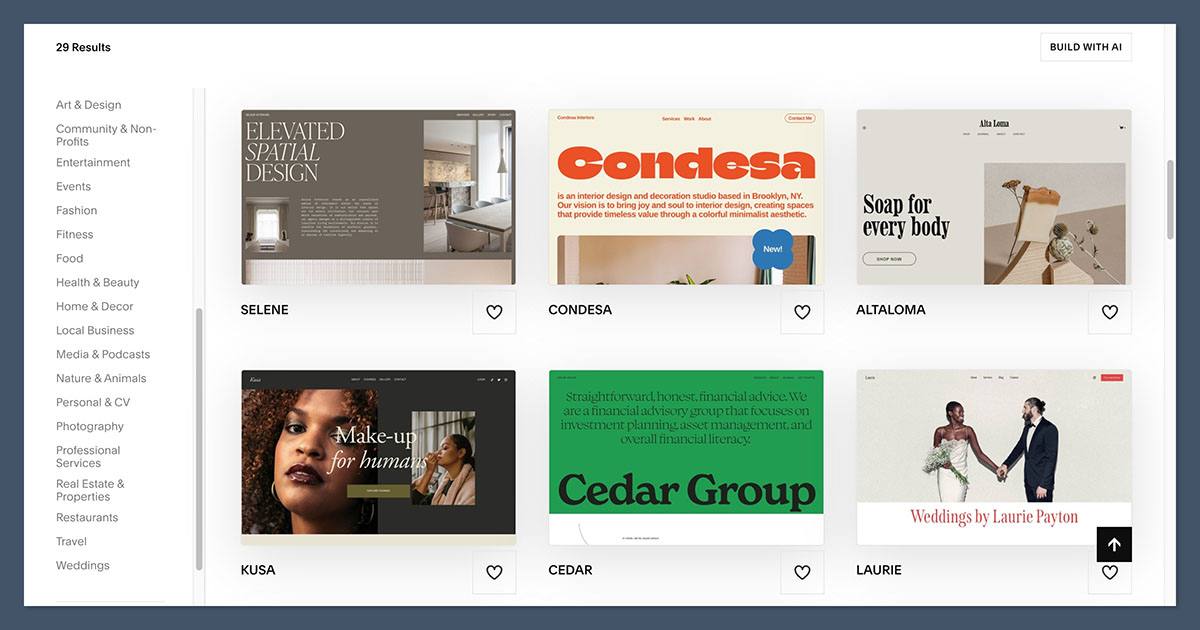
Squarespace offers a structured, polished library of over 100 templates built for business use. They’re easy to launch and mobile-ready out of the box.
- Professionally designed, clean layouts
- Free with all plans
- Fully responsive with built-in styling tools
- Great for portfolios, stores, and service businesses
Customizing is simple, but less flexible than Showit if you want to break the mold.
Winner for Templates: Squarespace
Squarespace makes it faster and easier to get a beautiful site live. Showit is better if you need a completely custom design and have the time or skill to build it.
Best for SEO: Showit
SEO can make or break your traffic. Both platforms offer basic features, but Showit comes out on top thanks to WordPress.
SEO Features in Showit (via WordPress)
- Full access to SEO plugins like Yoast, Rank Math, All in One SEO
- Control over permalinks, titles, meta descriptions, and schema
- Optimized blog architecture for ranking content
- Ability to add structured data and advanced redirects
SEO Features in Squarespace
- Built-in SEO settings for pages and blog posts
- Automated sitemaps and mobile optimization
- Alt text, clean URLs, and meta tags included
- Limited ability to add structured data or external SEO tools
Winner for SEO: Showit
If SEO is a serious focus for your brand, Showit gives you more tools through its WordPress integration.
Best for Ease of Use: Squarespace
Getting started with a new platform shouldn’t be complicated. Squarespace makes the process smoother for most people.
Learning Curve with Showit
- Takes longer to learn due to separate WordPress setup
- You’ll manage two platforms: Showit (design) and WordPress (blog)
- More setup required for ecommerce integrations
- Great support and tutorials, but expect to invest time
Learning Curve with Squarespace
- Everything happens in one dashboard
- Clear onboarding steps guide you through setup
- Templates simplify the design process
- Ecommerce, blog, and pages managed in one place
Winner for Ease of Use: Squarespace
If you want a site up and running quickly with minimal learning, Squarespace is the more beginner-friendly choice.
The Final Verdict: Which Should You Use?
Here’s a quick guide based on who you are and what you need:
Choose Showit if:
- You’re a designer, creative, or photographer and want full visual freedom
- You care about blogging and want WordPress SEO tools
- You’re comfortable managing some technical elements
- You’re okay using a third-party tool to handle ecommerce
Choose Squarespace if:
- You want to build your entire site in one platform
- You need native ecommerce features for selling products or services
- You want simple templates that still look professional
- You want reliable pricing with fewer moving parts
Both builders are excellent, but they serve different types of users. Take advantage of their free trials and see which one feels right for you.


