Squarespace, Wix, and Weebly have been three of the most recognisable website builders on the market for over a decade, and all three promise the same thing: a professional-looking online store without touching a line of code.
The reality is that they pull in very different directions. We built and tested live sites on each platform, pushing them through store setup, product uploads, design, blogging, and checkout, and spent more than 100 hours comparing how they perform for people running an online business.
The short version: Wix is the strongest all-rounder for most stores, Squarespace wins on design and content, and Weebly survives mainly as a budget option tied to the Square ecosystem.
Below, I break down exactly where each one earns its place so you can match the right builder to what you are actually trying to sell.
Reviewed by the editorial team. Pricing confirmed at the time of writing; always check each provider’s site before you buy, since plans change often.
Squarespace vs Wix vs Weebly: Quick Verdict
- Wix Best overall. The most flexible builder for stores that want room to grow, a deep app market, and built-in marketing.
- Squarespace Best for design-led stores, portfolios, and content-heavy brands that want a premium look with little effort.
- Weebly Best for budget sites and sellers already living inside the Square point-of-sale ecosystem.
In the sections that follow, I compare the three builders on pricing, ease of use, templates, selling online, marketing, and support, and crown a winner in each category.
Quick Comparison: Squarespace vs Wix vs Weebly
Here is a side-by-side overview of how the three builders stack up in 2026:
| Feature | Wix | Squarespace | Weebly |
|---|---|---|---|
| Best for | All-round stores and growth | Design and content | Budget and Square POS |
| Starting price (billed annually) | $17/mo (Light) | $16/mo (Basic) | $0 (Free plan) |
| Free plan | Yes (no selling) | No (14-day trial) | Yes (with branding) |
| Cheapest plan that sells properly | Core, $29/mo | Core, $23/mo | Free or Personal, around $10/mo |
| Templates | Hundreds (close to 900) | Around 200 | Around 50 |
| Platform transaction fees | None on paid plans | None from Core upward | 3% on lower tiers, none on Performance |
| App market | Very large | Smaller, curated | Limited |
| POD and dropshipping support | Strong | Moderate | Weak |
| Built-in AI tools | Yes | Yes | Minimal |
| Editing style | Drag-and-drop plus AI builder | Section and block based | Simple drag-and-drop |
Key Takeaways
- Wix is the most capable builder of the three for an online store, with the widest feature set, the biggest app market, and the strongest support for print-on-demand and dropshipping.
- Squarespace gives you the most polished result for the least design effort, which makes it the natural pick for portfolios, service brands, and stores where visuals do the selling.
- Weebly is the only one with a genuinely useful free plan and the lowest entry cost, but it has fallen behind on design and features and now leans heavily on its parent company, Square.
- None of these are a long-term home for a high-volume store. Treat Wix or Squarespace as a launchpad, then plan a move to a dedicated commerce platform if you scale aggressively.
Best for Pricing: Weebly
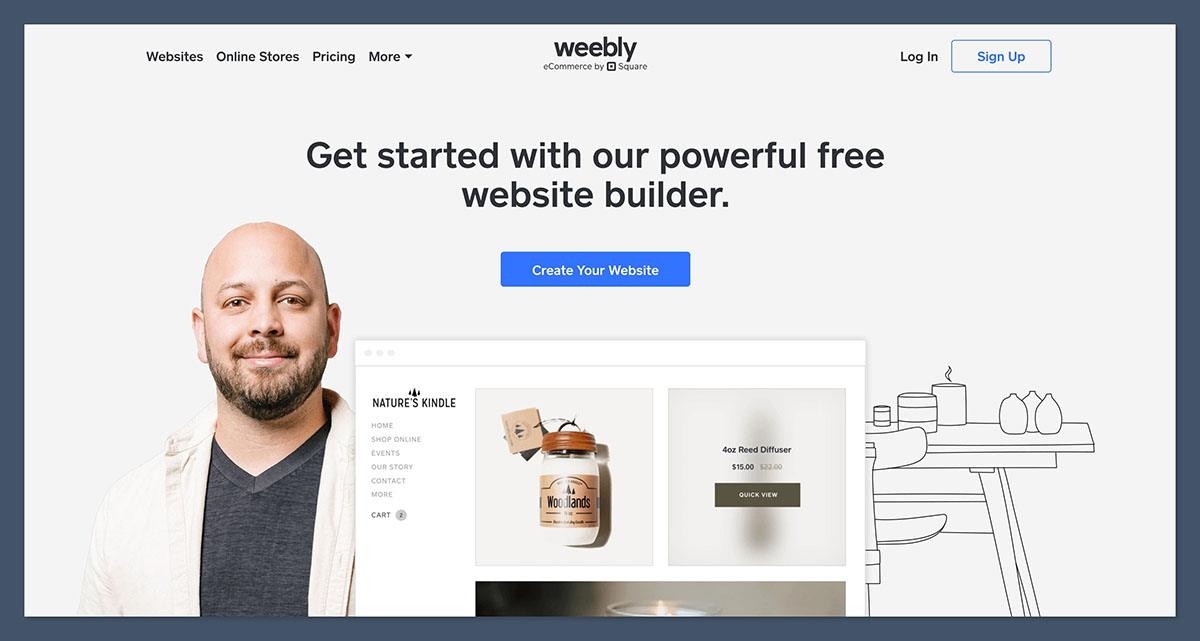
If raw cost is your deciding factor, Weebly wins, and it is not especially close. It is the only one of the three with a permanent free plan that lets you publish a real site, and its paid tiers undercut both rivals.
Here is how the three line up. All prices are the monthly rate when billed annually.
Wix pricing
- Light: $17/mo, removes Wix ads and adds a custom domain, but no online store.
- Core: $29/mo, the entry point for selling, with ecommerce, bookings, and analytics.
- Business: $39/mo, adds advanced commerce tools like abandoned cart recovery and automated sales tax.
- Business Elite: $159/mo, unlimited storage and the full feature set for large stores.
Wix also keeps a free plan (with Wix branding and no checkout) and charges no platform transaction fees on its paid plans, though standard payment processing fees of roughly 2.9% plus $0.30 still apply.
Squarespace pricing
- Basic: $16/mo, a polished site with light selling, but it carries a transaction fee.
- Core: $23/mo, waives transaction fees and unlocks proper ecommerce, which makes it the realistic starting point for a store.
- Plus: $39/mo, lower processing fees and tools aimed at higher-volume sellers.
- Advanced: $99/mo, the top tier for scaling stores.
Squarespace has no free plan, but it does offer a 14-day trial. Notably, its Core plan is $6 a month cheaper than the equivalent ecommerce tiers from Wix and Shopify.
Weebly pricing
- Free: $0, with Weebly branding, limited storage, and basic selling.
- Personal: around $10/mo, adds a custom domain and more storage.
- Professional: around $12/mo, removes Square ads, adds analytics and unlimited storage.
- Performance: around $26/mo, the top tier with abandoned cart recovery, product reviews, and no platform transaction fee.
The catch is that Weebly applies a 3% platform fee on sales for its Free, Personal, and Professional plans, and that fee only disappears on the $26 Performance plan.
So once your sales climb, the headline savings shrink fast. It is also worth flagging that since Square took over Weebly, a number of long-time users have reported sudden, unannounced price jumps on legacy accounts.
The Winner
Weebly is the cheapest way in, thanks to a real free plan and low-cost paid tiers. Just treat it as a starting point rather than a forever home, and watch the 3% platform fee on lower plans.
Easiest to Use: Squarespace

All three are built for people who do not write code, but they take different routes to get there.
Wix uses a classic drag-and-drop editor that gives you pixel-level control, plus an AI builder that can generate a starter site from a few prompts. That freedom is powerful, but it also means more decisions and a steeper learning curve, and you can break a layout if you are not careful.
Squarespace takes the opposite approach with a structured editor: you drop content blocks into pre-defined sections, which keeps everything aligned and mobile-responsive by default. You trade some freedom for a result that is genuinely hard to make look bad, and in our testing that is what most non-designers actually want.
Weebly is the simplest of the lot, with a stripped-back drag-and-drop interface that beginners pick up in minutes. The downside is that it feels dated next to the other two and runs out of headroom quickly once you want more than the basics.
The Winner
Squarespace, for most people. It hits the sweet spot between a polished, hard-to-break result and enough control to make the site your own. Weebly is simpler still for bare-bones sites, while Wix rewards those willing to climb the learning curve.
Best Templates and Design: Squarespace
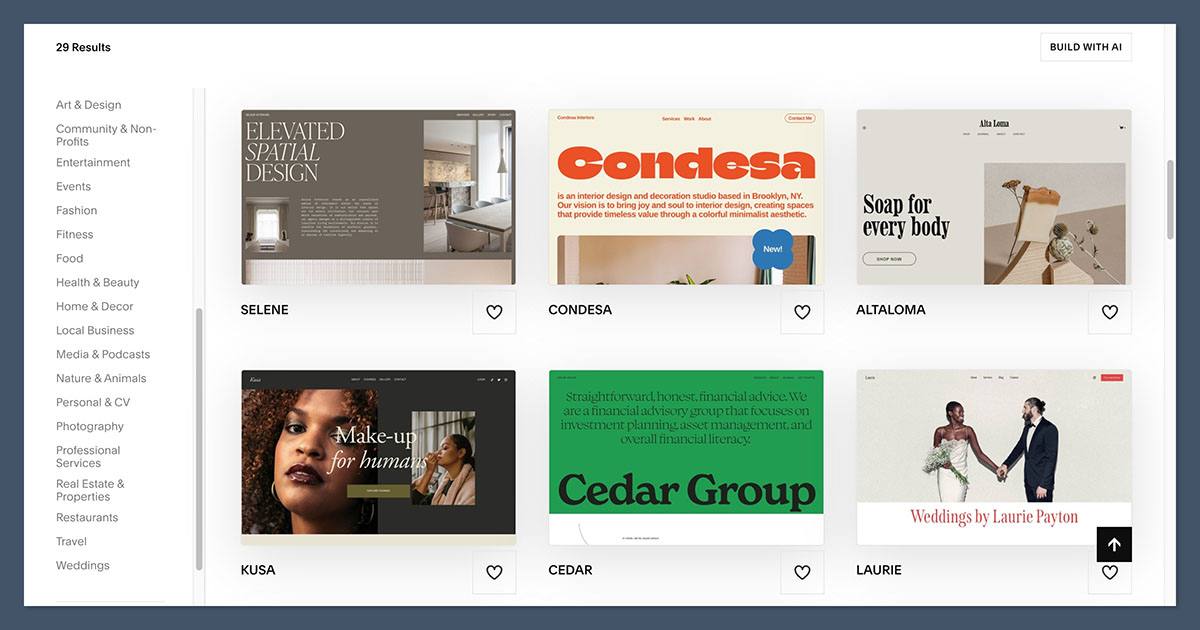
Design is where Squarespace has built its reputation, and our testing backs that up. Its catalogue of around 200 templates is modern, image-led, and strong on typography, with every design mobile-optimised out of the box.
They are the kind of templates where you swap in your own content and the site still looks expensive.
Wix counters with sheer volume: hundreds of templates (we counted close to 900) across an enormous range of niches. The trade-off is consistency, since quality varies and some templates need manual tweaking to behave properly on mobile.
One quirk to know: on Wix you cannot switch templates after launch, whereas Weebly lets you change themes whenever you like.
Weebly brings up the rear with roughly 50 themes that reviewers consistently describe as looking older than the competition. They are responsive and perfectly usable, but they will not turn heads.
The Winner
Squarespace produces the most premium-looking sites with the least effort, which is exactly why design-conscious sellers gravitate to it. Wix wins on quantity and flexibility if you want a more unique, customised layout.
Best for Selling Online: Wix
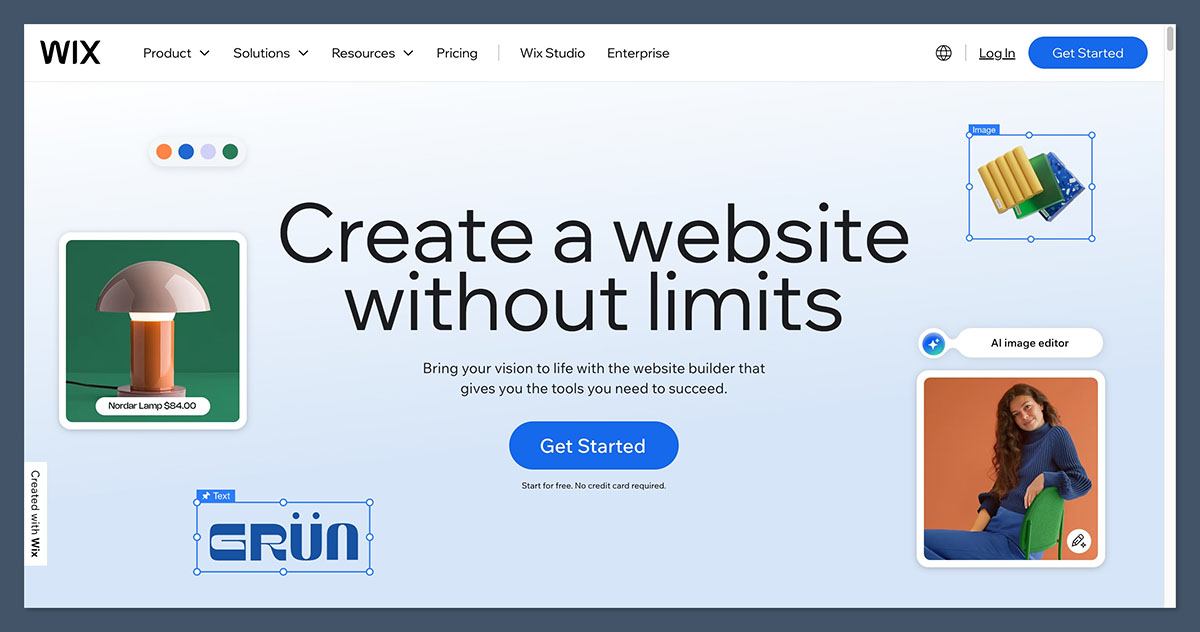
This is the category that matters most if you are building a store, and it is where Wix pulls ahead. For ecommerce content, print-on-demand, and dropshipping audiences, the differences here are the ones that count.
Built-in ecommerce features
Wix offers full ecommerce from its Core plan up, with support for physical and digital products, subscriptions, multichannel selling, and abandoned cart recovery on higher tiers.
Squarespace is close behind and arguably more refined for presentation, with product variants, subscriptions, abandoned cart recovery, and discounting that all look great on the storefront. Weebly handles the basics of a catalogue and checkout but lacks the advanced store and marketing tools the other two offer, and it relies on Square for payments and point-of-sale.
Print-on-demand and dropshipping
For sellers in the POD and dropshipping space, the app ecosystem is the dealbreaker:
- Wix has an extensive app market with dedicated integrations for the major POD and dropshipping services, including Printful and Modalyst, which makes it the most adaptable of the three for creators who are not ready to move to Shopify yet.
- Squarespace supports POD and dropshipping through a smaller, more curated set of extensions. It covers the key players like Printful for straightforward setups, but the marketplace is narrower.
- Weebly has the weakest app centre and has not kept pace, so serious fulfilment builds are better served elsewhere unless Square POS is your dominant requirement.
Payments and fees
Wix charges no platform transaction fees on paid plans (standard processing fees still apply). Squarespace waives transaction fees from the Core plan upward. Weebly is the outlier, applying a 3% platform fee on everything below its top Performance tier, which can quietly eat your margins as you grow.
The Winner
Wix offers the most complete and adaptable selling toolkit, especially for POD and dropshipping creators. Squarespace is a very strong second for design-forward stores, while Weebly only makes sense when Square checkout is the priority.
Best for Marketing, Blogging, and SEO: Wix
Getting a store online is only half the job. None of it matters if shoppers cannot find you, so marketing and content tools deserve a close look.
On blogging, Squarespace is the standout. Its built-in blog handles categories, tags, multiple authors, and scheduling cleanly, and content sits naturally alongside its strong on-page SEO controls. If your strategy leans on content marketing, that cohesion is a real advantage.
For the broader marketing stack, Wix takes the lead. It bundles email marketing, automations, and light CRM features, then extends them with a large library of marketing apps for segmentation and funnels. Its SEO tooling is granular, with a step-by-step optimisation checklist that genuinely helps.
Squarespace counters with native email campaigns, social scheduling, and modern AI content help, giving solo sellers an integrated stack without bolting on apps.
Weebly covers the basics (posts, categories, comments, and Square-linked promotions) but its slower pace of development shows. It is serviceable rather than compelling for a content-driven brand.
The Winner
Wix, for the most complete marketing and SEO toolkit overall. Squarespace edges it specifically on blogging and content cohesion, so pick it if publishing is central to your plan.
Best for Support: Wix
Every store owner needs help eventually, so support channels matter. Wix and Squarespace both maintain extensive help centres with guides, tutorials, and active communities, and both have leaned into AI-assisted chat for routine questions.
Wix’s combination of round-the-clock chat, callback options, and a deep knowledge base gives it a slight edge for getting unstuck quickly.
Squarespace’s support is well regarded and its documentation is thorough, though phone help is limited. Weebly’s support is adequate for simple sites but, like the rest of the platform, has not advanced much, and being part of the wider Square organisation can make it harder to get builder-specific answers.
The Winner Wix, for the broadest set of support channels and the fastest path to a real answer when something breaks.
How We Test Website Builders
We build and run live test sites on every platform we review, rather than judging from spec sheets. For this comparison we spent more than 100 hours across the three builders, scoring each one against weighted criteria that reflect what matters most to people selling online:
| Testing area | Weight | What we look at |
|---|---|---|
| Sales features | 35% | Product management, payments, fees, multichannel selling, POD and dropshipping support |
| Website features | 15% | SEO controls, blogging, and overall flexibility |
| Design | 12% | Template quality, customisation, and mobile responsiveness |
| Ease of use | 12% | Onboarding, editor experience, and the learning curve |
| Marketing tools | 10% | Email, automations, and promotional features |
| Help and support | 10% | Channels, response quality, and documentation |
| Value for money | 6% | What each plan delivers for the price |
Every verdict in this article is based on hands-on use of all three platforms, so the recommendations reflect how they actually behave once you start building.
Squarespace vs Wix vs Weebly: Our Verdict
For most people building an online store, Wix is the best of the three.
It combines the deepest feature set, the largest app market, and the strongest support for print-on-demand and dropshipping, which makes it the most adaptable choice as your business grows.
Squarespace is the one to pick if design and content come first. It produces the most polished result for the least effort and has the best blogging tools of the three, which makes it ideal for portfolios, service brands, and visually driven stores.
Weebly holds on as the budget and Square option. Its free plan and low entry cost are genuinely useful for validating a simple idea, but its dated design, thinner features, and 3% platform fee on lower tiers mean it is hard to recommend for anything you expect to scale.
Whichever way you lean, take advantage of the free plans and trials before you commit. The best builder is the one that fits how you actually want to sell, so spend an hour inside each before you decide.
Frequently Asked Questions
Is Wix better than Squarespace and Weebly?
For an online store, Wix is the most capable all-rounder, with more ecommerce features, a bigger app market, and better support for print-on-demand and dropshipping. Squarespace is better if you care most about design and blogging, and Weebly is better only if your priority is the lowest possible cost or tight integration with Square point-of-sale.
Which is the cheapest website builder of the three?
Weebly is the cheapest. It has a permanent free plan and paid tiers that start at around $10 a month, both lower than Wix and Squarespace. Keep in mind that Weebly charges a 3% platform fee on sales for every plan except its top Performance tier, so the savings shrink as your sales grow.
Can you sell products on the free plans?
Weebly’s free plan allows basic selling, with Weebly branding and a 3% platform fee. Wix has a free plan, but it does not include a store, so you need at least the Core plan to sell. Squarespace has no free plan at all, only a 14-day trial, and you realistically want its Core plan to sell without transaction fees.
Which builder is best for print-on-demand and dropshipping?
Wix is the strongest choice, thanks to a large app market with dedicated integrations for services like Printful and Modalyst. Squarespace supports POD and dropshipping through a smaller, curated set of extensions, which is fine for straightforward setups. Weebly has the weakest app ecosystem and is not well suited to fulfilment-heavy stores.
Is Weebly still worth using in 2026?
Weebly is still a reasonable pick for very simple, budget-conscious sites, and for sellers already using Square for in-person payments. For anything more ambitious, its dated templates, limited app market, and slower development make Wix or Squarespace the safer long-term choice.
Can I move my store to another platform later?
Yes, but it takes work. Website builders like these are closed systems, so migrating means rebuilding your design and re-importing products and content elsewhere. That is why it is worth thinking ahead: Wix and Squarespace are safer homes for a store you expect to grow, while many high-volume sellers eventually move to a dedicated commerce platform.


