
Shopify
Compare costs Try Shopify →Basic: $39/month
$29/month billed annually (USD)
- Connected catalog, checkout and orders
- Inventory and shipping tools
- Store marketing and SEO controls
Google Sites
Compare costs Explore Google Sites →Free with a Google account
Custom domains and external services cost extra
- Simple informational websites
- Templates and custom themes
- Google Forms and document embeds
Shopify is the better choice if you want to run an online store. Google Sites wins if you need a free, straightforward website that explains what you do without handling purchases.
The Shopify vs Google Sites decision comes down to what visitors need to do. Paying for Shopify makes sense when you need checkout and order management, but it’s unnecessary spending if your website only needs opening hours and a contact form.
If you’re a local tutor, Google Sites could be enough to explain lessons and collect inquiries. If you sell stationery, displaying products is only the beginning: you also need a way to take payments and manage orders.
Key takeaways
- Lowest cost: Google Sites. Personal use is free with a Google account, without a paid Workspace subscription.
- Best for selling: Shopify. Its catalog, checkout, and order tools work together.
- Easiest basic setup: Google Sites. There’s less business configuration before you publish.
- Best marketing and store design: Shopify. Its tools support turning visitors into customers.
- Best business support: Shopify. All plans include 24/7 chat, though third-party products have separate support responsibilities.
Jump to a round: Costs · Selling · Marketing · Ease of use · Design · Support
Shopify and Google Sites at a Glance
Shopify provides the stronger business toolkit, while Google Sites removes the subscription cost and much of the setup work. Start with what visitors need to accomplish on your website, rather than the size of your business.
| Comparison | Shopify: best for online stores | Google Sites: best for free informational sites |
|---|---|---|
| Best fit | Businesses accepting online orders | Service information, projects, and resources |
| Starting builder price | Basic: $29/month, billed annually | $0 for personal use |
| Free access | No permanent free full-store plan | Free with a Google account |
| Main advantage | Connected selling and order workflow | Simple publishing without hosting charges |
| Main drawback | Subscription and selling costs | No native ecommerce system |
| Products and inventory | Store catalog and inventory management | Content pages, not a managed catalog |
| Checkout | Native store checkout | Requires an external selling service |
| Design options | Free and paid store themes | Templates and customizable themes |
| Custom domains | Can use a custom domain | Supported through owner settings |
| Search optimization | Dedicated ecommerce SEO controls | Content editing and custom page paths |
| Ongoing help | 24/7 chat on all plans | Free help resources; separate Workspace support |
Shopify is best for you if:
- Customers need to buy directly. You want a checkout connected to products and orders, not just an inquiry form.
- Stock changes regularly. A managed catalog is more useful than manually updating availability on informational pages.
- Selling is an ongoing activity. You need a repeatable process for receiving and fulfilling orders.
Google Sites is best for you if:
- Your website explains rather than sells. Visitors need service details, directions, or resources.
- Your budget is tight. You want to publish without a recurring website-builder bill.
- You share information with a group. A project hub or event website suits its collaboration-focused approach.
Neither choice has to follow your company’s size. A solo retailer can need Shopify immediately, while an established consultancy might only need a small informational website.
1. Which Costs Less? Google Sites
Winner: Google Sites costs less because its basic builder and hosting are free. Shopify’s subscription buys selling infrastructure, so it offers better value only when you need that infrastructure.
Pricing comparison
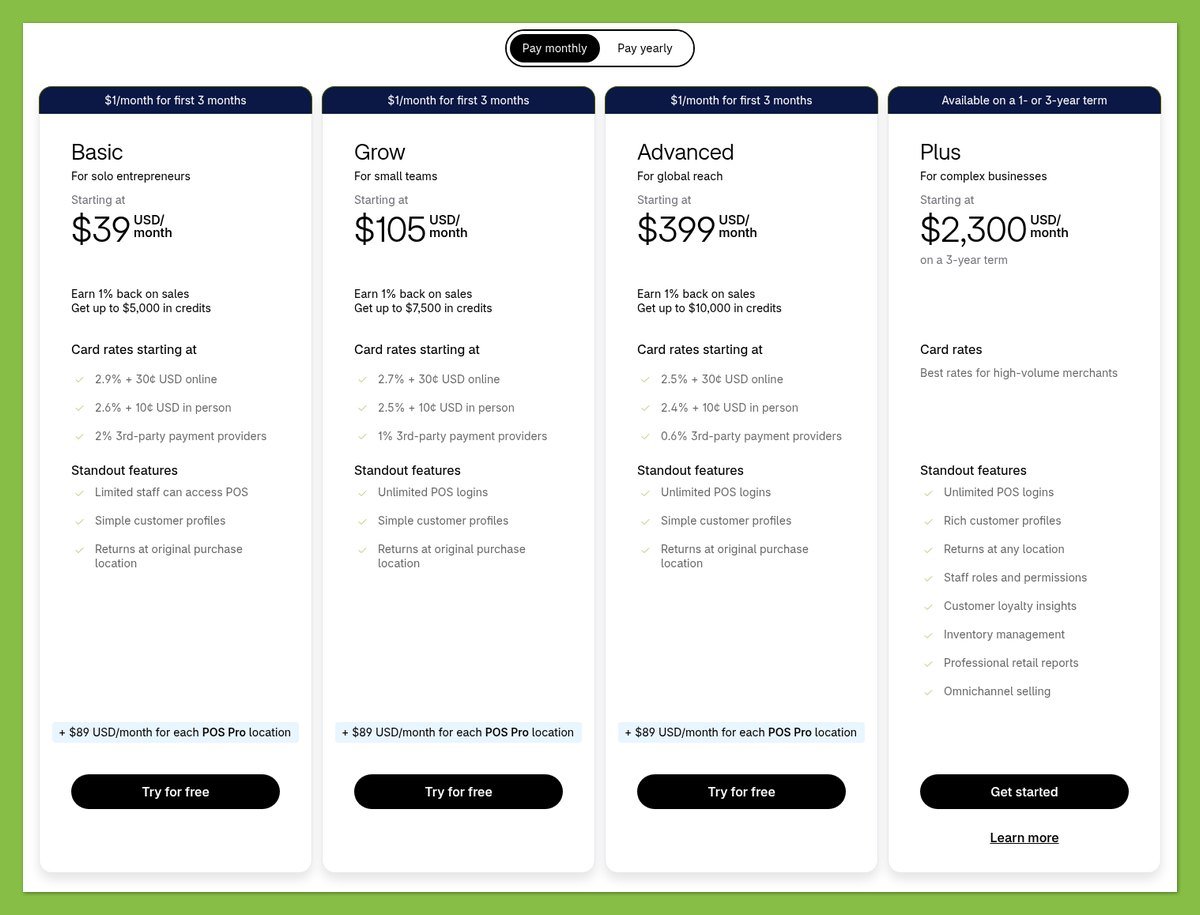
Google Sites starts at $0, compared with Shopify Basic at $29 per month with annual billing or $39 when paid monthly. If you only need a public information page, that’s a meaningful recurring expense to avoid.
Shopify’s standard full-store plans have different commitment costs:
| Shopify plan | Monthly equivalent, billed annually | Total annual subscription | Month-to-month rate |
|---|---|---|---|
| Basic | $29 | $348 | $39/month |
| Grow | $79 | $948 | $105/month |
| Advanced | $299 | $3,588 | $399/month |
The annual Basic subscription saves $120 compared with paying $39 monthly for 12 months. However, a lower monthly equivalent isn’t automatically the better starting choice if you’re still deciding whether to commit to the platform.
For a small store, I recommend treating Basic as your starting point for budgeting. Move up only when you can identify a specific requirement that justifies the higher subscription, rather than assuming a more expensive plan will improve sales.
Google Sites has a shorter cost breakdown:
| Google Sites expense | What you pay |
|---|---|
| Personal builder access | $0 with a Google account |
| Hosting for the published site | No separate builder hosting charge |
| Default site address | No custom-domain purchase required |
| Optional custom domain | Registration and renewal charged separately |
| Optional paid Workspace account | Separate subscription, not required for free personal Sites use |
| External selling or booking service | Provider’s subscription or transaction charges, if applicable |
A custom domain is optional on Google Sites, and connecting one isn’t universally dependent on paying for Workspace. Domain ownership, account settings, and the connection requirements still need attention.
Free-access check: Google Sites offers ongoing free personal use. Shopify has no permanent free full-store plan; check any trial or introductory offer’s current terms before relying on it in your launch budget.
What the headline price leaves out
Your Shopify subscription isn’t necessarily your entire store bill. Payment processing and optional paid additions can change the total, so budget for the selling workflow you actually need rather than the advertised starting price alone.
For either builder, separate necessary expenses from upgrades:
- Domain: Include registration and renewal if you want your own web address.
- Design: Start with included options before paying for a different look.
- Extra services: Count any recurring app, booking, or selling subscription.
- Transactions: Allow for your chosen payment provider’s charges.
Free Google Sites hosting doesn’t make ecommerce free. If a payment link sends shoppers to another service, that service still processes the purchase and applies its own terms.
For a brochure website, Google Sites wins comfortably. For a store, compare Shopify against the complete cost of your external selling setup, including the manual work required to keep everything aligned.
2. Which Is Better for Selling? Shopify
Winner: Shopify handles selling better because products, checkout, and orders belong to the same commerce system. Google Sites can direct visitors toward a purchase, but it doesn’t provide that system itself.
Sales features
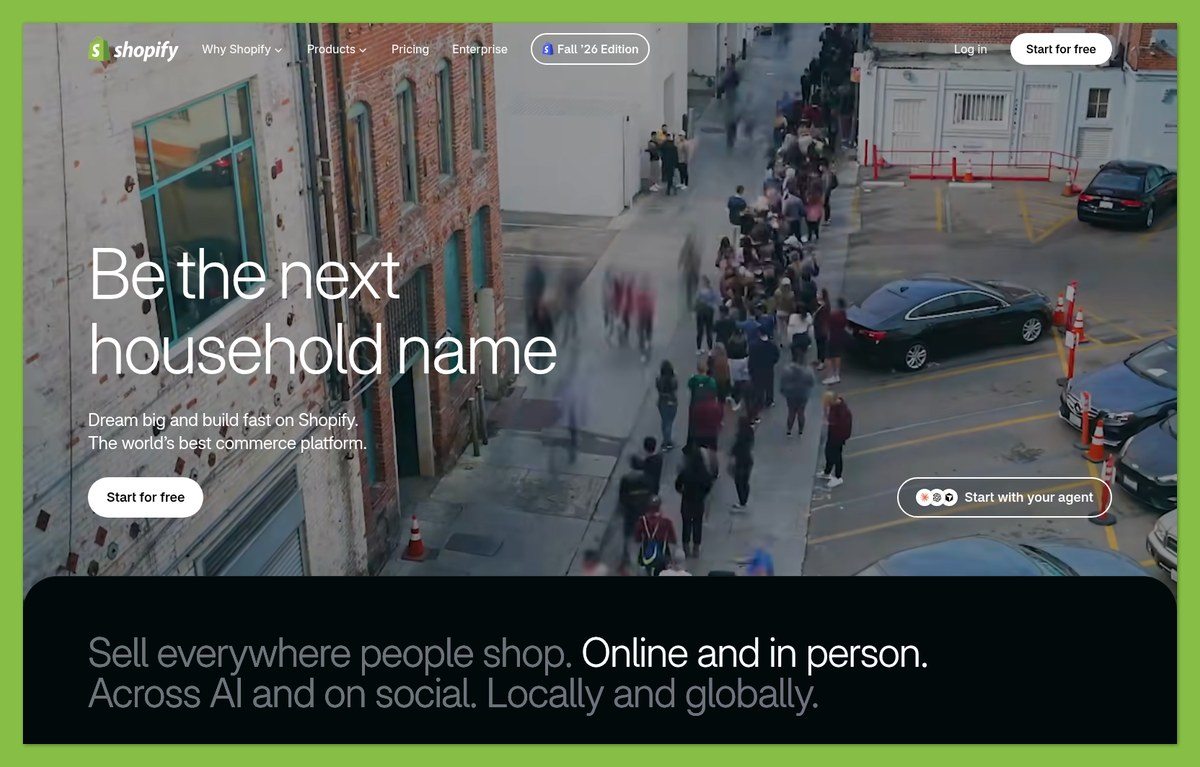
Shopify gives you a managed product catalog rather than a collection of product-looking pages. That difference becomes useful when availability changes or you need to connect what someone purchased with what you must ship.
Google Sites can display product photos and descriptions. However, those pages don’t become inventory records simply because you add a price or a purchase link.
| Selling task | Shopify | Google Sites |
|---|---|---|
| Maintain a product catalog | Native store functionality | Manually arranged informational content |
| Track inventory | Commerce inventory tools | Requires an external system |
| Accept a store checkout | Native checkout | External selling service needed |
| Manage purchases | Orders handled in Shopify | Orders handled by the external provider |
| Prepare shipping and taxes | Part of store configuration | Not a native Sites selling workflow |
Imagine you sell handmade mugs in several colors. Shopify can connect the item customers select with a purchase record; with Google Sites, you need an outside selling service to handle that relationship.
The deciding question: Do you need visitors to understand your offer, or do you need a system that receives and manages their orders?
For a few occasional inquiries, an informational page may be enough. Once customers expect to choose products and pay without contacting you first, Shopify becomes the more sensible foundation.
Payments
Shopify’s checkout belongs to the store workflow, but you still need to configure a payment provider. Availability and payment conditions depend on your business location and the provider you choose.
Google Sites doesn’t offer a native merchant checkout. You can direct visitors to an external payment page, but the payment service, not Google Sites, handles the transaction.
Before choosing either route, confirm:
- Business eligibility: The payment provider supports your location and business activity.
- Total charges: You understand processing costs and any applicable platform fees.
- Purchase flow: Customers can move from the item description to the correct checkout.
- Order follow-up: You know where purchases appear and how you’ll handle them.
A payment link can be perfectly reasonable for a simple offer. The limitation isn’t necessarily accepting money; it’s managing the surrounding work as your range and order volume grow.
Apps and integrations
Shopify supports extensions to its commerce setup, while Google Sites emphasizes embedding and sharing content. An embedded form can collect an inquiry, but it isn’t a substitute for a cart or an inventory system.
Shopify’s Buy Button supports selling through external websites, with orders tracked in Shopify. It requires a subscription and supported payment gateway, so it doesn’t turn a free website into a free selling operation.
Don’t assume every embed will work identically on Google Sites. Some services restrict embedding, and document permissions can prevent visitors from seeing content even when the surrounding page is public.
If you pursue a hybrid setup, check the complete purchase journey on your published site and on mobile. For a full store, starting in Shopify avoids making an external embed the center of your sales process.
3. Which Has Better Marketing Tools? Shopify
Winner: Shopify provides better marketing tools because its campaigns and search controls support a working store. Google Sites is useful for collecting inquiries and measuring visits, but leaves more of the marketing workflow outside the builder.
Marketing tools
Shopify Messaging, formerly Shopify Email, supports email campaigns and automations on Basic and higher plans. Those plans include 10,000 marketing emails per month, with additional charges beyond the included allowance.
Abandoned-checkout automations don’t count toward that email quota. That gives Shopify a practical advantage when your marketing goal is encouraging someone to complete a purchase rather than simply visit a page.
Google Sites can use an embedded Google Form to collect inquiries, and you can configure a Google Analytics property to measure site activity. Neither capability creates a built-in store marketing system.
| Marketing need | Shopify | Google Sites |
|---|---|---|
| Send store email campaigns | Shopify Messaging | Requires an external email service |
| Automate abandoned-checkout follow-up | Available within Shopify’s marketing setup | No native checkout to recover |
| Collect inquiries | Depends on your chosen store setup | Can embed Google Forms |
| Included marketing emails | 10,000/month on Basic and higher | No native email marketing allowance |
If you’re launching a tutoring business, an inquiry form may be enough to get started. If you’re encouraging customers to buy from your store again, Shopify’s connection between marketing and commerce is more useful.
Keep the email allowance in perspective: 10,000 emails means messages sent, not 10,000 subscribers receiving unlimited campaigns. Your list size and sending frequency determine how quickly you use it.
SEO
Shopify offers more control over search presentation. You can edit SEO titles and descriptions, adjust URLs, and add image alt text, while the platform automatically handles canonical tags, a sitemap, and robots.txt.
Those technical features help search engines interpret your store, but they don’t guarantee rankings. You still need useful product information and pages that answer what potential customers are searching for.
Google Sites supports custom page paths, so you can give pages clear, descriptive addresses. Organizing your content and headings is a useful starting point; Shopify’s dedicated search settings give store owners more ways to prepare individual product pages for search.
Practical recommendation: Choose Shopify if search traffic needs to support a growing product catalog. Google Sites remains reasonable when visitors primarily arrive through referrals, shared links, or searches for your business name.
International selling
Shopify Markets supports market-specific currencies, but actual payment processing in multiple currencies requires Shopify Payments or Adyen. Otherwise, checkout uses the store’s default currency; country and gateway eligibility matter.
Translate & Adapt supports manual and automatic translation of store content. You still need to review the result and configure the markets you intend to serve rather than assuming everything is ready automatically.
You could create translated informational pages in Google Sites. That helps visitors read your content, but it doesn’t supply localized checkout or international commerce management.
4. Which Is Easier to Build With? Google Sites
Winner: Google Sites is easier for basic websites because there are fewer settings between your content and a published page. Shopify requires more preparation, but that preparation serves the more complicated job of running a store.
Getting started with Shopify
Shopify’s setup involves both the storefront customers see and the business rules behind it. Choosing a theme is only part of the launch, because the store also needs to accept and fulfill orders correctly.
A sensible launch sequence is:
- Add your products. Prepare accurate descriptions and product information.
- Choose and arrange a theme. Build navigation around what customers need to find.
- Configure payments. Make sure your chosen provider is ready.
- Set shipping and taxes. Review the requirements for your intended selling locations.
- Place test orders. Check the purchase workflow before opening to customers.
That’s more work than publishing a service page. However, skipping commerce configuration doesn’t make selling simpler; it usually moves the same decisions into another tool or a manual process.
Getting started with Google Sites
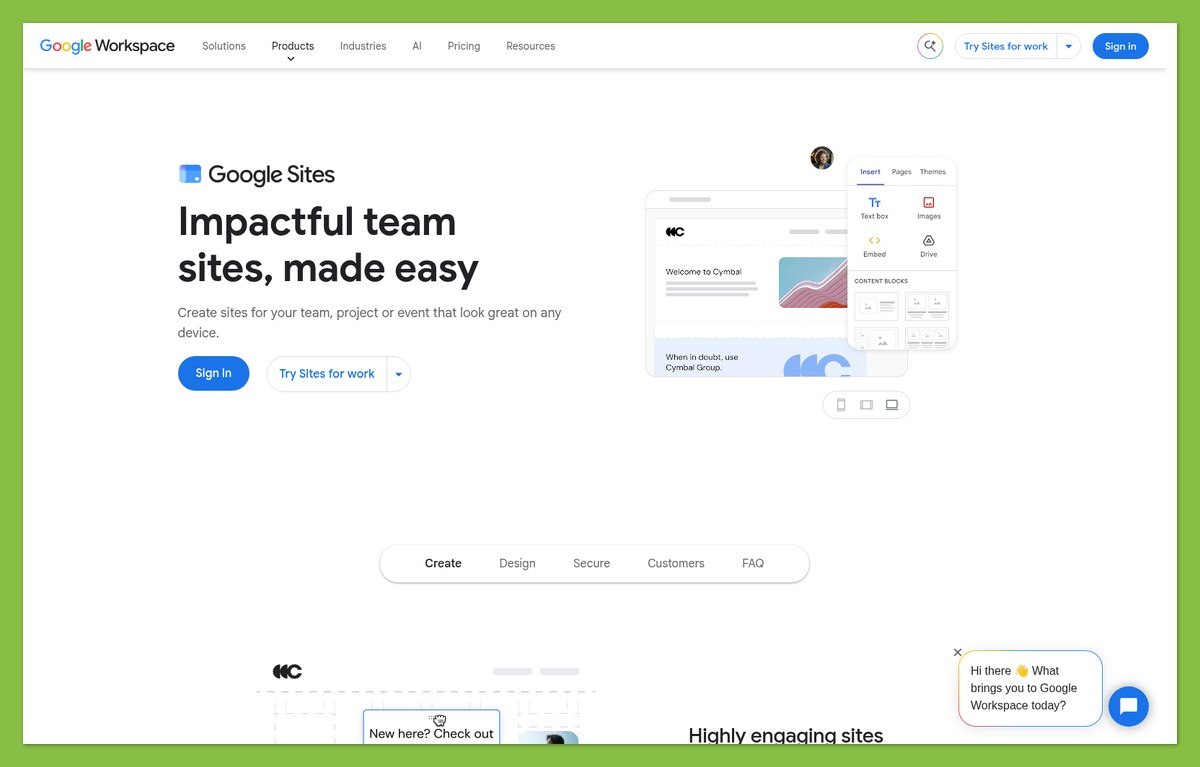
Google Sites is better suited to arranging information and publishing it without configuring a retail operation. Its drag-and-drop approach and collaboration features fit a small website that several people may need to update.
Your basic workflow is:
- Choose a starting layout. Use a template or build your page structure.
- Add content. Keep the main message and contact details easy to locate.
- Check embedded material. Confirm visitors have permission to view it.
- Preview the site. Review how the content fits different screens.
- Publish. Choose the site address and appropriate visibility.
An embedded document can remain restricted even when the website itself is public. Checking permissions is especially useful if you’re sharing event resources or materials originally created for an internal team.
What happens after setup
Google Sites stays straightforward when updates mean changing service information or replacing a document. It becomes less convenient when you’re manually maintaining product availability while orders arrive through a separate service.
Shopify asks for more decisions upfront, then gives those ongoing commerce tasks a dedicated home. Judge ease of use across a normal working week, not just the first page you publish.
Design-process tip: Write down your essential pages before choosing a layout. If your list revolves around information and inquiries, Google Sites fits; if it revolves around products and checkout, start with Shopify.
For a small brochure site, fewer controls are an advantage. For a functioning store, the right controls can save you from doing the same work elsewhere.
5. Which Has Better Store Designs? Shopify
Winner: Shopify has better store designs because its themes are built around shopping. Google Sites offers useful customization, but its layouts serve informational pages rather than a native buying journey.
Shopify themes versus Google Sites templates
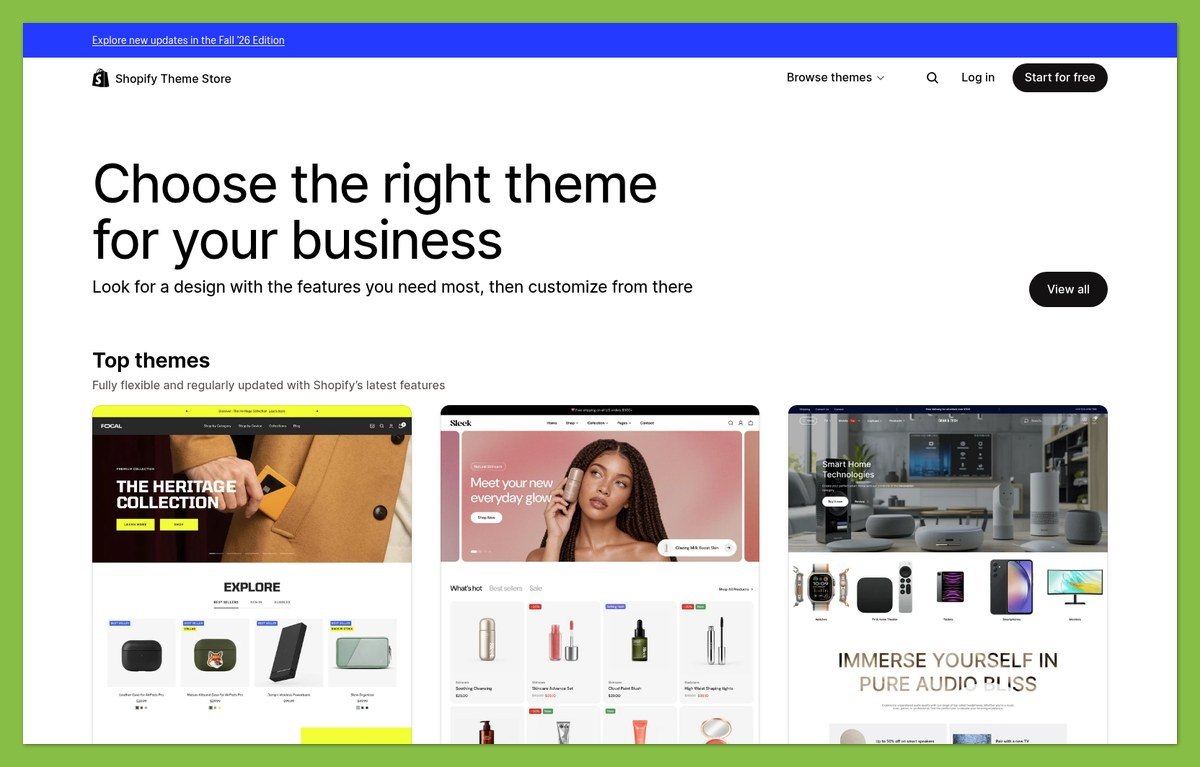
Shopify offers free and paid themes that provide a starting point for your storefront. Their value isn’t simply appearance: a store layout must help customers understand products and move toward a purchase.
Google Sites offers templates and custom themes, including control over fonts, colors, buttons, and site width. It isn’t accurate to describe it as a builder with no branding flexibility.
The bigger difference is what that styling surrounds:
- Shopify: Product pages and store navigation connected to commerce functionality.
- Google Sites: Informational sections and embedded content arranged around your message.
- External selling on Sites: A purchase experience whose design and behavior also depend on another service.
If you run a consultancy, consistent colors and concise service descriptions can give a Google Sites website a clear identity. If you sell clothing, your design also needs to support product selection and purchasing, which points toward Shopify.
Choose a layout for your content
Practical tip: Compare layouts using your actual content needs, not just the demonstration images. A beautiful opening screen matters less if customers struggle to find the product details that help them decide.
Start with a free Shopify theme unless you can name the specific design benefit you’d pay for. Likewise, don’t reject Google Sites just because it’s free: for an informational website, clear structure can matter more than elaborate styling.
6. Which Offers Better Business Support? Shopify
Winner: Shopify offers better business support because all plans include 24/7 chat. Free Google Sites help is a different proposition from direct support for a paid commerce platform.
Shopify support
Shopify gives you an ongoing contact route when an issue affects your store. However, support responsibility can depend on whether the problem comes from Shopify itself or something supplied by another developer.
- Strength: 24/7 chat is available on all plans, including Basic.
- Strength: There’s a direct support route alongside self-service help.
- Limitation: Third-party theme support is the theme developer’s responsibility.
- Limitation: Chat availability doesn’t guarantee an immediate fix for every issue.
For a business accepting orders daily, access to support can justify part of the subscription. Keep track of which provider owns each paid addition so you know where to ask for help.
Google Sites support
Free Google Sites users have access to help documentation and community resources. Paid Google Workspace administrators can contact Google support, but that’s separate from the free consumer Sites experience.
- Strength: Self-service guidance covers common building and publishing tasks.
- Strength: Workspace administrators have support access through their paid service.
- Limitation: A free Sites account doesn’t carry that same administrator support entitlement.
Google Sites keeps costs down if you’re comfortable using help guides for a simple website. If a broken purchase flow would interrupt your income, Shopify’s direct support route is the stronger fit.
How We Compared These Website Builders
This comparison evaluates documented pricing and capabilities across cost, selling, marketing, usability, design, and support. Recommendations reflect the needs of small businesses choosing between an online store and an informational website, rather than numerical scores. We distinguish native features from external services and consider setup requirements alongside ongoing work and optional expenses.
Prices current as of October 2026. US dollars.
Shopify vs Google Sites: Which Should You Choose?
Choose Shopify if your website needs to take orders and support an ongoing retail business. Its subscription pays for connected commerce tools, not just a place to display your products. Start by budgeting for Basic and the payment costs your business will incur.
That said, Google Sites is the better choice for a free informational website. You don’t need a store subscription to explain your services or share resources.
Before committing, write down what visitors must accomplish. If they need to read and contact you, keep it simple. If they need to select products and complete purchases, build around Shopify.


