Looka
See pricing details Read comparison →One-time logo packages
Annual Brand Kit; confirm current price
- Guided logo creation
- Premium vector downloads
- Coordinated brand materials
Canva
See pricing details Read comparison →Free plan
Pro: $18/month or $144/year
- Everyday marketing designs
- Reusable paid Brand Kits
- SVG exports with Pro
Adobe Express
See pricing details Read comparison →Free logo downloads
Premium advertised at $9.99/month
- Free PNG and JPG logos
- Continue in the full editor
- Animated logo options
Looka is our first recommendation if you want a dedicated logo and a coordinated brand package. You can explore designs before paying, but usable downloads require a purchase. If your priority is spending nothing, choose Namecheap instead.
The best logo makers solve different problems. Some help you settle on an identity, while others help you put that identity on every promotion you publish. Buying a marketing subscription for a single logo can be unnecessary; buying only a basic image can leave you short when a printer asks for a scalable file.
Start with what you need to create next, not just the logo preview you like most.
Our shortlist:
- Looka: Best for a complete brand package, particularly when you want matching business materials.
- Canva: Best for everyday marketing, with more reason to subscribe if you regularly create promotional content.
- Adobe Express: Best free design editor for moving from an initial logo into launch graphics.
- Design.com: Best for template choice, though pricing and license options deserve careful attention.
- Namecheap: Best for free vector downloads, without paying for a wider design subscription.
Key takeaways
- Check the download before committing. Free design access does not always include usable files.
- Separate creation from ownership. Paying for a logo does not automatically make its stock symbols exclusive.
- Budget for the work after launch. Recurring fees make more sense when you need recurring design work.
The ranking favors a dedicated branding starting point, but your budget and intended use may make a lower-ranked tool the better choice.
Logo Maker Comparison Table
Check what you can download before comparing templates. The file formats and billing model can rule out an otherwise attractive option.
| Tool | Best for | Free usable download | Paid model | Vector availability | Main limitation |
|---|---|---|---|---|---|
| Looka | Complete brand package | No | One-time logo; annual Brand Kit | Premium logo package | Basic has limited output |
| Canva | Everyday marketing | Yes, basic formats | Monthly or annual Pro | SVG with Pro | Stock designs are non-exclusive |
| Adobe Express | Free design editing | Yes, PNG/JPG | Optional Premium subscription | Not specified for quick-logo downloads | Quick-logo output is raster |
| Design.com | Template choice | Selected logos | Monthly or annual subscription | SVG, EPS, vector PDF | Paid package covers 1 logo |
| Namecheap | Free vector downloads | Yes | Free logo maker | SVG | No exclusivity guarantee |
PNG is a pixel-based image suited to many web placements. SVG is a vector format that can scale without pixelation when its artwork consists of vector shapes.
Neither file type proves ownership or design quality. A clean, readable logo matters more than an impressive preview.
1. Looka: Best for a Complete Brand Package
- Price and billing: One-time logo packages or an annual Brand Kit; check current amounts before purchase.
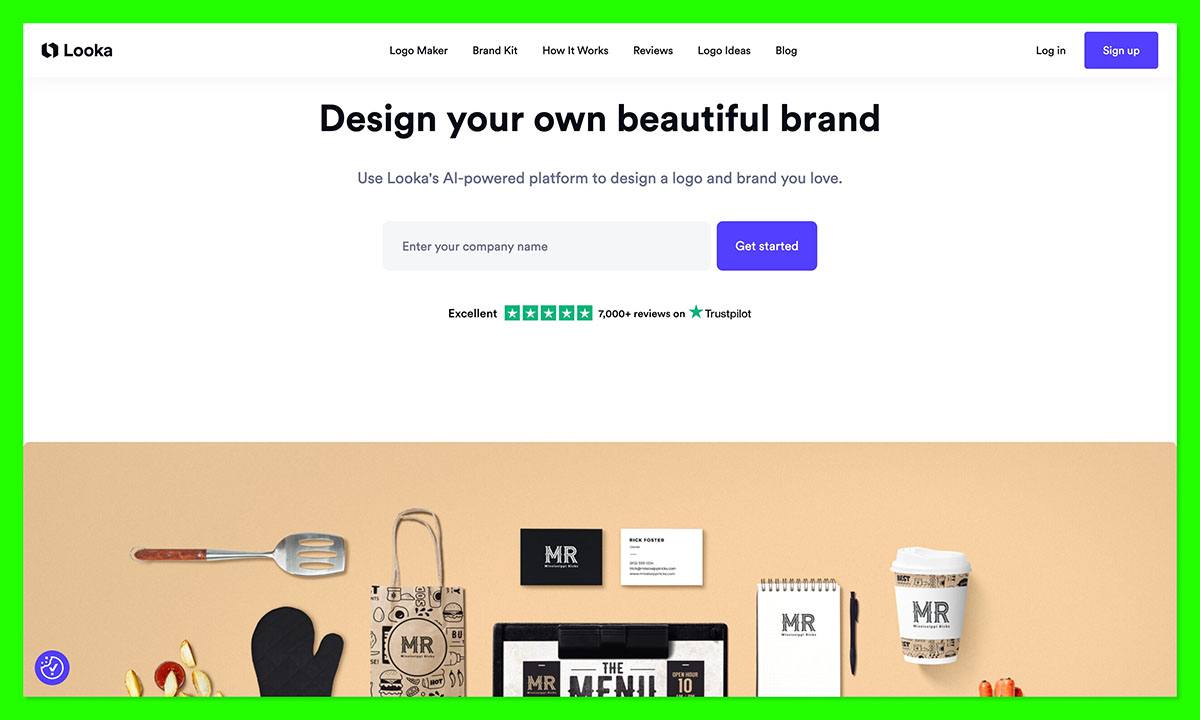
- Creation method: Guided, AI-assisted logo generation with customization.
Choose Looka if you want your logo to become the starting point for a coordinated business identity. Its dedicated focus makes sense when branding is your immediate task. Canva is the more practical alternative if your main workload is producing fresh marketing content every week.
Pros
- ✔️ Focused starting point: A guided process helps narrow an open-ended design decision.
- ✔️ Separate buying routes: You can distinguish a logo purchase from an ongoing branding subscription.
- ✔️ Coordinated materials: The Brand Kit can extend your identity beyond the logo.
Cons
- ❌ Paid downloads: Free exploration is not a free finished deliverable.
- ❌ Name-change restriction: Post-purchase editing excludes changing your company name.
Current Features to Consider
The Brand Kit includes customizable materials such as business cards and email signatures. Printing is separate.
Think of this as a consistency aid, not a substitute for deciding how your business should sound and look. Matching graphics cannot resolve an unclear business name or an overly complicated message.
Why Choose Looka?
Looka suits a business that has settled its name but needs to make its identity usable across customer touchpoints. Namecheap is the better budget choice when you only need a logo file.
If you are launching a consultancy, ask whether you will use matching client materials. If you already have document templates you like, a brand subscription may duplicate work rather than simplify it.
Avoid buying based on the number of included assets. List the materials you need this month and judge the package against that list.
Creating a Logo With Looka
Use the guided creation process to establish a direction, then refine a preferred option rather than collecting endless alternatives.
Keep your shortlist small. Compare each candidate at a compact size, without decorative backgrounds, and check whether the business name remains readable. A symbol that dominates the preview may overpower the name in a website header.
Confirm the spelling and final business name before buying. That is a more consequential check here than choosing between similar color shades.
How Much Does Looka Cost?
Confirm the current package price before paying. Choose between these billing options:
| Option | Billing | Included output |
|---|---|---|
| Basic logo | One-time purchase; check amount | 1 low-resolution PNG |
| Premium logo | One-time purchase; check amount | PNG, EPS, SVG, PDF; transparent variations |
| Brand Kit | Annual subscription; check amount | Logo-based branded materials |
Premium is the more sensible logo-only candidate if you expect varied digital and print uses. Basic leaves less room for future requirements.
Do not assume that owning the complete design gives you exclusive ownership of its individual symbols. Also confirm the annual total before choosing the Brand Kit, rather than treating it as a one-off logo charge.
2. Canva: Best for Everyday Marketing
- Price and billing: Free; Pro costs $18 monthly or $144 per person annually before tax.
- Creation method: Template-based or original layout editing on a flexible canvas.
Choose Canva if your logo is only the first of many business graphics you need. Its value comes from ongoing production, not merely downloading a mark. Looka offers a more focused branding route if you would rather make that decision separately.
Pros
- ✔️ Broader usefulness: The same workspace supports recurring marketing work.
- ✔️ Free starting point: You can create and export basic designs without subscribing.
- ✔️ Reusable branding: Paid Brand Kit tools help keep repeated work consistent.
Cons
- ❌ Export paywalls: Transparent PNG and SVG downloads require an eligible paid route.
- ❌ Non-exclusive artwork: Stock graphics and logo templates are unsuitable foundations for an exclusive identity.
Current Features to Consider
Canva covers social graphics, presentations, and print designs. Pro includes 5 Brand Kits, while Free has a limited kit with 3 colors.
That breadth is useful only if it replaces work you would otherwise do elsewhere. A large toolbox is not automatically good value for a business that changes its promotional materials twice a year.
Why Choose Canva?
Canva is a stronger fit than Namecheap when the real job is keeping your marketing consistent after the logo is finished.
If your shop runs weekly promotions, prices, photographs, and offers need to change while the branding stays recognizable. In that situation, the editing environment can matter more than how the original logo was generated.
However, resist building a complicated logo simply because the canvas allows it. Use the extra flexibility for your promotional layouts, where more content belongs.
Canva’s trademark guidance distinguishes original artwork, fonts, and basic shapes from its stock graphics and templates. If registration is a serious goal, settle the artwork approach before investing in a full set of branded materials.
Creating a Logo With Canva
Start with a template for direction or construct a simpler original layout. Adjust the text and composition, then assess it outside the context of a polished mockup.
Try the design on both a light and dark background. If a white rectangle would interfere with your website layout, transparency becomes a purchase requirement rather than a nice extra.
How Much Does Canva Cost?
| Plan | US price and billing | Relevant exports |
|---|---|---|
| Free | $0 | PNG, JPG, PDF |
| Pro monthly | $18 per person, billed monthly | Adds transparent PNG and SVG |
| Pro annual | $144 per person, billed yearly | Same relevant Pro exports |
The annual rate equals $12 per month, but you pay $144 for the year, not $12 month-to-month.
If you need Pro, choose monthly billing while deciding whether it will be an ongoing workspace. Annual billing is more defensible once regular use is established. Also, exporting an SVG does not magically convert any embedded pixel-based images into editable vector shapes.
3. Adobe Express: Best Free Design Editor
- Price and billing: Free; Premium is advertised at $9.99 per month.
- Creation method: A quick logo generator with the option to continue in the full editor.
Choose Adobe Express if you want a free logo starting point and room to develop accompanying graphics. Namecheap is the clearer choice when a vector master is essential, because Express’s quick-logo route specifies PNG and JPG downloads.
Pros
- ✔️ Usable free output: The quick-logo option does not require Premium for basic downloads.
- ✔️ Editing continuation: You can develop the initial design further rather than stopping at generation.
- ✔️ Launch-content potential: Logo animation can support social or video placements.
Cons
- ❌ Limited quick-logo export scope: Do not assume this route includes editable SVG.
- ❌ Upgrade boundaries: Premium assets and features can introduce costs into a free project.
Current Features to Consider
Express supports animated logos with MP4 output and recommends fonts. Those options can help with promotional content, but an animated version should complement a static logo, not compensate for a weak one.
Your identity still needs to make sense on a receipt or plain business document. Movement will not be available everywhere customers encounter it.
Why Choose Adobe Express?
Adobe Express earns this recommendation for the route from a basic identity to supporting content. Canva is another strong candidate for that broader job, though its export restrictions differ.
If you are launching online, you might need a profile image and announcement video before physical signage. That makes Express’s creative scope more relevant than collecting every possible print format immediately.
The reverse is also true. If your next purchase is vehicle lettering or a large sign, settle the printer’s file requirements first. Do not choose an editor around a digital launch task and assume its initial download will cover production later.
These export limits concern the quick-logo workflow; the full Express editor has different capabilities.
Creating a Logo With Adobe Express
Enter your business name and optional slogan, choose a style and icon, and generate variations. You can then continue editing or download a result.
Before expanding the design into other graphics, remove anything that makes the name difficult to read. The logo should not depend on a tiny slogan to explain the business.
Settle the static design before animating it so both versions look like the same business.
How Much Does Adobe Express Cost?
| Plan | US price and billing | Logo relevance |
|---|---|---|
| Free | $0 | Basic editing and free quick-logo PNG/JPG output |
| Premium | Advertised at $9.99/month | Optional access to more assets and features |
No annual commitment is assumed here. Check the selected offer’s billing terms before subscribing.
Start with Free unless a specific paid feature blocks your project. Paying for Premium solely because you are making a business logo is unnecessary. Paying for commercial-use content also should not be mistaken for exclusive rights or trademark clearance.
4. Design.com: Best for Template Choice
- Price and billing: Typical Starter pricing is $25 monthly; offers and billing terms vary.
- Creation method: Template-led customization, with AI tools also available.
Choose Design.com if browsing visual directions helps you decide what your business should look like. Its download package is useful for varied placements, but Looka’s one-time logo route is worth comparing if you do not want recurring payments.
Pros
- ✔️ Template-led discovery: You can assess an existing direction instead of starting with an empty canvas.
- ✔️ Production formats: Downloads include vector and pixel-based files.
- ✔️ Useful variants: Alternate logo versions accommodate different layouts.
Cons
- ❌ Per-logo subscription: Unrelated brands need separate paid coverage.
- ❌ License complexity: Standard and Free licenses are non-exclusive; upgrades need scrutiny.
Current Features to Consider
Download options include full, icon-only, text-only, and grayscale versions. Font files themselves are not included.
Those variants matter when the same identity must fit both a narrow header and a square profile image. However, more versions also mean more files to manage. Give your final assets clear names so someone preparing an advertisement does not accidentally choose the wrong version.
Why Choose Design.com?
Design.com makes sense when choosing a visual starting point is your main obstacle. Adobe Express is the alternative to consider if your priority is a free launch graphic rather than a broader logo package.
Do not treat a familiar-looking template as proof that it suits your business. Ask whether a customer could distinguish it from nearby competitors, especially when the business name is removed.
License upgrades also deserve more attention than their labels suggest. A Buyout prevents future sales but does not remove earlier users’ rights, and Exclusive availability varies. Neither label should replace checking the exact terms and cancellation consequences.
If distinctive ownership is central to your business plan, resolve that issue before ordering packaging.
Creating a Logo With Design.com
Choose a starting design, customize it, and review the versions you will need for actual placements.
Use your intended applications as a filter. If you run a café, judge a candidate against a takeaway cup and a storefront sign.
Before downloading, confirm whether the chosen design qualifies for the free route or requires payment. AI-created designs require a paid plan, so a free selection does not mean every creation method is free.
How Much Does Design.com Cost?
| Route | US price and billing | What to check |
|---|---|---|
| Selected free logos | $0 | Eligibility of your chosen design |
| Starter | Typically $25/month | Selected term, included files, renewal price |
Paid packages can be monthly or annual and cover 1 logo. Promotional offers may differ from the typical Starter price; do not assume a discounted entry rate will renew unchanged.
Compare the complete charge, not just the headline monthly figure. Check ongoing editing access and the applicable license terms before cancellation. Avoid treating the subscription as an unconditional promise of permanent exclusivity.
5. Namecheap: Best for Free Vector Downloads
- Price and billing: Free, including PNG and SVG downloads without watermarks.
- Creation method: Guided choices for typography, color, and symbols.
Choose Namecheap when getting a usable logo without a design bill is your priority. Canva is the better fit if you need an ongoing marketing workspace around that logo.
Pros
- ✔️ Practical free deliverable: The download is useful beyond an on-screen preview.
- ✔️ Scalable master: You can retain a vector version for future production needs.
- ✔️ Focused decisions: Guided choices keep the task centered on a simple identity.
Cons
- ❌ Account required: Saving, sharing, or downloading requires a free account.
- ❌ No exclusivity assurance: The service does not guarantee exclusive rights or provide trademark registration assistance.
Current Features to Consider
You can refine colors with hex codes and preview a design on example placements. Hex codes identify precise digital colors, which helps when you later brief someone creating a website.
Treat previews as a composition check, not production proof. A simulated shirt does not establish how embroidery will reproduce thin lines, and a card mockup does not replace a printer’s specifications.
Why Choose Namecheap?
Namecheap is a sensible place to start when your budget is better spent elsewhere. Looka’s wider package becomes more compelling only when coordinated materials are part of the immediate job.
If you run a local service business, a readable name on quotes and your website may be enough. A restrained logo can do that job without a design subscription.
Free output also gives you room to reject an unsuitable direction. That freedom is useful, but endless regeneration can become its own cost. Set a small shortlist and choose against clear criteria rather than continuing until something feels perfect.
If several candidates resemble competitors, change the concept, not merely the color. A different shade rarely solves a fundamentally generic identity.
Creating a Logo With Namecheap
Enter the business name, choose font styles and a palette, optionally add a slogan, and select icons. Refine a preferred result before signing in to download it.
Give the business name priority over decoration. Then examine the design at a small size and in a single color.
Keep a separate note of your chosen color values and wording. A brief record makes future handoffs clearer, even when the next person uses different logo design software.
How Much Does Namecheap Cost?
| Option | Price | Included output |
|---|---|---|
| Logo Maker | $0 | PNG and SVG |
There is no paid logo tier needed for those exports. However, a free file does not eliminate production costs or the need to check rights.
Use the saving deliberately. If the identity will appear on expensive signage, ask the supplier to review the artwork before manufacture. Fixing a thin line before production is easier than replacing a finished sign.
How Do I Choose the Right Logo Maker?
Choose by your final deliverable first, then by the editor. A design you like is not enough if the package cannot supply what your website or printer needs.
Use this checklist before paying:
- Required files: Look for a vector master for resizing and a transparent PNG for flexible web placement.
- Practical editing: Make sure you can refine the business name, spacing, and colors without compromising readability.
- Total cost: Compare a one-time purchase with the full recurring charge, not an annual plan’s monthly equivalent.
- Actual brand work: Pay for wider assets only if you expect to use them.
- Licensing: Separate permission for commercial use from exclusivity and possible trademark registration.
Also decide who will maintain the identity. A simple file handoff may suit an outside designer; an ongoing editor may suit you if you create every promotion yourself.
Can I Move My Logo to Another Tool?
You can often reuse downloaded artwork, but that is not the same as transferring an editable project.
A PNG generally behaves as a single image. An SVG may preserve vector shapes, but it does not guarantee that every receiving tool will retain the original editing structure.
Keep your original downloads and record any font dependencies. Before leaving a subscription, confirm what access you lose and retain the applicable license information.
How We Compare Logo Makers
Our recommendations prioritize usable output and buying fit, not the number of generated designs. This is a document-based comparison, without hands-on testing.
We assess:
- Workflow: Whether the approach suits a beginner’s starting point.
- Customization: Whether you can refine the identity meaningfully.
- Exports: What you can actually download.
- Cost: Free restrictions, one-time charges, and recurring commitments.
- Brand scope: Whether wider marketing tools justify the expense.
We do not assign numerical scores or claim measured speed or design quality. A dedicated logo tool can rank first overall while a free alternative remains the better purchase for you.
Prices current as of October 2026 where confirmed. Looka amounts require checking; Design.com offers and renewal terms vary. All prices are in US dollars.
Which Logo Maker Do We Recommend?
Choose Looka for a dedicated paid branding package, Namecheap for free vector output, or Canva for regular marketing work.
Adobe Express suits a free digital launch workflow, while Design.com is worth considering when template browsing helps you establish a direction.
Before paying, preview a simple design at the size customers will see it. Then confirm the required exports, license, and complete billing charge. That final check matters more than how polished the mockup looks.
FAQs
What is the best free logo maker?
Namecheap is our best free logo maker for scalable files. Adobe Express is worth considering if supporting launch content matters more.
Choose based on the next task. A scalable master helps with varied production needs; an editor helps when the logo is only the beginning of your launch content.
Why pay for a logo if I can design one free?
Payment may unlock useful exports, additional editing, or coordinated brand materials. It does not automatically buy a better concept.
Pay when a specific requirement justifies the charge. If the free version already supplies suitable files and rights for your intended use, upgrading purely because the logo is for a business adds little value.
Which logo files do I need for print and web?
Keep a vector master, such as SVG or EPS, plus a transparent PNG for everyday digital placements. Ask your printer which format and specifications it needs.
A PDF can contain vector or pixel-based content, so the extension alone does not prove that the artwork will scale cleanly.
Is a template logo exclusive to my business?
Usually, you should not assume so. Stock symbols and templates may be available to other customers even after you pay.
Commercial-use permission and exclusivity are different questions. Check the relevant license, and seek qualified advice if trademark registration or a major packaging investment depends on your ownership position.


