Canva is the better choice for ongoing business design, while Looka is the stronger starting point for a first logo. If you need regular marketing materials, Canva gives you more room to create. If you need help turning a business name into a coordinated identity, Looka offers a more focused route.
The important distinction is what happens after your logo is finished. Buying downloadable logo files is a different decision from subscribing to a tool you will use every week.
This Looka vs Canva comparison separates those purchases, including the free-content restrictions, export options, and annual commitments that can change the value calculation.
Key takeaways
- Free design: Canva lets you download designs made with free content; Looka charges for logo downloads.
- First logo: Looka’s guided generation gives you a more structured starting point.
- Ongoing marketing: Canva is the stronger choice for creating and managing recurring content.
- Logo-only purchase: Looka offers one-time packages without a design subscription.
- Support: Compare channels and plan entitlements rather than assuming either service will answer faster.
Jump to: Quick comparison · Pricing · Logo creation · Marketing · Ease of use · Templates · Support · Methodology · Final verdict
A Quick Comparison of Looka vs Canva
Choose Canva for a continuing design workload; choose Looka for a focused branding project. Their overlap is useful, but they solve different parts of the small-business design problem.
| What matters | Looka: Best for a first logo | Canva: Best for ongoing design |
|---|---|---|
| Main audience | Owners who want guided logo creation and coordinated branding | Owners who need editable designs for regular marketing |
| Free access | Generate and edit logo options before buying | Create and download designs using free content |
| Payment model | One-time logo packages or annual Brand Kit subscriptions | Free plan or paid subscriptions |
| Starting price | $35 for a Basic logo download | $0 for Free; Pro is $144/year per person |
| Logo outputs | Basic PNG; Premium adds EPS, SVG, and PDF | Download options depend on content and plan |
| Main strength | Logo-led setup and branded collateral | Flexible templates and ongoing design workflows |
| Main limitation | Free creation does not include free logo downloads | Premium content and some export features require payment |
| Best buying question | “What files and launch assets do I need?” | “What will I need to design every month?” |
Who should choose Looka?
Looka suits you if the logo itself is the immediate obstacle. Its workflow starts with your business and visual preferences, rather than asking you to build an identity from a blank page.
It is a particularly sensible fit if you want to:
- Compare generated logo directions before purchasing.
- Buy a downloadable logo without maintaining a subscription.
- Build initial collateral around the same visual identity.
However, a coordinated launch kit is not the same thing as a flexible workspace for every future campaign.
Who should choose Canva?
Canva suits you if you already have a logo, enjoy adjusting layouts, or expect design work to continue after launch. Its free option also gives budget-conscious owners a practical starting point.
Choose it when you want to:
- Make recurring marketing designs yourself.
- Share designs and collect comments.
- Start free, then pay only when specific features justify it.
These choices are not mutually exclusive. You can purchase a Looka logo and upload a supported file to Canva, provided you hold the necessary rights.
1. Best for Pricing: Canva for Free Design, Looka for a One-Off Logo
Canva wins for genuinely free design, while Looka offers the clearer one-time logo purchase. Comparing their cheapest prices alone misses what you actually receive.
Looka pricing
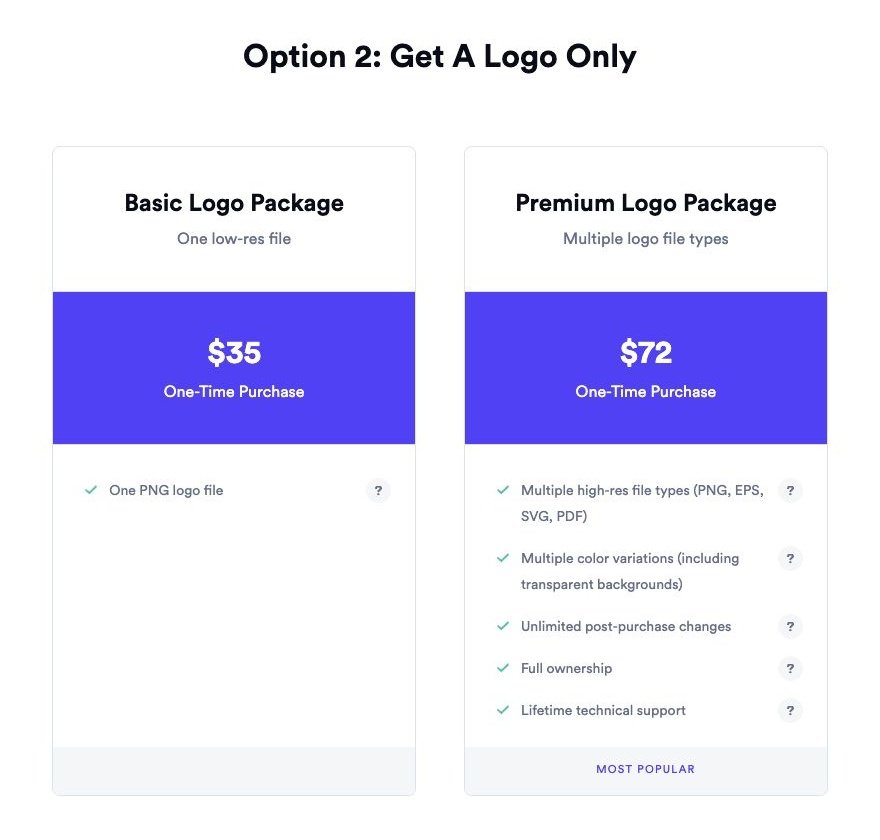
Looka lets you work on logo ideas before paying, but downloading your chosen logo requires a purchase. The prices below are its advertised USD rates; confirm the final amount and inclusions at checkout.
| Looka option | Price in USD | Purchase type | Main inclusion |
|---|---|---|---|
| Basic Logo Package | $35 | One-time | PNG logo |
| Premium Logo Package | $72 | One-time | PNG, EPS, SVG, and PDF files |
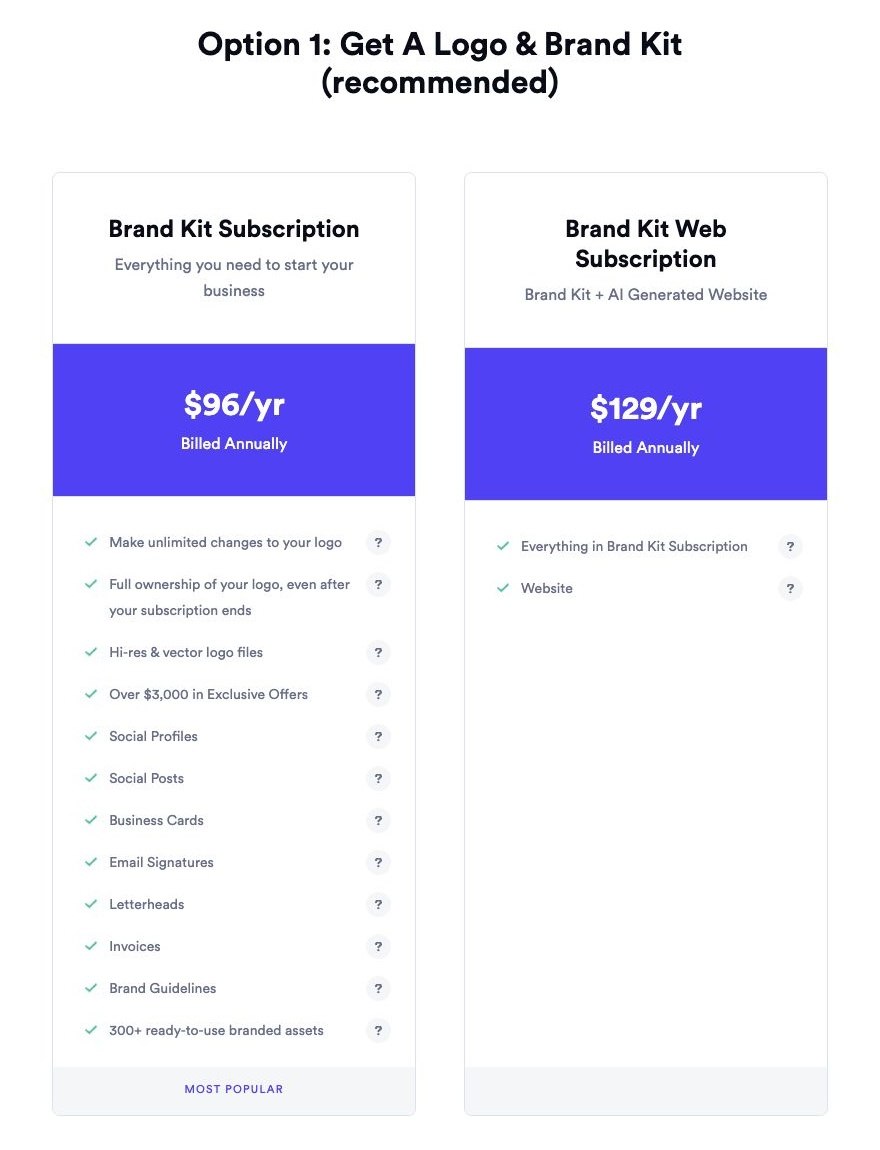
| Brand Kit | $96/year | Annual subscription | Branded templates and digital downloads |
| Brand Kit Web | $129/year | Annual subscription | Brand Kit plus website builder, hosting, and publishing |
Brand Kit works out to $8 per month, and Brand Kit Web to $10.75 per month. Those are budgeting equivalents of annual commitments, not monthly payment options.
The $35 package is the lowest-cost paid entry, but file requirements matter more than the headline price. A business that needs a scalable logo should assess the Premium package before treating Basic as the cheaper solution.
The difference between those packages is $37. If a supplier needs a format that Basic does not include, choosing solely on the entry price can leave you with the wrong deliverable.
Canva pricing
Canva Free supports downloadable designs when you use free content. Premium content can require a purchase or a suitable paid subscription, so a free account does not make every template element free.
| Canva plan | Annual price in USD | Monthly equivalent of annual price | Relevant distinction |
|---|---|---|---|
| Free | $0 | $0 | Free-content design and downloads |
| Pro | $144/person | $12/person | Scheduling and 5 Brand Kits |
| Business | $250/person | About $20.83/person | 100 Brand Kits and approvals |
| Enterprise | Custom | Custom | Organization-specific offering |
The paid figures above are annual commitments, exclude applicable taxes, and are not quotes for month-to-month billing.
For a solo owner, Business costs $106 more per year than Pro. More Brand Kits and approval controls only justify that difference if you will use them; they are not automatically valuable because the plan sits higher in the range.
Which purchase makes financial sense?
Looka Premium costs $72 once, compared with Canva Pro’s $144 annual commitment. That comparison favors Looka for a finished logo, but it does not mean Looka replaces Canva’s ongoing design functions.
Match the purchase to your workload:
- You need a logo and little else: A one-time package keeps the purchase tied to a finished deliverable.
- You need occasional simple graphics: Canva Free may be sufficient if you stay with free content.
- You publish regularly: A paid Canva plan becomes worth considering when its specific workflow features remove recurring work.
Buying recommendation: Decide what you must download before comparing prices. Then distinguish a finished asset from a tool you are paying to keep using.
2. Best for Creating a Logo: Looka
Looka wins for focused logo creation because its workflow is built around generating and refining a business identity. Canva is the better alternative when you want direct layout control or already have original artwork.
Looka: A logo-first starting point
Looka asks for your company name and industry, then uses preferences such as styles, colors, and symbols to generate options. Those options are starting points for editing, not a reason to skip reviewing the result.
That structure helps when you can recognize what you like but struggle to describe it. Choosing between directions is a more manageable task than deciding every design detail independently.
Before paying, judge your shortlist against practical uses:
- Will the business name remain readable at a small size?
- Does the symbol still make sense without color?
- Will the layout suit both a narrow header and a square profile image?
- Is the company name final and correctly spelled?
That last check matters. Looka’s post-purchase editing allowance excludes company-name changes, so do not treat a provisional name as a harmless detail.
Canva: More direct design control
Canva offers customizable logo templates and a drag-and-drop editor. You can adjust fonts and layouts, share designs for comments, or work from an original uploaded logo.
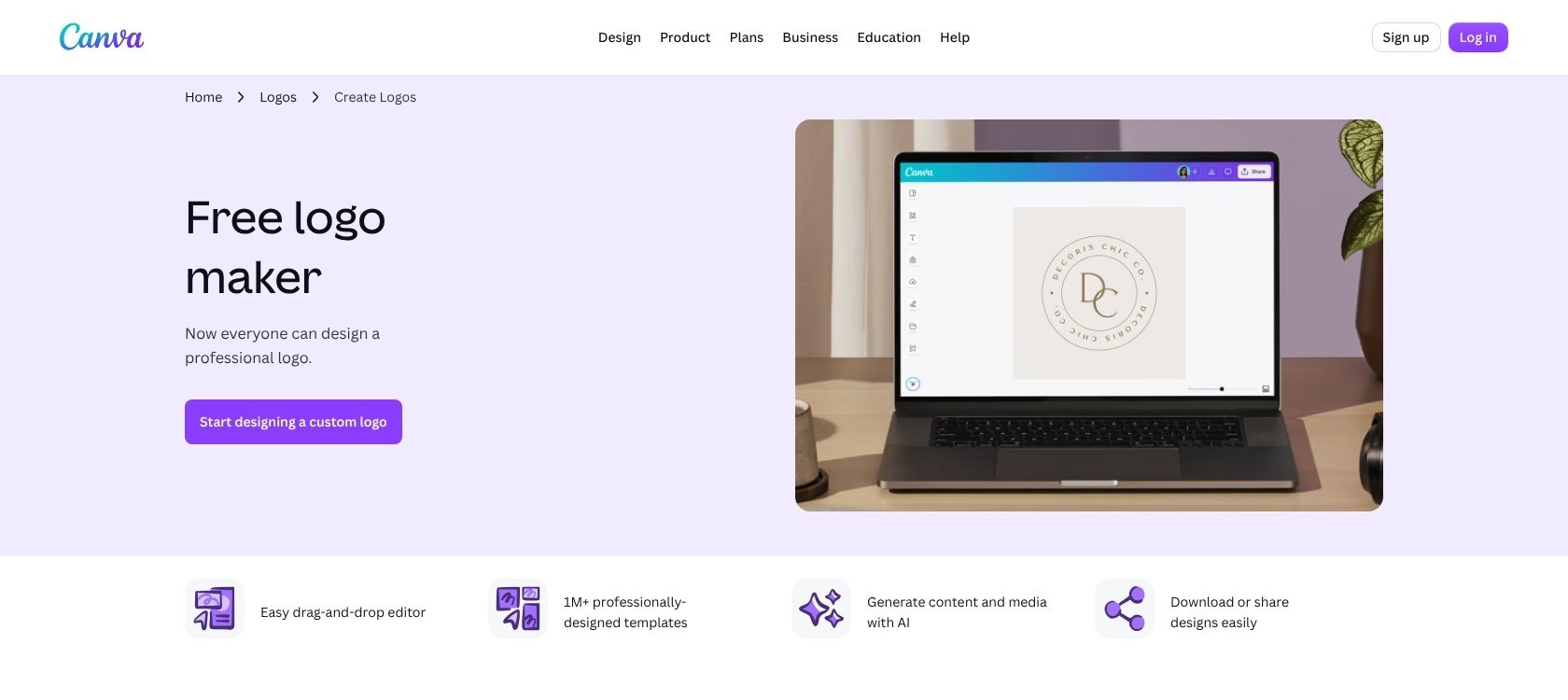
This suits an owner with a clearer visual brief. For example, if you already have original lettering and simply need to arrange it with a supporting line of text, a general editor may be the more appropriate workspace.
However, having more editable components also means taking responsibility for more decisions. A template can supply a layout without establishing that it is the right identity for your business.
File formats and licensing
Looka Premium includes SVG and EPS alongside PNG and PDF. Canva’s SVG and transparent-background download options require eligible paid plans, including Pro and Business.
A transparent background and a scalable file solve different problems. Transparency removes the visible background behind your logo; vector artwork can scale without the quality loss associated with enlarging a raster image. Saving raster content inside an SVG does not turn it into true vector artwork.
Canva’s licensing also deserves a brief caution: its stock content is nonexclusive, and its guidance says logo templates cannot be registered as trademarks. Original uploads and permitted fonts or basic shapes receive different treatment. Neither tool provides a guarantee of registration.
Before buying: Ask your printer, packaging supplier, or website designer which files they need. A logo that looks right on screen is only part of the purchase.
3. Best for Marketing Your Business: Canva
Canva wins for ongoing marketing because it combines editable designs with brand-management and publishing tools. Looka’s strength is preparing coordinated collateral around your logo, rather than serving as the broader campaign workspace.
Canva: Better for a repeating workload
Canva’s brand tools can centralize logos, colors, fonts, and approved templates, with access depending on roles and plans. For a growing business, that helps separate the brand choices you want to preserve from the campaign details you need to change.
Imagine a local fitness instructor promoting a new class each month. The identity should stay recognizable, while the date, offer, image, and call to action change. A reusable design system makes more sense here than treating every announcement as a fresh branding project.
Canva also supports sharing and comments. That gives a business owner and a collaborator a place to discuss a design, although comments should not be confused with a formal approval workflow.
Looka: Better for coordinated launch materials
Looka’s Brand Kit applies logo colors and business details to branded collateral. Its appeal is that the logo becomes the starting point for related materials rather than an isolated download.
For a consultant preparing an initial set of business materials, that can be a useful scope: establish the identity, choose relevant collateral, and keep the appearance consistent.
The tradeoff is editorial flexibility. A coordinated set of assets answers “Does this look like my business?” Your ongoing marketing process must also answer “What message should this particular audience see?”
Creating is not the same as publishing
Canva Pro’s Content Planner supports planning and scheduling social posts. That is a separate benefit from simply creating a social graphic.
Keep these tasks distinct when deciding what to pay for:
- Creation: Producing the visual asset and its message.
- Coordination: Keeping designs consistent and gathering input.
- Publishing: Getting the finished post onto a supported destination.
Do not assume every network or post format fits a scheduling workflow. Check your intended publishing requirements before making that feature the reason to subscribe.
Looka remains a reasonable choice when your marketing needs are mostly initial branded materials. Canva becomes more compelling when the work repeats and the messages keep changing.
4. Easiest for a First Logo: Looka
Looka wins for a first logo because its guided choices narrow the task. Canva gives you more freedom, but freedom is not always what a first-time designer needs.
Looka: Choose a direction, then refine it
Looka’s onboarding moves from business information to visual preferences and generated options. That sequence breaks a broad creative problem into smaller decisions.
Your role is still important. Selecting a direction does not establish that the lettering is readable, the symbol is appropriate, or the result works across your intended uses.
A useful approach is to set your decision criteria before browsing. For a bookkeeping business, those might be a clearly readable name, restrained colors, and a layout that works on invoices. Those criteria are more useful than asking whether a design merely feels impressive.
Canva: Start with a layout, then shape it
Canva’s template-and-editor approach puts you closer to the individual design elements. This is helpful if you know what you want to move, replace, or adjust.
It can be less helpful if you are still deciding what your brand should look like. Being able to change many details creates opportunities, but it also gives you more ways to postpone choosing.
For either workflow, keep a short review checklist:
- Read the logo at its expected display size.
- Compare the strongest candidates against the same requirements.
- Ask for feedback on clarity, not just personal preference.
- Finalize the business name before purchasing.
Choose guidance if you need help getting started; choose control if you already have a direction. Canva is not inherently difficult, and Looka does not remove the need for judgment. Their starting points simply suit different kinds of uncertainty.
5. Best for Design Templates: Canva
Canva wins for template-led design because its editable approach better suits varied, recurring work. Looka has the more focused proposition when you want materials to inherit an established logo and color scheme.
Canva: Adapt the design to the message
Canva’s template approach lets you use a starting layout and change its components. That flexibility matters when the message, rather than the logo, needs to lead the design.
Consider a service business creating a promotional graphic, a presentation, and an informational handout. Even with the same brand identity, each needs a different balance of text, imagery, and emphasis.
That is why template quantity alone is a poor buying criterion. The useful question is whether you can find and adapt a suitable structure without forcing your content into an unsuitable layout.
Free and premium content must remain separate in that assessment. A design that contains premium elements can introduce a payment requirement even when you started from a free account.
Looka: Adapt the materials to the brand
Looka’s Brand Kit includes more than 300 branded designs built around your identity. That is attractive when you would rather choose relevant branded materials than repeatedly establish colors and logo placement yourself.
The narrower focus can be an advantage. If your immediate brief is “make these launch materials look like they belong together,” more unrelated design options may add little value.
However, consistent styling does not guarantee useful content. You still need to decide what belongs on each asset and remove anything that distracts from its purpose.
How to judge template value
Before subscribing for templates, make a list of 3 things you actually need to produce. Then assess each option against those jobs:
| Question | Why it matters |
|---|---|
| Does the layout accommodate your real text? | Attractive placeholder copy can hide a poor fit |
| Are the required elements free or premium? | The starting template does not determine the final cost |
| Can you preserve your brand while changing the message? | Reuse should not mean publishing nearly identical material |
| Is the output appropriate for its destination? | A finished design still needs the right delivery format |
Choose Canva for flexibility across changing briefs. Keep Looka in contention when consistency across a defined launch kit is the more urgent requirement.
6. Best for Support: Compare Your Help Options
This round is a split: Looka offers direct contact options, while Canva provides learning resources and plan-specific support. Looka has a clearer direct-contact proposition for a small logo purchase; Canva combines self-service resources with higher-tier support offerings.
Looka support options
Looka offers chat and email, plus scheduled calls. Its listed live-support window is daily, 9am to 5pm GMT-5.
That gives you concrete channels to consider if you want help with a purchase or logo-related question. Convert the stated hours to your local time, especially if your working day falls largely outside that window.
A contact window is not a resolution guarantee. Scheduled calls also should not be interpreted as unrestricted on-demand phone support.
Canva support options
Canva provides a Help Center and Design School resources. Its Enterprise professional-services offering advertises priority 24/7 support, but that should not be applied to Free, Pro, or Business accounts.
For a solo owner, the relevant question is what help accompanies the plan you will actually buy, not what the enterprise offering promises.
Before relying on either service, consider:
- The problem: Is it a billing issue, export problem, or design question?
- The channel: Do you prefer written instructions, messaging, or a scheduled conversation?
- The deadline: Can your project tolerate waiting for assistance?
- The entitlement: Is the support you expect included with your purchase?
Looka’s contact options may suit owners who want direct assistance around a logo. Canva’s learning resources may suit owners developing broader design skills.
How We Compare Logo and Design Tools
WebAppMeister’s comparison is document-based, not hands-on testing. It evaluates the tools against small-business buying decisions: total cost, logo workflow, usable exports, ongoing marketing, template flexibility, and support access.
The recommendations distinguish one-time purchases from subscriptions, free content from premium content, and design creation from publishing. Practical scenarios are hypothetical examples, not accounts of customer results.
Prices are current as of October 2026 and shown in USD. Annual-plan monthly equivalents describe annual commitments, not monthly payment options. The category verdicts reflect those buying criteria, rather than measured performance or numerical scores.
Looka vs Canva: Our Winner
Canva is our overall winner for small businesses with ongoing design needs. Its free-content option, editable workflow, and paid marketing features give you a stronger foundation for work that continues after launch.
That said, Looka is the better choice for guided logo creation and a coordinated initial identity. Its one-time packages also make sense if you need finished files rather than another subscription.
I recommend starting with your next 3 deliverables. If they center on choosing and using a new logo, favor Looka. If they involve repeatedly creating new marketing messages, favor Canva.


