Omnisend is an email and SMS marketing platform built specifically for ecommerce, offering multichannel automation, native integrations with Shopify, WooCommerce, and BigCommerce, and a full-featured free plan that supports up to 250 contacts.
I’ve spent hours testing Omnisend’s email builder, automation workflows, segmentation tools, and SMS features to see how it stacks up against premium alternatives like Klaviyo.
In this review, I’ll take a closer look at Omnisend’s pricing, features, and templates, so you can decide whether it’s the right fit for your online store.
Why you can trust this review
We’ve spent dozens of hours researching and hands-on testing ecommerce marketing platforms, evaluating real campaigns, automation builds, and integration workflows. Our reviews are independent and backed by data, not affiliate incentives, so you get the information you need to make a confident decision.
Omnisend Pros & Cons
Omnisend
| Best for | Ecommerce email and SMS marketing |
| Rating | Excellent: 4.6 out of 5 |
| Ideal for | Shopify stores, multichannel marketers, budget-conscious brands |
| Free plan | Available (no credit card required) |
| Paid plans | $16 to $59 / month |
Pros
- Free plan with full feature access for up to 250 contacts
- Native ecommerce integrations with Shopify, WooCommerce, BigCommerce
- Unlimited push notifications on every paid plan
- 24/7 live chat support, even on the Free plan
Cons
- SMS pricing changed in May 2026 and is now an add-on
- Only 37 pre-built automation templates
- English-only interface
- Billable contacts include non-subscribers, which can inflate costs
Need a quick summary of Omnisend? I’ve collected its best and worst features below:
What I Like
- The Free plan includes the full feature set, including automation workflows, AI tools, and 24/7 support, which is rare among ecommerce email platforms
- Omnisend syncs natively with Shopify, BigCommerce, WooCommerce, Wix, and 7+ other ecommerce platforms with one-click setup
- The AI-powered email builder generates copy, subject lines, and product recommendations tailored to your store’s tone and inventory
- Unlimited web push notifications are included on every paid plan, which Klaviyo charges extra for
What I Dislike
- The SMS pricing overhaul in May 2026 stripped included credits from new Pro subscribers, making SMS more expensive to budget
- Billable contacts include non-subscribers like abandoned-cart visitors, which means your bill can climb even when your subscriber count stays flat
- The platform offers 37 automation templates, far fewer than Klaviyo’s 900+
- The interface is only available in English, which limits usability for non-English-speaking teams
My Experience With Omnisend
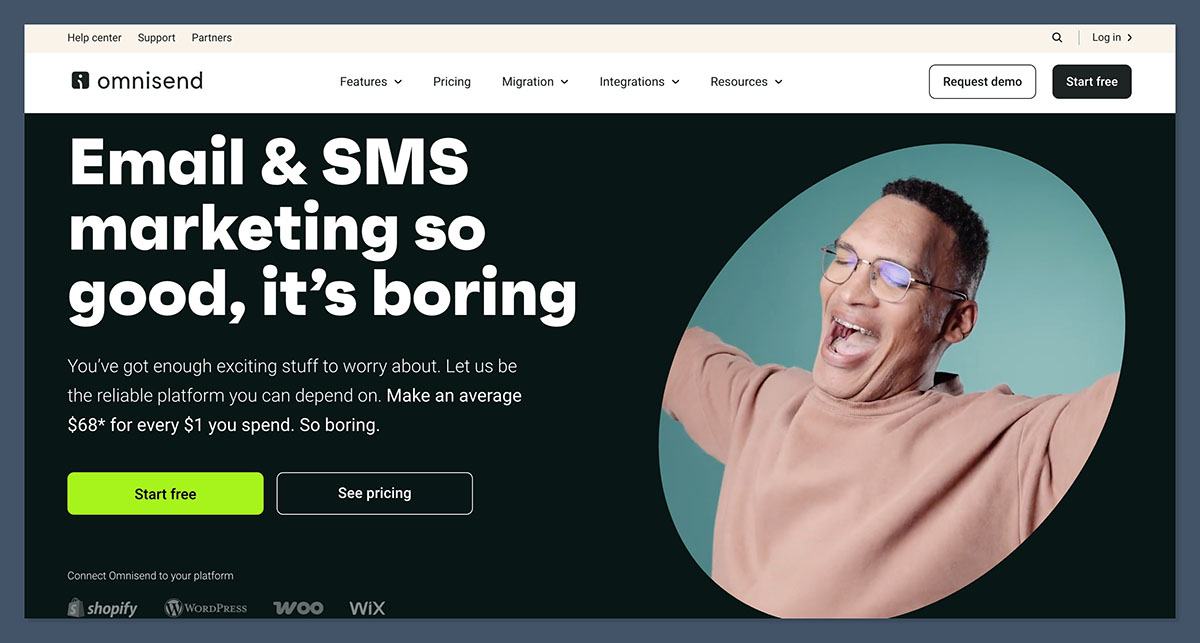
Signing up for Omnisend was refreshingly straightforward. I created an account with just an email address, no credit card required, and was inside the dashboard within minutes. After that, I found the onboarding process simple and product-driven, asking a few general questions about my business:
- What ecommerce platform do you use? Options included Shopify, WooCommerce, BigCommerce, Wix, and others, with a “no online store yet” path for early-stage users
- What’s your current monthly revenue? This helps Omnisend tailor recommendations and benchmark performance
- What are your marketing goals? Examples include recovering abandoned carts, growing your list, or running promotional campaigns
The onboarding flow felt purpose-built for ecommerce, which matches Omnisend’s positioning. Once I connected my test Shopify store, the platform automatically pulled in my products, customer list, and order data without any manual work.
Author’s Testing Notes
The one-click Shopify integration is one of Omnisend’s strongest features. Within a few minutes of connecting my store, I had access to product images, customer segments, and order history inside the email builder. Compared to platforms that require manual CSV imports or developer setup, this saved me a meaningful amount of time and removed the friction that usually slows down email marketing setup.
How I Built My First Campaign
Following onboarding, I was dropped into the Omnisend dashboard, which presents a clear setup checklist guiding you through your first signup form, automation workflow, and campaign. I appreciated this structure since it gave me a logical starting point rather than overwhelming me with options.
I started by creating a welcome email. Omnisend’s drag-and-drop email builder uses a left-right split layout: content blocks live in a Library on the left, and the editing tools appear on the right when you select an element. The interface felt clean and intuitive, with smooth navigation and no clutter.
I used the AI copywriting feature to draft my email body, and it generated copy that matched my store’s tone based on the products I’d connected. I could refine the output with prompts like “make it more casual” or “shorten this paragraph,” and the AI also suggested subject lines and preheaders.
The product picker was particularly useful. Instead of manually adding product images and links, I could pull items directly from my connected store, and Omnisend automatically inserted the image, name, price, and buy-now link. The product recommender block goes a step further, dynamically inserting products based on rules like “best-sellers in the last 30 days” or “recently viewed by the recipient.”
Customizing My Email Templates
Omnisend gave me access to 350+ mobile-responsive email templates, heavily focused on ecommerce use cases like product launches, sales, and seasonal promotions. The branded templates feature pulled my logo and brand colors from my connected store automatically, which removed a lot of manual setup work.
Now, the editor isn’t as design-flexible as something like Mailchimp or Beehiiv, but it’s purpose-built for ecommerce and that focus shows. Universal layouts let me create reusable sections, like headers and footers, that update across every email when edited once. This was genuinely useful when I needed to swap out a promotional banner across multiple campaigns at the same time.
Author’s Testing Notes
Overall, the process of building campaigns with Omnisend felt smooth and ecommerce-native. The product blocks, automated brand styling, and AI copywriting genuinely sped up my workflow. Where I felt the editor fell short was creative flexibility, since the section-based structure makes it harder to design highly custom layouts. For most ecommerce stores, though, the trade-off is worth it because the platform is optimized for the kind of emails that actually drive revenue.
How Much Does Omnisend Cost?
Omnisend’s pricing is split across three core plans, scaling from a free tier up to $59+ per month based on contact count. There’s no time-limited free trial because the Free plan itself is the trial, and it stays free forever as long as you stay under the contact and sending limits.
- Free: 250 contacts, 500 emails/month, 500 web push notifications
- Standard ($16): 500 contacts, 6,000 emails/month, unlimited push, 24/7 support
- Pro ($59): 2,500 contacts, unlimited emails, advanced reporting, personalized product recommendations
| Plan | Starting Price | Contacts | Emails / Month | Best For |
|---|---|---|---|---|
| Free | $0 | 250 | 500 | Trying the platform |
| Standard | $16/mo | 500 | 6,000 | Growing stores |
| Pro | $59/mo | 2,500 | Unlimited | Established ecommerce brands |
Is Omnisend Good Value for Money?
Omnisend positions itself as approximately 35% cheaper than Klaviyo while offering a comparable feature set, and the math holds up at scale. At 10,000 subscribers, Omnisend costs around $132 per month compared to Klaviyo’s $240, and at 100,000 contacts the gap widens to roughly $900 versus $1,380 monthly. For a growing store, those savings compound quickly.
That said, there’s a catch worth understanding before you commit. Omnisend bills based on “billable contacts,” which includes both subscribers and non-subscribers who receive automated messages, such as customers who placed orders without opting in, abandoned-cart visitors, and browsers who created accounts. Only true unsubscribers are excluded.
This means your bill can creep upward even if your subscriber list stays flat, simply because new visitors are getting touched by automations.
The Free plan is genuinely usable, not a stripped-down teaser. It includes the full automation builder, AI tools, segmentation, and 24/7 live chat support, which makes it one of the most generous free tiers in the ecommerce email space.
Author’s Testing Notes
I recommend starting on the Free plan and only upgrading to Standard ($16/month) once you exceed 250 contacts or need more than 500 monthly emails. The Standard plan unlocks unlimited push notifications and adds priority support, which is enough for most small and growing stores. Pro is worth it once you need unlimited email sending, advanced reporting by segment, or the personalized content add-on, typically when you’re past the 2,000-subscriber mark and running multiple automations simultaneously.
Designing With Omnisend
Omnisend offers 350+ email templates, all mobile-responsive and built around common ecommerce scenarios: product launches, abandoned cart recovery, welcome sequences, seasonal promotions, and post-purchase follow-ups. Unlike general-purpose email tools, these templates assume you’re selling something, and the design reflects that.
The branded templates feature is my favorite design tool. When you connect your store, Omnisend pulls in your logo, brand colors, and product imagery, then auto-applies them to any template you select. This eliminates the most tedious part of email setup, which is making a template actually look like your brand.
All templates are optimized for both desktop and mobile, and the dark mode preview is now standard in the email builder. I tested several templates across Gmail, Apple Mail, and Outlook, and the rendering was consistent.
What’s new with Omnisend?
Omnisend released over 60 new features since 2025, with major February 2026 updates including a redesigned Pricing and Usage page, enhanced Universal Layouts with usage tracking and deletion warnings, and a Forms AI Assistant (currently in beta) that generates complete forms from a simple prompt. The platform also added scrollable email previews directly inside the workflow builder, so you can review automation emails without leaving the canvas.
Selling Online With Omnisend
Omnisend offers some of the strongest ecommerce-specific marketing features I’ve tested, providing online stores with the tools they need to recover lost sales, segment customers, and run multichannel campaigns. The features are excellent in terms of both range and depth, and most of the core capabilities are available even on the Free plan.
Multichannel Selling
Omnisend lets you run unified campaigns across email, SMS, and web push notifications from a single workflow builder. I could create an abandoned cart automation that sent an email first, followed by an SMS reminder two hours later, and a push notification a day after that, all configured in the same flow.
This multichannel approach is one of Omnisend’s biggest advantages over premium competitors. Klaviyo, for example, requires a separate tool for push notifications, while Omnisend includes unlimited push on every paid plan.
SMS and Pricing Changes
SMS pricing changed significantly on May 4, 2026. For new Pro subscribers, SMS is now an add-on with volume-based pricing starting at $0.007 per SMS for US and Canadian recipients, with no included credits. Volume discounts kick in at $50, $500, $1,000, and $10,000 monthly spend levels.
Users who subscribed to Pro before May 4, 2026 keep the legacy pricing, which includes SMS credits equivalent to their monthly subscription price (so $59/month gets you $59 in SMS credits). The catch is that downgrading or canceling permanently removes legacy pricing.
Free and Standard plan users can no longer send SMS under the new structure and must upgrade to Pro. This is a meaningful shift, so if SMS is core to your strategy, factor the add-on cost into your budget from the start.
Automation Workflows
The automation builder includes 37 pre-built ecommerce templates covering abandoned cart, welcome sequences, post-purchase, browse abandonment, and customer loyalty. You can filter templates by goal, which makes it easier to find the right starting point even if you’re new to automation.
The builder supports multichannel workflows with granular delay settings (minutes to months), A/B testing inside automations, conditional branching with 20+ trigger options, and dynamic content personalization. Recent additions include trigger previews that let you test workflow logic with real contact data before activation, and automation alerts that flag missing triggers or logic issues.
Segmentation Tools
Omnisend uses a single master contact list with segments determining who receives each campaign. The segment builder offers 30+ pre-built templates and lets you copy existing segments as starting points. All segments update automatically as customer behavior changes.
For Shopify users, segments sync directly from Shopify into Omnisend, which saved me significant setup time during testing. I could also build segments using AND/OR logic, nested conditions, tag-based filtering, and contact data combined with behavioral signals like product views, cart additions, and purchase history.
Recent additions include Average Order Value and Total Spent filters, which made it much faster to build high-value customer segments.
Marketing Your Business
Omnisend provides solid marketing tools to support list growth and customer engagement:
- Build pop-ups, embedded forms, landing pages, and flyouts with 14 draggable content elements including gamified “wheel of fortune” signup forms
- Send personalized email campaigns using Liquid-like dynamic content that adapts to different customer types in a single send
- Run A/B tests on subject lines, content, and forms to optimize conversion rates over time
- Use the Customer Lifecycle Map to identify at-risk customers, nurturable leads, and high-value loyalists, with recommended tactics for each stage
- Trigger campaigns based on RFM (Recency, Frequency, Monetary) analysis to target customers by purchase recency and spending levels
Form Targeting and List Growth
Omnisend’s form builder includes advanced targeting capabilities like exact URL matches, partial URL rules, UTM parameters, traffic source, and visitor location. Multi-step forms let you collect more data through progressive disclosure, and you can schedule forms to appear at specific times or only for limited periods. Google reCAPTCHA is built in to protect against spam signups.
Omnisend’s AI Features
Omnisend has invested heavily in AI, with capabilities spanning copy generation, segmentation, content personalization, and predictive recommendations. Here’s how you can use AI inside the platform:
- Generate email body copy, subject lines, and preheaders tailored to your brand tone and connected store content
- Improve grammar, refine tone of voice, and suggest style adjustments based on email marketing best practices
- Build advanced segments from natural language descriptions using the AI Segment Builder, which asks follow-up questions for clarity
- Generate complete signup forms from a single prompt using the Forms AI Assistant (currently in beta)
- Auto-insert relevant products into emails using the AI product recommender, which analyzes individual browsing and purchase behavior
Looking ahead, Omnisend announced AI features launching in Q4 2026 that will identify gaps in your automation strategy and generate new workflows tailored to your customer behavior and brand voice.
Omnisend’s Integrations
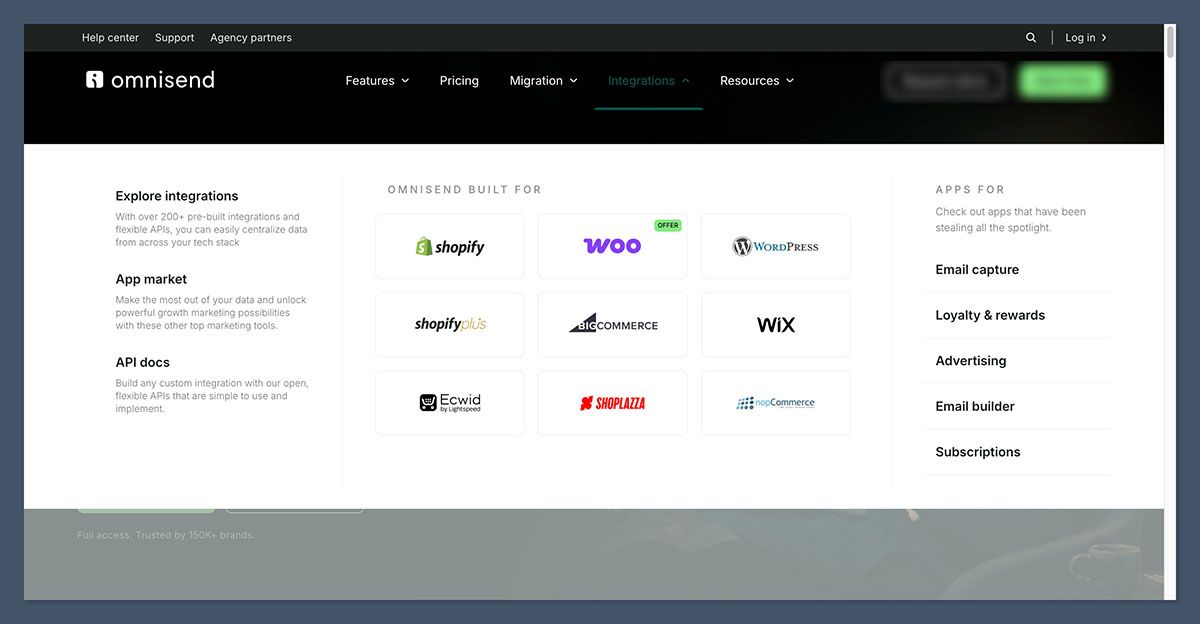
Omnisend offers native one-click integrations with Shopify, BigCommerce, WooCommerce, Wix, WordPress, Shoplazza, Ecwid, PrestaShop, nopCommerce, Big Cartel, and SureCart. These connections automatically sync products, customers, and order data, with no coding required.
Beyond ecommerce platforms, the Omnisend App Market includes 220+ third-party integrations covering loyalty programs, product reviews, wishlist tracking, advanced signup forms, and more. Categories include Reviews, Loyalty, Forms, and Other specialized tools.
Top Tip
The Influencer Hero integration launched in February 2026 and connects influencer search, UGC capture, influencer CRM, and affiliate tracking directly to Omnisend. You can discover influencers already in your contact list and export their profiles into targeted segments, which is especially useful for DTC brands running influencer-driven campaigns.
That said, some advanced integrations and add-ons come with extra costs, so this is another factor to consider as you scale.
How Does Omnisend Keep Your Data Secure?
Omnisend takes deliverability and data hygiene seriously, with built-in tools that protect your sender reputation and contact list. The platform actively checks sender domains and email addresses, flagging issues that could harm inbox placement.
Recent improvements include enhanced domain authentication with SPF merging, warnings for invalid or duplicate DNS records, and DNS-provider-specific setup instructions. The email list hygiene tool verifies contacts to reduce bounce rates, and Omnisend labels list quality as good, fair, or poor with automated cleanup options.
Omnisend prohibits sending from public domains like gmail.com or outlook.com and recommends gradual volume increases for new accounts, both of which are industry deliverability best practices. High-volume senders can also request dedicated IPs.
Using Omnisend’s Customer Support
Omnisend is one of the strongest performers in customer support among ecommerce email platforms, offering 24/7 live chat and email support on every plan, including Free. Here are the available support channels:
- 24/7 live chat with an advertised 4-minute average response time
- 24/7 email support on all plans
- Knowledge base with 610+ articles covering features and integrations
- Guided setup wizards customized to your ecommerce platform during onboarding
- Dedicated Account Experts for users on $400+/month plans, including migration assistance and personalized onboarding
- Community resources and an active partner network for agencies
During testing, I sent a complex technical question through live chat and received a substantive response within minutes. Independent reviews report similar experiences, with one tester resolving a multi-shop integration issue within 6 hours.
How Does Omnisend Compare to Competitors?
Omnisend sits in a competitive space alongside Klaviyo, Mailchimp, ActiveCampaign, and newer ecommerce-focused tools. It’s used by hundreds of thousands of online stores and consistently ranks among the top-rated email marketing apps in the Shopify App Store, with 4.8/5 stars across 2,620+ five-star reviews.
If Omnisend doesn’t feel like the right fit, here are some alternatives worth considering:
- Klaviyo is the most direct competitor, offering deeper predictive analytics, 900+ automation templates, and unified email + SMS pricing, but it costs roughly 35% more than Omnisend at equivalent contact tiers, which adds up quickly for growing stores
- Mailchimp is a strong choice if you need general-purpose email marketing beyond ecommerce, with broader template variety and a familiar interface, but it lacks Omnisend’s native ecommerce depth and product-block features
- ActiveCampaign shines for businesses that need complex CRM-style automation and sales pipeline features, but it’s more expensive and the ecommerce-specific tooling is less refined than Omnisend’s
What’s most important for your store?
- Lowest cost at scale → Omnisend
- Deepest predictive analytics → Klaviyo
- General-purpose email marketing → Mailchimp
- CRM + sales pipeline automation → ActiveCampaign
How We Test Ecommerce Email Marketing Platforms
To bring you fair and accurate reviews, we test ecommerce email marketing platforms hands-on, building real campaigns, automations, and integrations with test stores. This lets us evaluate not just feature lists but actual usability, performance, and value for money.
Our testing covers seven key areas, each weighted based on what matters most for ecommerce email marketing:
Ecommerce Features: 30% Native integrations, product blocks, abandoned cart recovery, segmentation depth, and revenue attribution
Automation Capabilities: 15% Workflow builder flexibility, template variety, multichannel support, and conditional logic
Help and Support: 15% Channels available, response times, knowledge base depth, and onboarding quality
Design Features: 15% Template library, drag-and-drop editor, brand customization, and mobile responsiveness
Pricing: 10% Plan transparency, value at scale, free tier generosity, and hidden costs
User Experience: 10% Interface design, learning curve, navigation, and overall ease of use
Reputation: 5% Third-party reviews, market positioning, and customer satisfaction signals
Omnisend Review: final thoughts
Omnisend is one of the strongest ecommerce email marketing platforms on the market, particularly for stores running on Shopify, WooCommerce, or BigCommerce.
Its native integrations, multichannel automation, and generous Free plan make it an accessible starting point for new stores, while features like AI copywriting, customer lifecycle mapping, and unlimited push notifications scale comfortably with growing brands.
The May 2026 SMS pricing changes are worth scrutinizing if SMS is central to your strategy, and the billable contacts model means your bill can grow alongside store traffic even if your subscriber list stays flat.
For most ecommerce brands looking for a serious email and SMS platform without paying Klaviyo prices, though, Omnisend delivers a strong feature set at a meaningful discount.
You can get started with the Free plan (no credit card required) and upgrade only when you outgrow the 250-contact limit, or take advantage of the 30% starter discount on Standard or Pro by paying for 3 months upfront.
Omnisend FAQ
Is Omnisend free?
Yes. Omnisend offers a permanent free plan for up to 250 contacts with 500 emails per month, 500 web push notifications, and access to all Pro-level features including automation workflows, AI tools, and 24/7 support.
How much does Omnisend cost?
Paid plans start at $16/month for the Standard plan (500 contacts, 6,000 emails) and $59/month for the Pro plan (2,500 contacts, unlimited emails). Pricing scales automatically based on your billable contact count.
Is Omnisend better than Klaviyo?
Omnisend is roughly 35% cheaper than Klaviyo with comparable core features and unlimited push notifications included. Klaviyo offers deeper predictive analytics and 900+ automation templates, so it tends to suit larger, more analytics-driven brands. Most growing ecommerce stores find Omnisend a better fit on cost and simplicity.
Does Omnisend work with Shopify?
Yes. Omnisend has one of the strongest Shopify integrations on the market, with one-click setup, direct segment syncing, automatic product and customer imports, and 4.8/5 stars across 2,620+ reviews in the Shopify App Store.
What happened to Omnisend’s SMS pricing?
On May 4, 2026, Omnisend restructured SMS pricing. New Pro subscribers no longer receive included SMS credits and instead pay $0.007 per SMS as a volume-based add-on. Users who subscribed before that date keep their legacy credits as long as they stay on Pro without downgrading.
Can I send SMS on the Free or Standard plan?
No. As of May 2026, SMS is only available to Pro plan subscribers. Free and Standard users need to upgrade to Pro to access SMS campaigns and automations.


