Squarespace is a popular all-in-one website builder known for its clean, modern templates and design-first approach.
It’s especially well-regarded by creatives, small business owners, and entrepreneurs looking to showcase their work or sell online without dealing with code or technical setup.
I’ve spent time testing Squarespace and comparing it to other leading platforms like Shopify, Wix, and Webflow.
In this detailed review, I’ll walk you through Squarespace’s pricing, features, templates, and ecommerce functionality so you can decide whether it’s the right platform for your online business.
Why You Can Trust This Review
I’ve spent over 50 hours testing Squarespace for different use cases including portfolio sites, ecommerce stores, and service businesses.
I’ve also compared it against 10+ other platforms and reviewed Squarespace’s product updates, templates, and support documentation.
Everything in this review is based on real usage and updated product information, not assumptions or speculation.
Squarespace at a Glance
| Feature | Rating | Summary |
|---|---|---|
| Ease of Use | 4.5 out of 5 | Simple to build, but templates can feel restrictive |
| Design and Templates | 5 out of 5 | Industry-leading aesthetics and visual layout options |
| Ecommerce Features | 4 out of 5 | Solid for small stores, but limited scaling options |
| Flexibility | 3 out of 5 | Lacks plugin store and deep customization |
| Pricing | 4 out of 5 | Competitive for what’s included, but not the cheapest |
| Support | 4.5 out of 5 | Fast, human support via live chat and email |
What I Like About Squarespace
✔️ Professional, design-forward templates that make any brand look polished
✔️ Built-in blogging, SEO, and ecommerce features with no need for plugins
✔️ All-in-one platform with hosting, SSL, domain, and analytics included
✔️ Clean and intuitive drag-and-drop editor with visual consistency
What I Dislike About Squarespace
❌ Limited flexibility for advanced custom design or development
❌ No plugin marketplace to expand features beyond built-in options
❌ Ecommerce functionality isn’t as scalable as platforms like Shopify
❌ Pricing can add up for growing businesses with complex needs
My Experience Using Squarespace

Getting started with Squarespace was easy. I signed up using just my email and was immediately asked a few questions about my website goals. Squarespace then suggested some templates based on my responses.
I chose a design in the “Online Store” category and launched into the editor right away.
Unlike Shopify, Squarespace uses a drag-and-drop editor where you can move elements around the page freely.
I liked that I could edit text directly on the page, adjust spacing, add new content blocks, and preview my site instantly. There was no steep learning curve.
I appreciated that I didn’t need to worry about setting up a host, installing plugins, or managing updates. Everything just worked out of the box.
Squarespace’s Templates and Design Tools
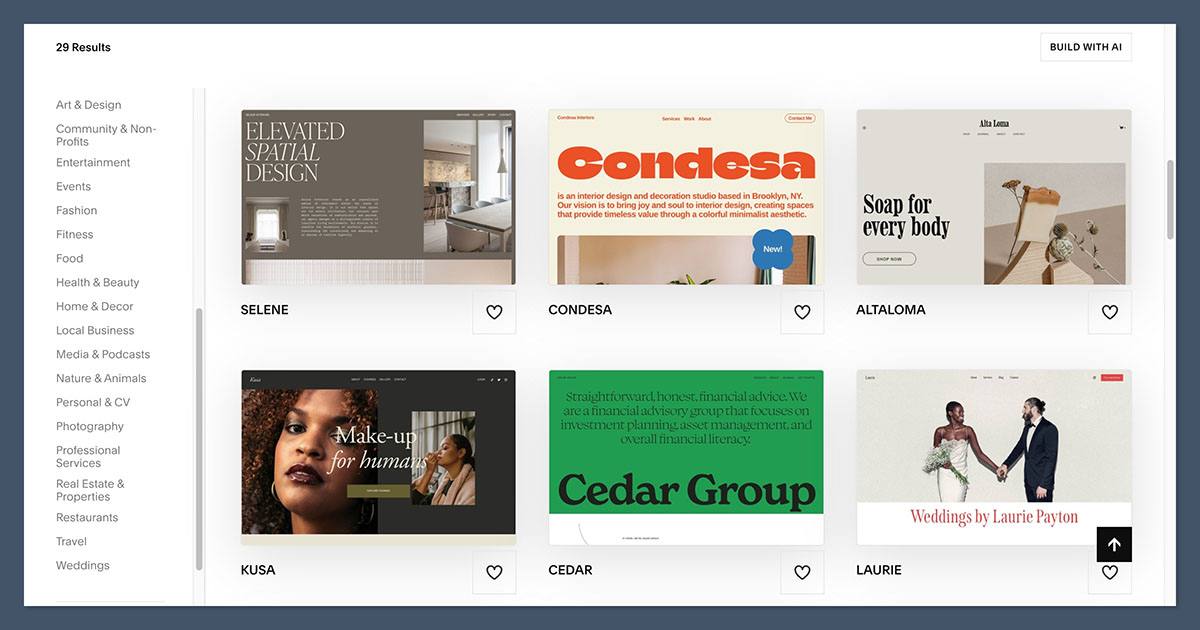
Squarespace is best known for its design quality. Its templates are some of the best in the industry and are especially popular with designers, photographers, coaches, and lifestyle brands.
Key Features
- Templates are responsive by default and adjust to different screen sizes
- Typography and spacing are clean and elegant
- Designs are image-focused and great for visual storytelling
- Built-in editor lets you modify pages section-by-section
There are over 100 professionally designed templates to choose from, and you can switch templates at any time.
Each template is grouped by purpose (e.g., blog, store, portfolio, personal site), making it easier to find a starting point.
If you want to go further, you can add custom code blocks or modify CSS directly, although this is more limited than what you’d find in WordPress or Webflow.
Ecommerce With Squarespace
Squarespace’s ecommerce tools are strong enough for small to mid-sized online stores.
I tested its commerce features by setting up a demo store with physical products, digital downloads, and some basic discounts.
Product Setup
Adding products was simple. I filled in a product title, added images, set prices, and configured options like size or color. I could also manage inventory and set shipping rules.
Here’s what’s included in Squarespace Commerce:
- Sell physical and digital products
- Offer product variants like color or size
- Manage inventory with low-stock alerts
- Accept payments via Stripe, PayPal, and Square
- Offer coupon codes and gift cards
- Configure tax and shipping settings
- Enable subscriptions with Member Areas
Table: Commerce Plan Comparison
| Plan Name | Monthly Price | Key Ecommerce Features |
|---|---|---|
| Business | $23 | Basic store features, 3% transaction fee |
| Commerce Basic | $27 | No transaction fees, more store options |
| Commerce Advanced | $49 | Abandoned cart recovery, subscriptions, advanced discounts |
You’ll need the Commerce Advanced plan to access features like abandoned cart emails and subscription products.
If you’re selling fewer than 100 products, this platform works well. Anything more complex and you might want to look at Shopify or BigCommerce.
SEO, Blogging, and Marketing Features
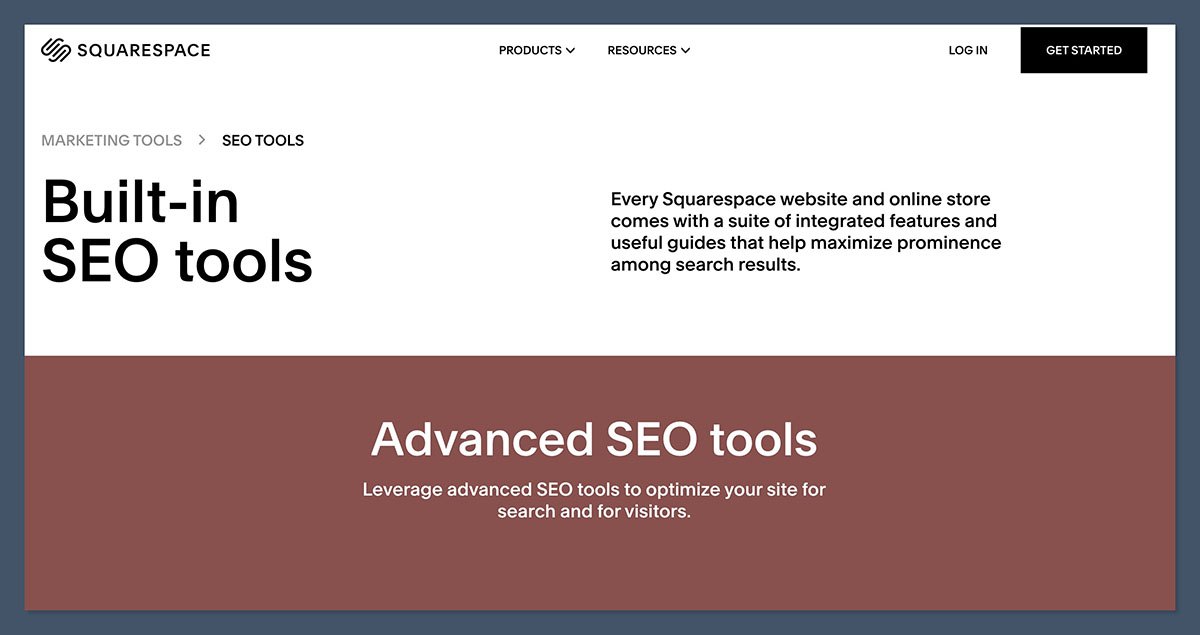
One of Squarespace’s hidden strengths is its solid content and marketing tools. While it’s not as SEO-heavy as WordPress, it gives most business owners what they need to get started.
SEO Features
- Custom page titles and meta descriptions
- SEO-friendly URL slugs
- Automatic sitemaps
- Image alt text
- 301 redirects
- Built-in SSL and mobile optimization
Blogging Tools
- WYSIWYG blog editor with rich media support
- Post scheduling
- Categories and tags
- RSS feed generation
- Multiple author support
I liked that I could manage content and products from the same backend. If content is part of your brand strategy, Squarespace makes it easy to build and manage a content-rich site.
How Easy Is It to Use?
I found Squarespace’s editor very intuitive once I got used to the layout. Each page is built using content blocks — text, image, gallery, quote, video, product, and so on.
I could:
- Drag and drop new sections where I wanted
- Edit text directly on the page
- Adjust spacing and alignment visually
- Preview mobile and tablet views instantly
The editor isn’t as flexible as Webflow, but it’s easier to use and more polished than Shopify’s section-based system.
If you’re used to platforms like Wix or WordPress, there may be a short adjustment period, but it’s generally beginner-friendly.
Squarespace Support
Support is available through live chat, email, and a comprehensive help center. When I contacted Squarespace via live chat, I was connected to a real person within five minutes.
They answered my questions clearly and even provided a step-by-step link from the help center.
Support options:
- 24/7 live chat
- Email support
- Community forum
- Extensive help documentation
There’s no phone support, and you won’t find guided onboarding or step-by-step wizards like Shopify offers. However, the documentation is excellent, and the support team is helpful when you need them.
How Much Does Squarespace Cost?
Squarespace is competitively priced for what it includes, especially if you’re combining a website, hosting, CMS, and store in one place.
| Plan | Price per Month | Key Features |
|---|---|---|
| Personal | $16 | Website only, no commerce |
| Business | $23 | Basic ecommerce, 3% transaction fee |
| Commerce Basic | $27 | No transaction fee, better store analytics |
| Commerce Advanced | $49 | Advanced discounts, subscriptions, abandoned cart recovery |
All plans include:
- Free custom domain for one year
- SSL certificate
- Website analytics
- Built-in security and hosting
You can start with a 14-day free trial, no credit card required.
Compared to other builders, Squarespace is well-priced for small business owners and creatives.
How Squarespace Compares to Other Platforms
If you’re not sure whether Squarespace is right for you, here’s how it stacks up against other popular platforms:
| Platform | Best For | Starting Price | Key Differences |
|---|---|---|---|
| Squarespace | Creatives and small shops | $16/month | Best templates, simple editor, limited extensions |
| Shopify | Scaling ecommerce stores | $29/month | Powerful backend, multichannel, app ecosystem |
| Wix | Beginners and small sites | $16/month | More flexible editor, not as polished visually |
| Webflow | Designers and devs | $14/month | Advanced customization, steeper learning curve |
| WordPress | Complex or content-heavy | Variable | Most flexible, requires plugins and hosting |
Shopify is built specifically for ecommerce, offering unmatched features for managing inventory, processing orders, and selling across multiple channels. It’s a better fit if you’re planning to grow a large online store or need more advanced backend tools.
Wix offers a highly flexible editor that’s great for beginners who want creative control over their site. While it’s not quite as refined visually as Squarespace, it includes a wider range of built-in features and apps.
Webflow gives designers and developers full control over their site’s layout and structure, including complex animations and interactions. It’s powerful but comes with a steeper learning curve, making it best for users with technical or design experience.
WordPress is the most customizable option, offering thousands of plugins and themes for every use case, from blogging to ecommerce. It requires more hands-on setup and maintenance, but it’s ideal for large, content-heavy, or complex websites.
Final Verdict: Is Squarespace Worth It?
Squarespace is a fantastic platform for anyone who wants a beautiful website without needing to learn code or manage plugins.
It combines elegant design, solid ecommerce tools, and a smooth user experience in one package.
It’s not the right platform for everyone. If your business relies on advanced ecommerce features, third-party apps, or deep backend control, you’ll be better off with Shopify or WooCommerce.
But if you want a professional site that looks great, supports light to moderate ecommerce, and lets you focus on content and customers, Squarespace is one of the easiest platforms to recommend.


