Choosing between Bluehost and Squarespace comes down to how hands-on you want to be with your website.
Both platforms can help you sell products and grow your business online, but the experience they offer is very different.
Bluehost is built around WordPress, which gives you more control and customization, but also requires more time and effort to maintain.
Squarespace is a hosted website builder, meaning everything is integrated and easier to manage, but more limited in flexibility.
In this comparison, I’ll walk you through the real pros and cons of each, covering pricing, ecommerce tools, design options, SEO, and more.
Quick Verdict
Choose Squarespace if you want the fastest path to a good-looking website with built-in ecommerce tools and minimal setup.
Choose Bluehost if you want long-term control, deeper customization, and you’re comfortable working with WordPress or hiring someone who is.
Bluehost vs Squarespace: Quick Comparison
Use this comparison table to see how Bluehost and Squarespace stack up.
| Feature | Bluehost | Squarespace |
|---|---|---|
| Best for | Custom websites with full control | Design-first websites with less effort |
| Hosting | Provided by Bluehost, powered by WordPress | Included with Squarespace |
| Editor | WordPress with plugins or drag-and-drop | Built-in visual editor |
| Ecommerce | WooCommerce plugin | Built-in ecommerce system |
| SEO | Full control with plugins like Yoast | Basic SEO tools built-in |
| Maintenance | Requires updates and plugin management | No technical maintenance required |
| Portability | You can move your WordPress site | Website is locked into Squarespace |
| Support | Bluehost hosting + third-party plugin help | One centralized support team |
Pricing Comparison
Both Bluehost and Squarespace offer a wide range of plans, but how much you pay depends on the features you need and how long you’re willing to commit.
Squarespace Pricing
Squarespace pricing is straightforward. It includes hosting, templates, and core website features. Here are the current plan prices with annual billing:
| Plan Name | Monthly Price (Annual Billing) | Best For |
|---|---|---|
| Basic | $16 | Personal sites or simple portfolios |
| Core | $23 | Freelancers and service businesses starting out |
| Plus | $39 | Small online stores or advanced business needs |
| Advanced | $99 | High-volume ecommerce or businesses scaling operations |
Squarespace doesn’t charge extra transaction fees on certain plans, but you will still pay standard credit card processing fees through Stripe or PayPal.
Bluehost Pricing
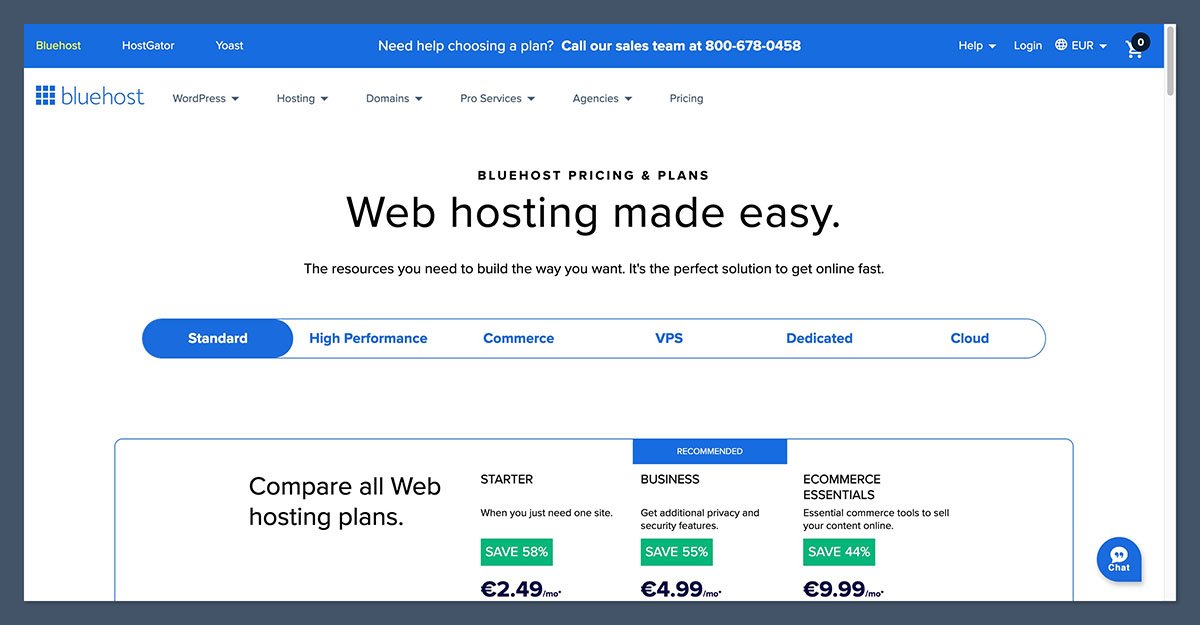
Bluehost plans can be a bit harder to navigate because of promotional pricing. While the initial offer looks appealing, keep in mind that renewal prices are significantly higher.
Here’s a comparison using the WooCommerce-specific plans:
| Plan Name | Intro Price (36-month term) | Renewal Price | Best For |
|---|---|---|---|
| eCommerce Essentials | $14.99/month | $21.99/month | Beginners and small ecommerce stores |
| eCommerce Premium | $30.99/month | $30.99/month | Growing stores needing more automation and support |
In addition to base pricing, Bluehost may charge for extras like backups, security, or advanced support tools.
The Winner
If you want clear, predictable pricing, Squarespace is easier to budget for.
But if you need the power of WordPress and plan to scale with WooCommerce, Bluehost gives you more flexibility, even if the true cost is harder to estimate.
Ease of Use and Setup

Squarespace
Squarespace is much easier for beginners. The entire platform is built to be visual and user-friendly. You pick a template, start editing, and can publish a site in hours.
- The onboarding flow is clear and asks helpful questions about your site type and goals.
- The editor is drag-and-drop, with well-organized blocks and page layouts.
- You don’t need to install any software or manage hosting settings.
Squarespace takes care of all the technical details behind the scenes, so you can focus on building your brand and adding content.
Bluehost (with WordPress)
Bluehost installs WordPress for you and includes onboarding tools like WonderSuite, their own beginner-friendly site builder. However, the experience is still more complex than Squarespace.
- You need to choose a theme and install plugins manually for most advanced features.
- Managing updates, backups, and plugin conflicts can be a learning curve.
- The editor experience varies depending on whether you use the native block editor (Gutenberg) or third-party builders like Elementor.
If you’re comfortable with WordPress, Bluehost gives you room to grow. But if you’re new to building websites, expect more time spent learning.
The Winner
Squarespace wins for ease of use. Everything works together out of the box, and there’s no need to worry about updates or technical setup.
Ecommerce Features
Both platforms can support online stores, but the way they handle ecommerce is very different.
Squarespace Ecommerce
Squarespace’s ecommerce tools are fully integrated into the platform.
- Product pages are built into templates
- You can sell digital or physical goods, services, and subscriptions
- Checkout, inventory, and scheduling are all managed within one dashboard
- No plugins required
There are limitations though. You can’t fully customize checkout flows, and there’s less support for complex product logic.
Best for:
- Small product catalogs
- Appointment or service-based businesses
- Creators selling digital downloads
Bluehost Ecommerce (WooCommerce)
Bluehost installs WordPress and WooCommerce, giving you full ecommerce control.
- Supports complex catalogs, variable products, and advanced rules
- Integrates with marketing tools, CRMs, and shipping platforms
- Scales easily with plugins for memberships, subscriptions, B2B setups
- Custom checkout experiences are possible
You’ll need to manage more moving parts and may need a developer for custom features.
Best for:
- Growing ecommerce businesses
- Stores with complex inventory needs
- Businesses that want to integrate with third-party tools
The Winner
If you need a simple, no-fuss store, Squarespace will get you selling faster.
But for advanced stores with unique needs, Bluehost and WooCommerce are the better match.
Templates and Design
Squarespace
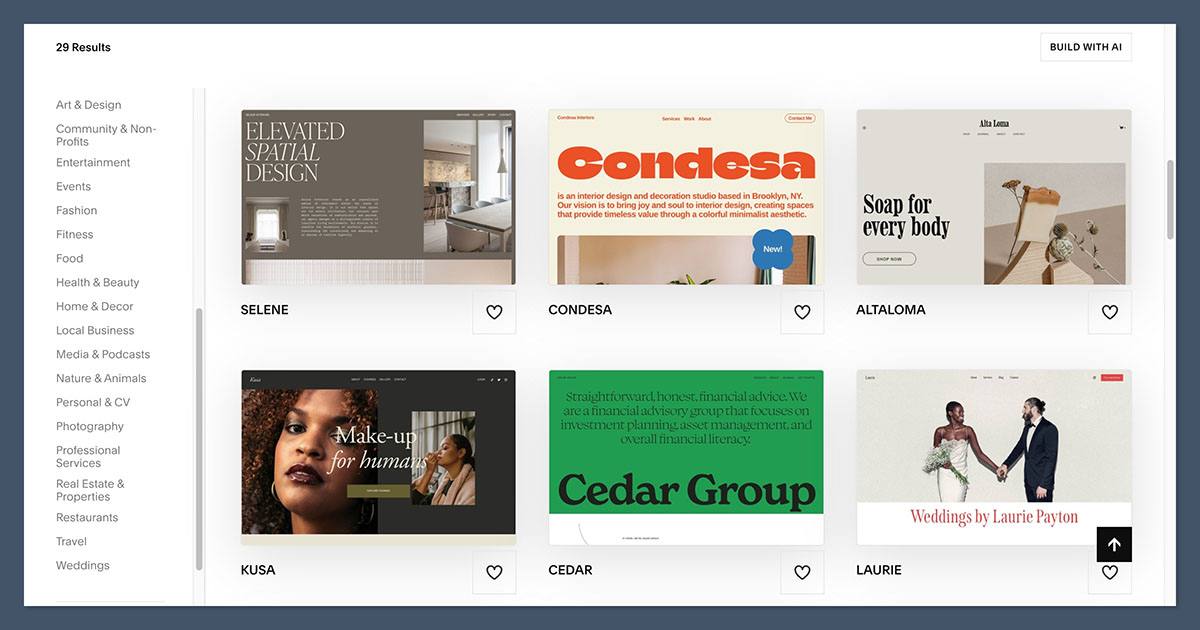
Squarespace is known for design. All templates are mobile responsive and built with aesthetics in mind.
- More than 100 modern templates available
- Strong focus on photography, typography, and layout
- Easy to switch styles and fonts
- Blocks make it simple to structure content
If design matters to your brand, Squarespace delivers a polished experience.
Bluehost (WordPress)
Design on Bluehost depends entirely on the WordPress theme you choose.
- Thousands of free and premium themes are available
- Themes can be fully customized with page builders
- You can hire developers or designers for a custom layout
- Theme quality varies, so research is key
The downside is that achieving a great look may take longer, and you’re responsible for making all the pieces work together.
The Winner
Squarespace is better for design-focused users who want a great site without having to tweak layouts or code. WordPress is more powerful but less beginner-friendly.
SEO and Marketing Tools
Squarespace
Squarespace includes a solid set of SEO and marketing tools out of the box.
- Clean HTML structure and mobile-optimized templates
- Built-in image alt tags and meta descriptions
- Integrated email marketing and promotional popups
- Social media integrations are available natively
However, you can’t access your server or advanced tools like schema markup without workarounds.
Bluehost (WordPress)
WordPress excels in SEO, and Bluehost supports that with a solid hosting environment.
- Use plugins like Yoast, RankMath, or All in One SEO
- Customize URLs, meta tags, structured data, and sitemaps
- Deep control over performance and SEO best practices
- Integrate with Google Analytics, Search Console, and other tools
For content-heavy businesses or those relying on organic traffic, WordPress gives you a long-term SEO advantage.
The Winner
If you’re planning to invest in long-term content and search traffic, Bluehost wins for SEO.
But if you just need the basics and don’t want to manage plugins, Squarespace is easier to maintain.
Performance and Maintenance
Squarespace
Squarespace manages all hosting and infrastructure, so your site is fast, secure, and regularly updated without your input.
- No need to update software or monitor plugins
- Automatic backups and security patches
- Built-in SSL and mobile optimization
This saves time and reduces the risk of breaking your site with an update.
Bluehost
Bluehost provides hosting for your WordPress site, but you are responsible for maintenance.
- You must update plugins, themes, and WordPress core
- You’ll need to monitor performance and install caching tools
- Security depends on your setup (e.g., plugins, firewall, backups)
If you ignore maintenance, your site may become slow or insecure over time.
The Winner
Squarespace is easier to manage day-to-day. If you don’t want to think about technical tasks, Squarespace is the better choice.
Customer Support
Squarespace
- 24/7 live chat and email support
- Help center with guides, videos, and tutorials
- Centralized support for everything (hosting, editor, ecommerce)
Support staff understand the full stack, making it easier to resolve issues.
Bluehost
- 24/7 chat and phone support for hosting-related issues
- WordPress and plugin support is usually not covered
- You may be referred to external documentation or developers
While Bluehost’s hosting support is fast, solving WordPress issues often falls on you or your web team.
The Winner
Squarespace has the better support experience, especially for non-technical users.
Final Verdict: Should You Use Bluehost or Squarespace?
Here’s a summary based on what you need from your website:
| Use Case | Best Choice |
|---|---|
| Fast setup and beautiful templates | Squarespace |
| Custom site with advanced ecommerce | Bluehost |
| No maintenance or updates | Squarespace |
| SEO and content-heavy strategy | Bluehost |
| Scalable ecommerce with integrations | Bluehost |
| Small store or service-based business | Squarespace |
If you’re still on the fence, I’d recommend signing up for a Squarespace free trial or exploring Bluehost’s promo pricing to test the experience.
Both platforms can support an online business, but only one will match how you prefer to work.


