IM Creator is a website builder designed for people who want a clean looking site online quickly, without dealing with technical setup or complex design tools.
It focuses on speed, structure, and simplicity rather than deep customization or advanced ecommerce features.
After reviewing IM Creator’s documentation, testing its editor, and comparing it to other ecommerce focused website builders, I can say that IM Creator fills a very specific gap in the market.
It works well for small scale selling and simple business websites, but it is not built for growth focused ecommerce brands.
In this review, I will break down IM Creator’s pricing, ease of use, ecommerce features, design tools, SEO capabilities, and overall value.
By the end, you should have a clear idea of whether IM Creator fits your ecommerce goals or if you are better off choosing an alternative.
Why You Can Trust This Review
This review is based on hands on testing of IM Creator’s editor, analysis of its official documentation, and comparison against other leading ecommerce website builders. I focused on real world use cases rather than marketing claims.
I looked closely at:
- How fast you can build and publish a website
- What selling tools are actually included
- How much control you get over SEO and design
- How IM Creator compares to platforms like Wix, Squarespace, Shopify, and Webflow
The goal here is not to oversell the platform, but to explain clearly where it performs well and where it does not.
IM Creator Pros and Cons
Before diving into the details, here is a quick snapshot of IM Creator’s strengths and weaknesses.
IM Creator at a Glance
| Category | Rating |
|---|---|
| Ease of Use | Very good |
| Design Quality | Good |
| Ecommerce Features | Basic |
| SEO Tools | Limited |
| Value for Money | Strong for eligible users |
What I Like About IM Creator
- Very fast website setup using prebuilt sections
- Clean and modern templates that look professional without much effort
- Built in ecommerce with Stripe integration
- Hosting included with no separate setup
- Free premium licenses for students, artists, and nonprofits
What I Dislike About IM Creator
- SEO tools are extremely basic
- Ecommerce is limited to small catalogs
- Template switching after publishing often requires rebuilding
- No app marketplace or third party integrations
- Confusing product lineup with multiple builders
My Experience Using IM Creator
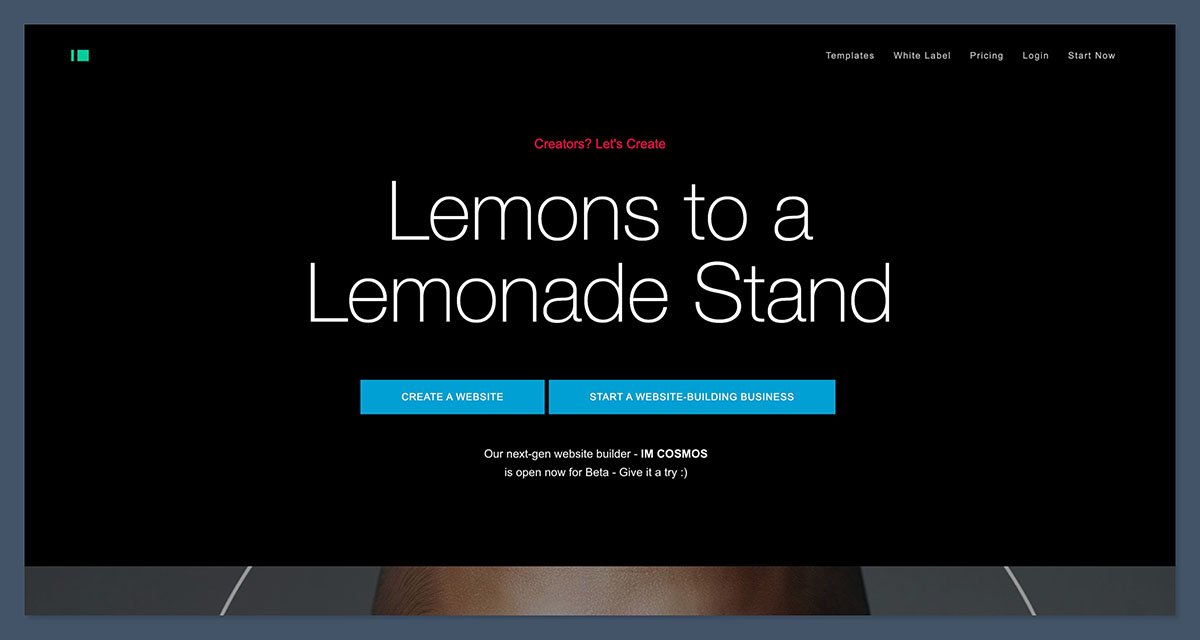
Signing up for IM Creator was quick and straightforward. I did not need to enter any payment information to get started, which made it easy to explore the platform without commitment.
Once inside the editor, I immediately noticed how different it feels compared to drag and drop builders like Wix. IM Creator uses a section based system called stripes.
Instead of placing elements freely, you stack predesigned sections vertically and edit their content.
This approach makes building a site feel structured and efficient, but it also limits creative freedom. I was able to put together a clean looking homepage in under an hour, but I could not fine tune layouts or spacing the way I could with more advanced builders.
For simple sites, this is a benefit. For more complex layouts, it can feel restrictive.
Ease of Use and Editor Experience
IM Creator is clearly designed for users who want results quickly. The editor avoids complexity and keeps everything structured.
How the Editor Works
- Pages are built using vertical stripes
- Each stripe represents a section like a hero, gallery, or product block
- Content is edited by clicking into the stripe
- Design options are preset and limited to maintain consistency
This makes it very hard to break your layout, which is great for beginners. At the same time, it means you are locked into the platform’s design system.
Who the Editor Is Best For
IM Creator works best for:
- Beginners who want a simple site
- Designers building portfolios
- Small businesses that value speed over customization
It is not ideal for:
- Designers who want full creative control
- Developers who need code access
- Businesses planning frequent redesigns
Pricing: How Much Does IM Creator Cost?
IM Creator’s pricing structure is not very clear at first glance, since it offers multiple plans and special programs. Here is how it breaks down in practice.
Standard IM Creator Plans
| Plan | Price | Best For |
|---|---|---|
| Free | $0 | Testing the platform |
| Premium | $7.95 to $9.95 per month | Small business sites |
| Pro White Label | $350 per year | Agencies and resellers |
The Premium plan is where most users will land. It includes:
- Custom domain support
- Unlimited bandwidth
- Hosting included
- Up to 10 email addresses
- Priority support
Free Premium Licenses
One of IM Creator’s strongest advantages is its free premium license program. If you are a student, artist, or nonprofit, you may qualify for a free Premium plan with no ads and full features.
This makes IM Creator one of the best value website builders for eligible users.
White Label and Creator PRO Pricing
IM Creator also offers higher tier white label plans under the Creator PRO brand. These plans range from $350 to $500 per month and are aimed at agencies that want to resell the builder under their own branding.
This pricing tier is separate from the standard IM Creator experience and is not relevant for most small ecommerce businesses.
Is IM Creator Good Value for Money?
For small sites, IM Creator offers solid value. The Premium plan is cheaper than Squarespace and Webflow, and hosting is included.
However, value depends heavily on your goals.
If you want:
- A simple site with a few products
- Minimal setup
- Clean design without extra work
Then IM Creator is good value.
If you want:
- Advanced ecommerce features
- SEO driven growth
- Long term scalability
Then you will likely outgrow the platform quickly.
Designing With IM Creator
IM Creator’s templates are modern and visually appealing. They are designed to look good by default, which reduces the need for customization.
Templates and Layouts
- Templates are organized by use case
- Designs are responsive and mobile friendly
- Layouts rely heavily on typography and spacing
- Visuals feel minimalist and professional
That said, there is limited flexibility. You cannot freely rearrange elements or create complex page structures.
Template Switching
One major downside is that switching templates after publishing often requires rebuilding your site. This is something you need to decide upfront.
If you are unsure about your brand direction, this can become frustrating later.
Ecommerce Features: What IM Creator Can and Cannot Do
IM Creator includes basic ecommerce functionality built directly into the platform. It is designed for simplicity rather than power.
What You Can Sell
- Physical products
- Digital products
- Services
Ecommerce Features Included
- Add products directly to pages
- Stripe payment processing
- Product and order management dashboard
- Shipping address collection for physical goods
- No platform transaction fees
Ecommerce Limitations
- Stripe is the only payment option
- No discount codes or promotions
- No advanced shipping rules
- No inventory tracking
- No subscriptions or recurring payments
- No abandoned cart recovery
Best Use Cases for IM Creator Ecommerce
IM Creator works best for:
- Artists selling prints
- Freelancers selling services
- Small stores with fewer than 10 products
- One product businesses
It is not suitable for:
- Large catalogs
- International selling
- Brands relying on marketing automation
SEO Tools and Marketing Features
IM Creator claims to be SEO friendly, but in practice, its SEO tools are very limited.
SEO Settings Available
- Site title and description
- Meta keywords
- Social sharing image
- Favicon
- Google Analytics integration
What Is Missing
- Structured data
- Page level SEO automation
- Redirect management
- Canonical tags
- Robots controls
- Advanced sitemap settings
For a basic site, this is enough to get indexed. For content heavy ecommerce websites, it is not sufficient.
If SEO is a key growth channel for your business, IM Creator will likely feel restrictive.
Hosting, Performance, and Security
IM Creator includes hosting with all plans, which removes a major setup barrier.
Hosting Features
- Hosting included
- SSL certificates provided
- Claims of Google and Amazon infrastructure
- Unlimited bandwidth on paid plans
Performance was solid during testing. Pages loaded quickly and felt lightweight, which is expected given the simple design structure.
Security
IM Creator handles security on the backend, including SSL and infrastructure protection. This is standard for hosted website builders and removes the need for manual maintenance.
Customer Support and Help Resources
Support availability depends on your plan.
Support Options
| Plan | Support |
|---|---|
| Free | Limited |
| Premium | 24 hour support |
| Pro | Priority support |
IM Creator also provides a help center with documentation covering common topics like ecommerce setup and SEO basics.
Support responses were reasonable, though not instant.
IM Creator vs Competitors
Here is how IM Creator compares to other popular ecommerce website builders.
| Platform | Best For |
|---|---|
| IM Creator | Simple sites with light ecommerce |
| Wix | All in one features and flexibility |
| Squarespace | Design focused businesses |
| Shopify | Scalable ecommerce stores |
| Webflow | Advanced design and CMS control |
| WordPress | Content driven and SEO heavy sites |
IM Creator sits firmly at the entry level end of the ecommerce builder spectrum.
Wix offers a wide range of built in tools and apps, making it a strong choice for users who want flexibility without technical complexity.
Squarespace is best suited for brands that prioritize visual presentation and want polished templates with minimal effort.
Shopify is designed for serious ecommerce businesses that need advanced selling tools, integrations, and room to grow.
Webflow is ideal for designers and developers who want detailed layout control and powerful CMS functionality.
WordPress is best for websites that rely on content marketing and SEO, offering deep customization when properly configured.
Final Verdict: Should You Use IM Creator?
IM Creator is a good choice if you want a clean website online quickly and only need basic ecommerce features. It removes friction, simplifies design, and keeps costs low, especially if you qualify for a free premium license.
That said, it is not built for growth focused ecommerce businesses. SEO tools are limited, integrations are minimal, and ecommerce features lack depth.
If your goal is to launch fast and keep things simple, IM Creator can work well. If your goal is to scale, you should look elsewhere.


