Wufoo powers online forms for more than 3 million users, including names like Amazon and Disney, yet the last update on its public release notes page is dated August 2020. That single fact tells you most of what you need to know about this Wufoo review: the product is reliable and well-liked, but it hasn’t changed much in years.
I don’t resell Wufoo or any form builder, so what follows is the honest take on where it still shines and where it’s starting to show its age.
The short version: Wufoo is fast, dependable, and genuinely cheap to start with, but also dated, limited on logic, and not built for regulated or complex use cases. Whether that’s a fair trade depends entirely on what you need a form for. Here’s the full breakdown: the builder, the features, payments, the real pricing, security and support, how it compares to Jotform, Typeform, and Google Forms, and a clear verdict on who should actually use it.
1. Ease of Use and the Form Builder
You can have a working, embeddable form live in about ten minutes with Wufoo, no code and no developer required. That speed is the whole reason people stick with it.
The builder uses a simple two-panel layout: field types on the left, your form canvas on the right. You drag in Standard fields (text, email, dropdown, checkbox, date) or “Fancy Pants” fields like file uploads, Likert scales, and ratings, then click any field to set its label, help text, and whether it’s required. A live “View Form” button lets you preview at any point, and the Theme Designer lets you set colors, fonts, and backgrounds, then save that theme to reuse across forms for brand consistency. There are 400+ templates to start from.
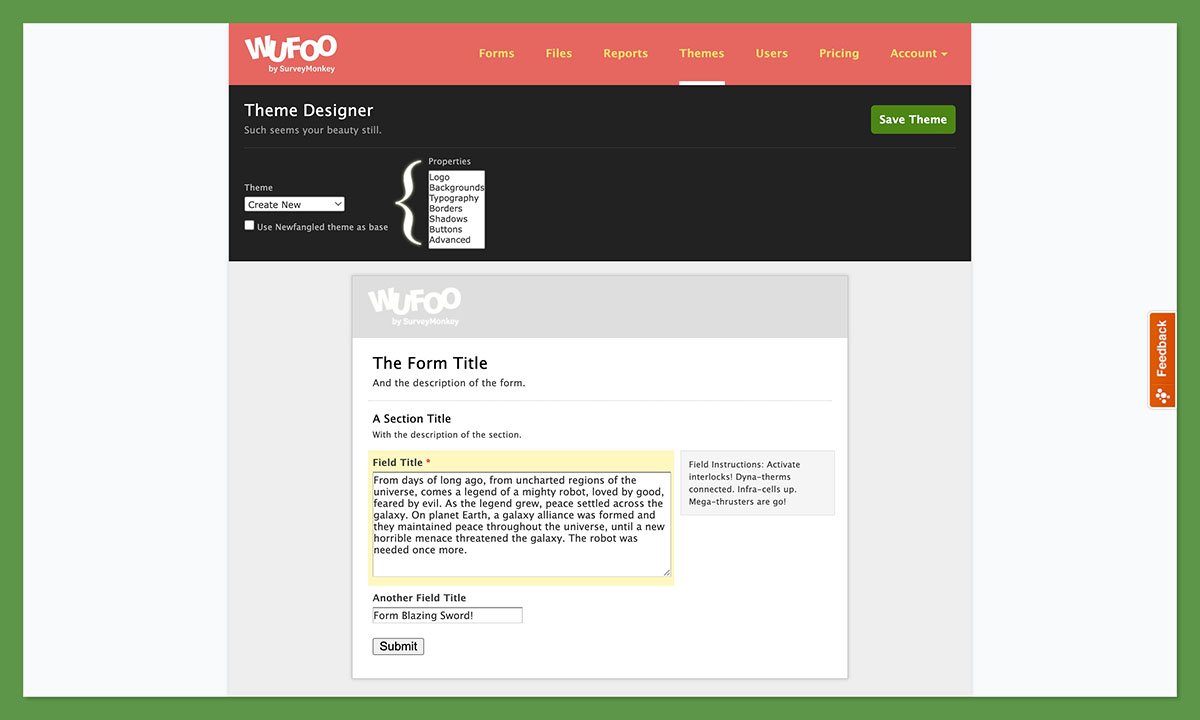
Reviewers who have used it for over a decade describe building forms as simple, quick, and intuitive, and non-technical staff routinely deploy forms without help. That is Wufoo’s core strength, and it explains why nonprofits and educators make up such a large slice of the user base: staff with zero technical background can stand up a working form without filing an IT ticket.
It also explains the sheer range of things people actually build with it: info requests, incident reporting, and project management on the business side. Content creators lean on it just as hard, using forms for fan-mail intake, giveaway entries, subscriber sign-ups, and course-fee collection, with file upload fields that accept photos, audio, and video. If a use case fits on a form, someone has shipped it on Wufoo.
The honest counterweight is the interface itself. It is widely described as dated, closer to early-2000s web software, and TechRadar’s hands-on review notes that the lack of an in-editor navigator makes the first few sessions harder than they should be. The 400+ template library is also modest next to Jotform’s 10,000+. Forms are at least mobile-responsive automatically, with no separate setup.
Best for: anyone who values speed and simplicity over polish. Skip it if a modern, refined editor matters to you or your brand image.
2. Features, Conditional Logic, and Reporting
Wufoo’s conditional logic is friendlier than most builders, right up until you hit a wall it never warns you about. For everyday forms, though, the feature set is more than enough.
Logic runs through a no-code Rule Builder with a fill-in-the-blank sentence format and three rule types. Field Rules show or hide fields based on answers. Page Rules skip pages, bypass a payment step, or jump to confirmation. Form Rules handle post-submission actions like custom messages, redirects, and notification emails. The free plan allows just 3 rules total; paid plans allow up to 50 rules per type, or 150 per form.
That ceiling is real. Users building complex multi-branch surveys hit the 50-rule limit and have to split one logical survey into several separate forms, which is a clumsy workaround.
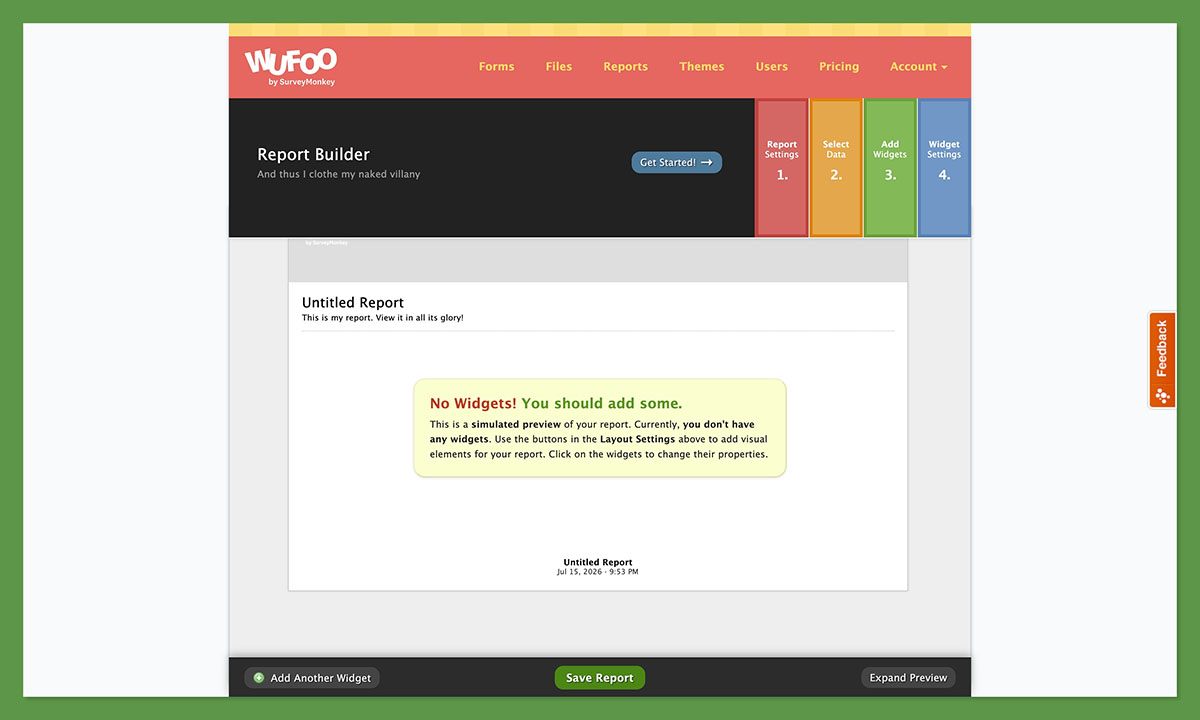
The genuine standout is reporting. Wufoo’s Report Builder turns submissions into charts and graphs, and uniquely lets you embed those live reports on external websites. WebsitePlanet ranks it best for creating custom form data reports, and its survey builder earns a 4.7/5 on Capterra, the highest of any feature.
One underrated strength for international teams: Wufoo supports 40+ languages, so you can serve a form in your respondent’s language without a third-party translation layer. For a nonprofit or course creator with an audience spread across several countries, that alone can be the deciding feature.
Two gaps are worth flagging honestly. There’s no built-in e-signature (it scores just 3.5/5 and leans on Adobe Sign or signNow), and multi-page forms have no save-and-resume, so anyone who abandons a long form midway has to start over. That last gap stings most on long event registrations and applications, exactly the forms most likely to be split across pages in the first place.
The verdict: plenty of capability for everyday forms, surveys, and light logic, but not the tool for complex branching research.
3. Payments and Integrations
One nonprofit took more than 35,000 spam credit-card transactions in eight hours on a Wufoo payment form, so this is a section to read carefully before you collect a cent.
Payments unlock on the Professional plan ($39/month) and above, across eight gateways: Stripe, PayPal, Square, Authorize.Net, Braintree, USA ePay, FreshBooks, and Chargify. Respondents pay inside the form without being redirected elsewhere, which keeps the checkout on your page and tends to reduce drop-off at the moment people are most likely to bail. Wufoo charges no transaction fee of its own, so you pay only your gateway’s standard rates. The Stripe and PayPal integrations both score a perfect 5.0/5 on Capterra. The main limit is that there’s no native recurring or subscription billing.
On integrations, Wufoo connects to 60+ native partners and then leans on Zapier for the long tail. The native list covers the tools most small teams already run:
- CRM and email: Salesforce, Mailchimp, Campaign Monitor
- Productivity and storage: Google Workspace, Microsoft 365, Dropbox, Basecamp, Asana
- Web: WordPress, plus webhooks and a REST API for custom work
- Via Zapier (2,000+ apps): ConvertKit, AWeber, Google Sheets, Slack, and Zoom
Just know that many of those Zapier connections route through an intermediary rather than deep native integrations, which is an area where Jotform pulls ahead with its 100+ native categories.
Back to that spam incident. Wufoo’s CAPTCHA is not enabled by default; it only auto-triggers after bot activity is detected, which is exactly how a payment form got hammered with tens of thousands of fraudulent charges. If you take payments, harden your forms with anti-spam protections before you publish.
My recommendation: Wufoo’s payment handling is clean and fee-free, but turn on spam protection from day one, and look elsewhere if you need recurring billing.
4. Wufoo Pricing and Value
Wufoo’s sticker prices look friendly, until a traffic spike quietly turns a $19 plan into a much bigger bill. Here’s the full lineup.
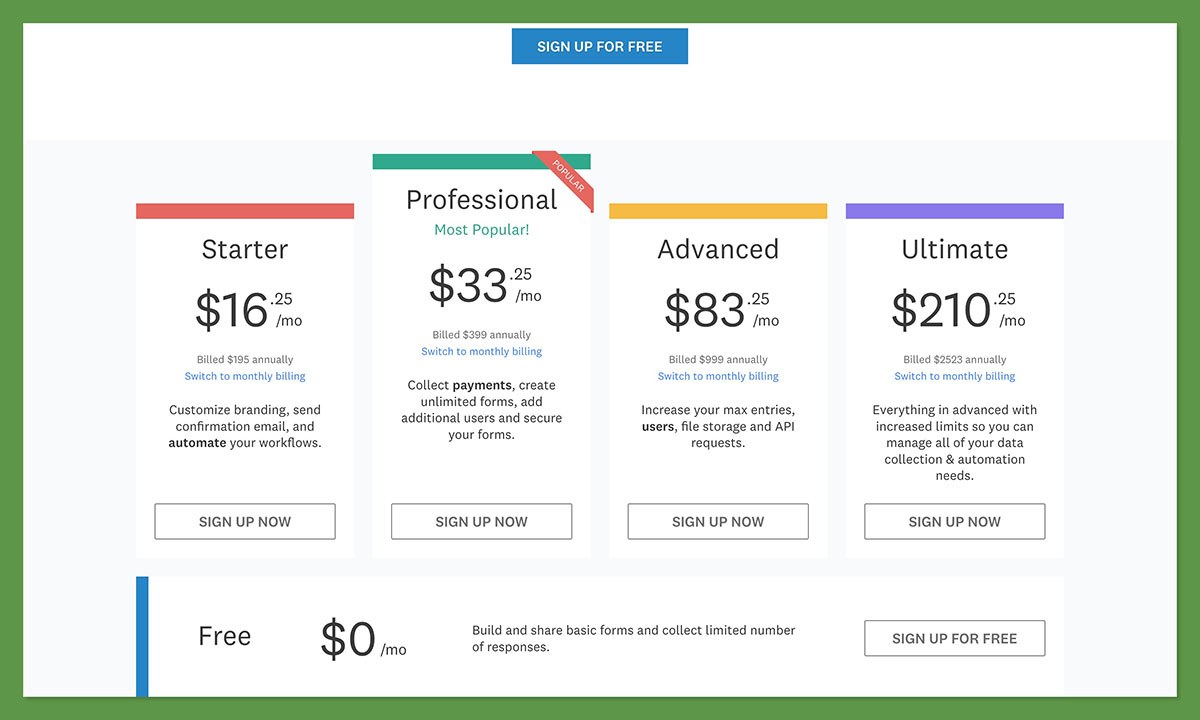
| Plan | Price (monthly / annual) | Entries/mo | Forms | Users | Key unlocks |
|---|---|---|---|---|---|
| Free | $0 | 100 | 5 | 1 | 10 fields, 3 logic rules, no file uploads |
| Starter | $19 / $169 | 1,000 | 10 | 1 | File uploads, custom branding, 1 GB |
| Professional | $39 / $349 | 5,000 | Unlimited | 3 | Payments, field encryption, 5 GB |
| Advanced | $99 / $889 | 25,000 | Unlimited | Up to 20 | Priority support, 10 GB |
| Ultimate | $249 / $2,199 | 200,000 | Unlimited | Up to 60 | 20 GB storage |
Paying annually saves roughly 25 to 26%. The free plan is genuinely useful for testing, but tight: 100 entries with a hard cutoff, no file uploads, and only 3 logic rules.
The catch on paid plans is the overage fee. Every entry above your monthly limit costs $0.05, billed at the end of the cycle. That sounds trivial until a campaign goes viral: 10,000 unexpected entries above Starter’s 1,000-entry limit would add a surprise $450 in a single month.
It’s no shock, then, that Capterra rates Wufoo’s value for money at 4.2/5, below the 4.5 category average. Cheaper and free options exist too: Google Forms is free with unlimited responses, and Cognito Forms gives you 2,000 entries for the same $19 Wufoo charges for 1,000.
The verdict: fair value if your form volume is steady and predictable, but risky for seasonal or viral spikes unless you size your plan up in advance.
5. Security, Support, and the Stagnation Problem
Wufoo’s last public release notes are dated August 2020, and that single detail explains a lot about this section. The security baseline is solid, but the support and the slowing pace of development are where buyers should pause.
On security, Wufoo covers the essentials: a SOC 2 Type II audited data center, 256-bit SSL on every form, quarterly PCI scans, and optional field-level encryption for up to 5 sensitive fields on Professional plans and above. The hard limit is compliance. Wufoo is not HIPAA compliant and will not sign a Business Associate Agreement, which disqualifies it for healthcare or anything involving protected health information. There’s also no dedicated GDPR tooling.
Support is thin. It’s email-only, Monday to Friday, 6am to 5pm Pacific, with no phone line and no live chat. The complaints are pointed: one Capterra reviewer called customer service a complete joke, others report 22-hour response times even on the Advanced plan, and a common refrain is that replies are slow and often irrelevant. Trustpilot adds another recurring theme, with users reporting auto-billing that continued after repeated cancellation attempts, and forms disabled without notice while billing continued.
Then there’s the stagnation. SurveyMonkey bought Wufoo back in 2011 for around $35 million, rebranded to Momentive in 2021, walked away from an attempted Zendesk acquisition late that year, and finally passed to STG in a $1.5 billion all-cash buyout. Through all of it, reviewers consistently say Wufoo simply hasn’t improved, while rivals like Jotform, Cognito Forms, and Typeform kept shipping new features. Dependable, yes, but clearly under-invested.
Best for: general business forms where the baseline security is fine. Skip it if you need HIPAA compliance, responsive support, or a product that’s actively evolving.
6. Wufoo vs the Alternatives
Before you commit to Wufoo, here’s exactly where four popular rivals beat it, and where Wufoo still holds its own.
| Tool | Starting price | Free plan | Conditional logic | Payments | HIPAA | Best for |
|---|---|---|---|---|---|---|
| Wufoo | $19/mo | 5 forms, 100 entries | Field/page/form rules (50/type cap) | 8 gateways, no fee | No | Simple, reliable forms on a budget |
| Jotform | $34/mo | 5 forms, 100 submissions | Advanced + calculations | 30+ gateways | Yes (Gold+) | Templates, compliance, scale |
| Typeform | $29/mo | 10 responses/mo | Strong visual logic | Via integration | No | Beautiful, conversational surveys |
| Google Forms | Free | Unlimited | Basic branching | None | No | Zero-cost basic data collection |
| Cognito Forms | $19/mo | 100 entries, payments included | Advanced + repeating sections | Built-in, no fee | Yes (Enterprise) | Logic plus value |
A few takeaways. If budget is everything and your needs are basic, Google Forms is free with unlimited responses. If design and completion rates matter, Typeform’s conversational, one-question-at-a-time format is best in class. If you need templates, compliance, or deep workflows, Jotform is the heavyweight. And Cognito Forms is the closest direct value rival, matching Wufoo’s $19 price while giving you twice the entries, stronger logic, and built-in payments.
It helps to know why people switch. Most Wufoo alternatives win on the same handful of fronts, and FormGrid’s guide names three recurring reasons users leave Wufoo: an outdated appearance, strict submission limits even on paid tiers, and a clunky interface that takes too many clicks for basic tasks. If none of those three are dealbreakers for you, Wufoo’s case gets a lot stronger.
Where Wufoo still earns its keep is speed, long-term reliability, and those embeddable live reports that none of these rivals quite match.
Quick comparison: pick Google Forms for free, Typeform for design, Jotform for compliance and scale, and Cognito Forms if you want more form for the same money.
The Bottom Line: Is Wufoo Worth It?
Wufoo is worth it for the right user: a non-technical small business, nonprofit, or educator who wants reliable, simple forms built fast at a fair price, and who doesn’t need modern design, deep logic, or compliance. For everyone else, the cracks start to show.
What I Like
- Fast and genuinely no-code so non-technical staff build forms in minutes
- Reliable hosting trusted by 3M+ users over many years
- In-form payments across 8 gateways with no added Wufoo fee
- Conditional logic even on the free plan, which is rare
- Embeddable live reports, a real differentiator
- Solid baseline security with SOC 2 Type II and 256-bit SSL
What I Dislike
- Dated interface with no public release notes since August 2020
- Not HIPAA compliant and no BAA, ruling out healthcare
- Email-only support with slow, sometimes unhelpful responses
- $0.05-per-entry overage that can produce surprise bills
- 50-rule logic ceiling and no multi-page save-and-resume
Best for contact forms, simple registrations and surveys, internal data collection, and event forms with payment. Skip it if you need HIPAA, complex branching surveys, high-volume lead capture, modern UX, or responsive support; in those cases look at Cognito Forms for value, Jotform for compliance and scale, or Typeform for design.
My rating: 3.8/5. A dependable, affordable workhorse that’s quietly falling behind. Start on the free plan and test the builder against a real form of your own before you pay.
Frequently Asked Questions
Is Wufoo free?
Yes. Wufoo’s free plan includes 5 forms, 100 entries per month, 10 fields per form, 1 user, and up to 3 conditional logic rules, with no file uploads. Once you hit the 100-entry monthly limit, your forms stop accepting submissions, since there’s no overage option on the free tier. It’s a genuine way to test the builder before paying.
How much does Wufoo cost?
Wufoo has five tiers: Free ($0), Starter ($19/month), Professional ($39/month), Advanced ($99/month), and Ultimate ($249/month). Paying annually saves roughly 25%, bringing Starter to $169/year and Ultimate to $2,199/year. Paid plans also carry a $0.05 fee for every entry above your monthly limit, which can add up quickly during traffic spikes.
Can Wufoo accept payments?
Yes, on the Professional plan ($39/month) and above. Wufoo integrates with eight gateways including Stripe, PayPal, and Square, and respondents pay inside the form without a redirect. Wufoo charges no transaction fee of its own, so you pay only your gateway’s rates. The main limitation is that recurring or subscription payments aren’t natively supported.
Is Wufoo HIPAA compliant?
No. Wufoo does not sign Business Associate Agreements and has no documented HIPAA compliance program, so it can’t be used to collect protected health information. Healthcare organizations and anyone handling patient data should choose a compliant alternative such as Jotform (Gold or Enterprise), Cognito Forms (Enterprise), or a dedicated healthcare form tool.
Is Wufoo still actively developed?
Evidence points to minimal development. The last public release notes on Wufoo’s site are dated August 2020, and long-term users consistently report few meaningful improvements under SurveyMonkey’s ownership. The interface is widely described as stagnant compared to actively developed competitors like Jotform and Cognito Forms, which have kept shipping new features.
How does Wufoo compare to Jotform?
Wufoo is simpler and cheaper to get started with, while Jotform wins on depth. Jotform offers 10,000+ templates versus Wufoo’s 400+, HIPAA-compliant plans, 24/7 support with fast response times, and more advanced conditional logic. Choose Wufoo for simple forms on a tight budget; choose Jotform if you need compliance, scale, or complex workflows.
Who is Wufoo best for?
Wufoo is best for non-technical small businesses, nonprofits, and educators who need reliable contact forms, simple surveys, event registrations, or payment forms, and who value speed and simplicity over modern design. It’s not the right fit for healthcare, complex multi-branch surveys, high-volume lead capture, or teams that need a polished, actively developed interface.


